On this page
WordPress slows a site when its server-side work (PHP, plugins, database) shows up as high Time to First Byte on uncached pages, or when its theme and plugins load heavy CSS and JavaScript. Measure TTFB on cached and uncached requests, then compare it with LCP and Total Blocking Time in PageSpeed Insights. High TTFB points to WordPress or hosting; good TTFB with poor LCP/INP points to front-end weight.
Test 1: Measure Time to First Byte, cached and uncached
TTFB is the time until the first byte of HTML arrives. It includes DNS, connection, TLS, and the server's time to build the page (web.dev on TTFB). Run it from a terminal several times:
# likely cached (repeat request)
curl -s -o /dev/null -w "ttfb=%{time_starttransfer}s\n" https://example.com/about/

# force a cache miss with a unique query string
curl -s -o /dev/null -w "ttfb=%{time_starttransfer}s\n" "https://example.com/about/?nocache=$RANDOM"
Many caches treat query strings as different pages, so the second request usually reaches PHP. Compare:
- Both fast (well under 0.8 s): the server is not your problem. Go to test 3.
- Cached fast, uncached slow (1 to 3+ seconds): WordPress is doing expensive work per request. Cache misses hurt first-time visitors and Googlebot on deep pages.
- Both slow: hosting, distance to the server, or no caching at all.
Test 2: Find what WordPress is spending time on
If uncached TTFB is high, install the free Query Monitor plugin on a staging copy and load a slow page while logged in. It shows total page generation time, database query count and time, and which plugins or theme functions caused them. Typical findings:
- One plugin running dozens of uncached queries on every page.
- Large autoloaded options loaded on every request.
- External HTTP calls during page generation (license checks, APIs) that wait on another server.
- Page builder rendering adding hundreds of milliseconds per page.
Deactivate suspects one at a time on staging and re-measure. This tells you whether the cause is "WordPress" or "one plugin on WordPress", which are very different fixes.
Test 3: Check the front end in PageSpeed Insights
Run your homepage and one typical inner page in PageSpeed Insights. Look at two areas:
- Field data (top section, from real Chrome users via CrUX): this is what Google uses for Core Web Vitals. LCP should be 2.5 s or less, INP 200 ms or less, CLS 0.1 or less at the 75th percentile (Web Vitals thresholds).
- Diagnostics (lab, Lighthouse): "Reduce unused CSS", "Reduce unused JavaScript", "Avoid an excessive DOM size", "Reduce the impact of third-party code".
If TTFB is fine but these diagnostics list hundreds of KB of unused CSS and JavaScript from theme and plugin folders (/wp-content/plugins/..., /wp-content/themes/...), WordPress's ecosystem is slowing the browser, not the server.
Test 4: Rule out the things that are not WordPress
Plenty of slow WordPress sites would be just as slow on any platform:
- A 4 MB hero image or autoplay video hurts LCP everywhere.
- Tag managers loading ten marketing tags hurt INP everywhere.
- Chat widgets and review carousels are third-party code on any CMS.
- Web fonts loaded from several families and weights delay text everywhere.
Look at the PageSpeed Insights "third-party" breakdown. If most of the blocking time belongs to other domains, moving off WordPress will not fix it; removing or delaying those scripts will.
Reading the verdict
| What you found | Verdict | Next step |
|---|---|---|
| Uncached TTFB high, Query Monitor points at plugins | WordPress setup is the bottleneck | Remove or replace heavy plugins, add page caching |
| TTFB high everywhere, even cached | Hosting or no caching | Add a cache/CDN or change hosting |
| TTFB good, huge unused CSS/JS from theme/plugins | Theme or builder weight | Leaner theme, or rebuild the front end |
| TTFB good, blocking time from third parties | Not WordPress | Audit marketing and widget scripts |
| Everything fine in lab, poor field data | Real users on slow devices | Reduce JavaScript; check the slowest templates |
Where to go next: how to make WordPress faster if you are staying, why WordPress gets slow for the background, or WordPress vs static if the verdict points at the architecture.
Sources and further reading
Primary documentation we relied on for this guide. Links were checked on November 11, 2026.
Frequently asked questions
Does WordPress make websites slower than other platforms?
It can, because uncached pages are built by PHP and plugins on each request, and themes and builders often add heavy assets. A well-built WordPress site can still be fast; the cost comes from what accumulates on it.
What is a good TTFB for a WordPress site?
web.dev suggests 0.8 seconds or less as a rough guide for a good TTFB. Cached pages behind a CDN are usually far below that; uncached WordPress pages often are not.
Is PageSpeed Insights lab score what Google uses for ranking?
Google uses field data from real Chrome users (Core Web Vitals) as part of page experience, not the lab Lighthouse score. The lab score is a diagnostic tool.
Can a page builder make WordPress slow?
Yes. Builders tend to add large CSS and JavaScript files and deep DOM trees, which hurt LCP and INP on mobile even when the server is fast.
Measure it on your URL
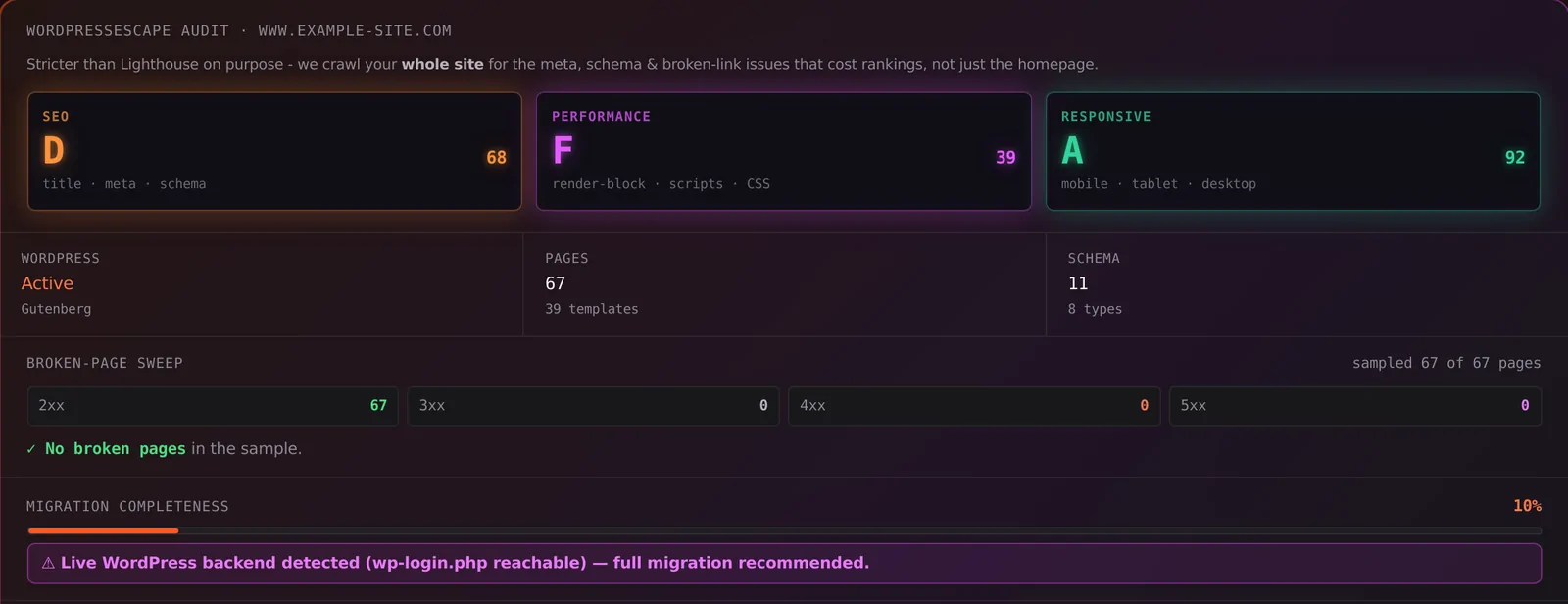
Scan your URL free - 60 seconds, no login. SEO, Performance, Responsive grades, then a done-for-you escape if you want it.
Scan my site free