
On this page
- Why you might want to migrate a Replit site you already deployed
- Dynamic app vs mostly-static site: decide if you should stay on Replit
- Inventory your Replit site: codebase, URLs, and dependencies
- Export content and structure from Replit without breaking SEO
- Choose a static stack: Hugo and edge hosting vs simpler options
- Keep URLs and redirects intact when leaving Replit
- Give non-developers an editor after you go static
- Cutover strategy: switch DNS from Replit to your static host
- Performance and cost differences: Replit vs static edge hosting
- When keeping Replit makes sense and when a service should handle migration
- Frequently asked questions
Why you might want to migrate a Replit site you already deployed
If you launched a site on Replit because it was the fastest way to go from code to live, you’re not alone. Replit’s Deployments make it easy to spin up a web server and map a custom domain. But once your project turns into a mostly-static marketing or content site, the runtime you’re paying for every month becomes unnecessary overhead. You’re effectively renting a server for pages that barely change and could be served as cheap, cache-friendly static files.
There are three common pain points that push teams to migrate away from a Replit deployment. First is ongoing cost: Replit pricing is designed around active runtimes and compute, not budget static hosting. Second is platform lock-in: your site lives inside Replit’s environment, and every feature, outage, or policy change affects how and whether you can deploy. Third is performance and control: while Replit is quick for development, you don’t get the kind of edge-cached, ultra-low-latency static hosting that services like Cloudflare or other CDNs provide by default.
At the same time, it’s easy to hesitate. You don’t want to lose URLs, tank rankings, or rebuild a design from scratch just to save on hosting. And if you’re not a developer, you might rely on Replit’s simplicity to avoid touching infrastructure at all. The ideal outcome is to keep the look, the URL structure, and your search visibility, but move the site to static hosting that you control, with a friendly editor for ongoing changes so you don’t have to redeploy every time you tweak copy.
This is exactly the niche that static-site generators and done-for-you migration services, like Wordpress Escape, fill for complex WordPress sites by rebuilding them as static Hugo sites on Cloudflare’s edge. The same thinking applies to Replit: if your site is mostly static, you can capture its structure, regenerate it as a static site, and host it independently - breaking the tie to Replit’s runtime while still editing content through a non-developer-friendly dashboard.
Dynamic app vs mostly-static site: decide if you should stay on Replit
Before you plan any migration, you need to be brutally honest about what your Replit project actually does. If it’s a genuinely dynamic application, ripping out the runtime and going fully static can break core functionality. If it’s mostly text, images, and marketing pages that occasionally collect form submissions, static hosting may be a better fit that simplifies your stack and saves money.
Think in terms of features that require server-side execution. A site should probably stay on Replit or move to another app host if it relies on real-time APIs, authenticated dashboards, complex back-end logic, or websockets. For example, anything that maintains user sessions, generates personalized data, or needs to run long-lived processes is a sign you need a runtime. In those cases, the best you can do is optimize or switch infrastructure, but you still need some platform to run your app.
By contrast, the following are good indicators that your site is a candidate for static migration. First, every page renders the same content for every user, with no login or personalization. Second, if you disable JavaScript, your core content still appears and works, which means the server isn’t doing much beyond serving HTML. Third, your "dynamic" elements are limited to simple contact forms, newsletter signups, or basic analytics, all of which can be handled by client-side integrations with form backends or third-party services. Based on these criteria, many marketing sites, documentation hubs, and simple blogs built on Replit are dramatically over-served by a full runtime.
There’s also a middle ground: static front ends plus API-powered components. If you have a few interactive bits - say, a pricing calculator or a feedback form - you can migrate the main site to static hosting while pushing those elements into JavaScript that talks to external APIs. This is similar to how Wordpress Escape replaces an entire WordPress runtime with a static Hugo build, then keeps interactivity via client-side scripts and services. The point is to reserve paid runtime capacity for the parts that absolutely need it, and let everything else be static, cached, and cheap.
Inventory your Replit site: codebase, URLs, and dependencies
Once you decide your site can go static, the next step is to understand exactly what you’re migrating. A Replit project can be a tangle of routes, templates, and scripts that grew organically. Before you move it, you need a clear inventory of your codebase, URL structure, and external dependencies so you don’t leave behind important pages or break paths that search engines already know and rank.
Start with the code itself. Open your Replit workspace and identify your web framework or server: for example, a Python Flask app, a Node.js Express server, or a simple static file server. Note where routes are defined and how templates are rendered. Look for any dynamic logic - conditionals, database calls, or API requests - that change what users see. This helps you separate truly dynamic endpoints from pages that could be baked into static HTML. If you use a template engine, you’ll later mirror that structure in whatever static generator you choose.
Next, create a URL map. The simplest approach is to crawl your live site using a tool like Screaming Frog or a lightweight link checker, then export a list of all reachable URLs. For each URL, note its status code, canonical tag, and any redirects. Pay special attention to non-obvious pages: legacy paths, landing pages for campaigns, and documentation URLs that external sites may have linked. Your goal is to end up with a spreadsheet or structured list showing each path, its title, and current use so you can ensure they exist in the static build.
Finally, catalog dependencies. This includes anything your site relies on that isn’t part of the main codebase: databases, environment variables, external APIs, analytics scripts, and third-party widgets. For each dependency, ask whether it’s critical to user experience or SEO. A logging endpoint might be optional, while a newsletter signup form is not. Static migration usually replaces server-side data connections with client-side calls, so knowing what you depend on now helps you plan how to support those features after the switch.
This audit process is similar to what Wordpress Escape does for large WordPress sites before turning them into static Hugo builds: they inventory all 528,854 pages, preserve every URL, and keep ranking-critical structures intact while removing the heavy runtime underneath. The more accurately you map your Replit site at this stage, the smoother your static rebuild will be - and the less likely you are to discover "missing" pages after you cut off the old deployment.
Export content and structure from Replit without breaking SEO
With a clear inventory of what your Replit site contains, you can focus on extracting the content and layout in a way that keeps your SEO signals intact. Search engines care about more than words on the page; they track URLs, metadata, internal links, and structured data. A sloppy migration that changes paths or drops key tags can undo months or years of organic growth, even if the new site looks similar to human visitors.
There are two primary approaches to exporting content from Replit. The first is to pull it directly from the codebase, extracting templates, markdown files, or JSON structures that currently feed your routes. This works well if your site is already organized in a content-first way. You can convert each piece into the format your static site generator expects, preserving titles, slugs, and body content. The second is to crawl the live site and download rendered HTML. This "HTML-first" approach is more brute-force but often easier when the code is messy or tightly coupled to the runtime.
Whichever route you choose, pay close attention to URL consistency. For each existing path, ensure the new static version uses the exact same URL, including trailing slashes and capitalization where relevant. If you must change a structure - for example, moving from "/post?id=123" to "/posts/my-article" - set up permanent 301 redirects from the old path to the new one so search engines can transfer authority over time. The safest migrations avoid changing URLs at all, treating them as the primary keys that define how content is discovered and ranked.
Metadata also needs to survive. As you export pages, capture and replicate their title tags, meta descriptions, canonical URLs, and any structured data like JSON-LD schema. These elements tell search engines what each page is about and how it fits into your broader site graph. If you’ve customized open graph tags for social sharing, carry those over too. It’s worth creating a checklist for each page type to verify that nothing important is lost or renamed during the move.
Done-for-you services like Wordpress Escape specialize in this kind of SEO-preserving rebuild for WordPress sites, cloning every URL and ranking signal while swapping the runtime for a static Hugo architecture at the edge. When you migrate from Replit yourself, you’re stepping into a similar role: treating SEO-critical elements as assets to be moved with care, not incidental details that can be re-invented later. Planning export around URLs and metadata first avoids painful post-launch surprises where pages look fine but traffic quietly drops.
Choose a static stack: Hugo and edge hosting vs simpler options
After you’ve decided what to migrate and how to preserve your URLs, the next big decision is your static stack. At a minimum, you need a way to turn source content into static files and a host to serve them. The trade-off is usually between raw speed and flexibility on one side and simplicity for non-developers on the other. The right choice depends on your team’s skills and how much traffic or complexity you expect.
Static site generators like Hugo, Jekyll, or Eleventy are battle-tested options for turning structured content into fast, cacheable HTML. Hugo, in particular, is optimized for large sites, rendering hundreds of thousands of pages quickly and efficiently. Its templating system lets you define layouts that match your current Replit design and reproduce URL schemes exactly. For teams comfortable with Git and templates, Hugo gives you an extremely scalable foundation that can later be enhanced with deployment pipelines and CDNs.
On the hosting side, edge-centric providers like Cloudflare Pages excel at serving static sites worldwide with minimal latency. When a Hugo-built site runs on Cloudflare’s edge, typical metrics can include time to first byte around tens of milliseconds and top-tier PageSpeed scores on content that used to rely on a heavier runtime. This happens because your pages are pre-built, cached geographically close to users, and delivered without server-side processing. For global audiences, this is a tangible upgrade from a single-region Replit deployment.
If you don’t need that level of scale, simpler hosting options like Netlify, Vercel (used in a static-only mode), or even object storage with a CDN can be more than enough. Many of these platforms integrate directly with static generators and offer built-in features like preview deployments. However, they still assume a developer or technical person is running the pipeline, which can be a barrier if your site updates rely heavily on non-technical editors.
This is where hybrid approaches, like the one Wordpress Escape uses for WordPress migrations, become relevant. They pair a powerful static engine (Hugo) and edge hosting (Cloudflare) with a custom dashboard that feels like a familiar CMS, so editors can update content without touching Git or templates. When you migrate a Replit site, you can aim for a similar balance: pick a static stack that ensures performance and reliability, then layer an editing interface on top so maintaining the site doesn’t require a developer on call.
Keep URLs and redirects intact when leaving Replit
The single most important part of migrating any live site - whether from Replit, WordPress, or another platform - is preserving URLs. Your paths are how users, search engines, and external links find content. If you change them without care, you fragment your authority and create a forest of broken links. Done correctly, a static migration can be invisible to visitors: they keep using the same URLs, and only your hosting and runtime change behind the scenes.
Start with a canonical URL list generated from your earlier inventory. For each route your Replit deployment currently serves, define the static equivalent. In an ideal world, the path stays exactly the same. For example, "/about" remains "/about", and "/blog/post-slug" remains "/blog/post-slug". Your static generator’s configuration should be driven by this list so your build produces matching output. Where your previous Replit app relied on dynamic query parameters, consider whether you can normalize them into clean static paths or preserve them via edge-level routing rules.
In reality, some changes are inevitable. Maybe you’re dropping old pages, or restructuring sections. When a URL must change or be removed, set explicit 301 redirects from the old path to the new best-match destination. These redirects should be managed at the level closest to the edge: in your CDN or static host configuration, rather than inside application code. Proper 301s tell search engines, "this content has moved permanently" and pass link equity forward over time, helping you avoid loss of ranking or crawl errors.
It’s also important to handle trailing slashes and HTTP-to-HTTPS transitions consistently. When you migrate away from Replit, your new hosting should enforce a clean canonical format - usually HTTPS with a single version of each path either with or without a trailing slash. Misconfigured redirects can lead to redirect chains, which slow users down and waste crawl budget. Test your redirect map thoroughly using automated tools and manual checks for high-traffic pages before cutting over.
Big site migrations like those handled by Wordpress Escape for large WordPress installations demonstrate that preserving zero broken URLs is possible even at scale: they’ve rebuilt hundreds of thousands of pages while keeping every path live. You can adopt the same mentality for your Replit project, even if it’s smaller. Treat each URL as non-negotiable unless you have a strong reason to retire it, and back any changes with deliberate, tested redirects. That discipline is what separates safe migrations from SEO disasters.
Give non-developers an editor after you go static
One of the reasons people keep sites on developer-centric platforms like Replit is fear of losing easy editing. As long as the app is running, someone can tweak templates or content in the IDE and redeploy. Going static can look like a path toward locked-in files where every change requires a Git commit. If your team includes marketers, writers, or non-technical founders, that’s a real concern that needs to be addressed proactively.
The core challenge is this: static generators like Hugo are designed around a developer workflow, where content is stored in files and versioned in Git. That’s fantastic for stability and traceability, but not user-friendly for someone who just wants to change a headline or add a new case study. To keep your static site livable, you need an abstraction layer - a dashboard or editor that sits on top of the static stack and handles file updates and rebuilds on behalf of non-technical users.
There are several ways to implement such an editor. A common DIY pattern is to use a "headless CMS" that exposes content via APIs, then have a build pipeline that pulls that content into your static generator at deploy time. Editors work entirely inside the CMS, never touching code. Developers handle the integration and template logic. This approach is flexible but can be complex to set up and maintain. It also introduces an external dependency you have to trust and pay for.
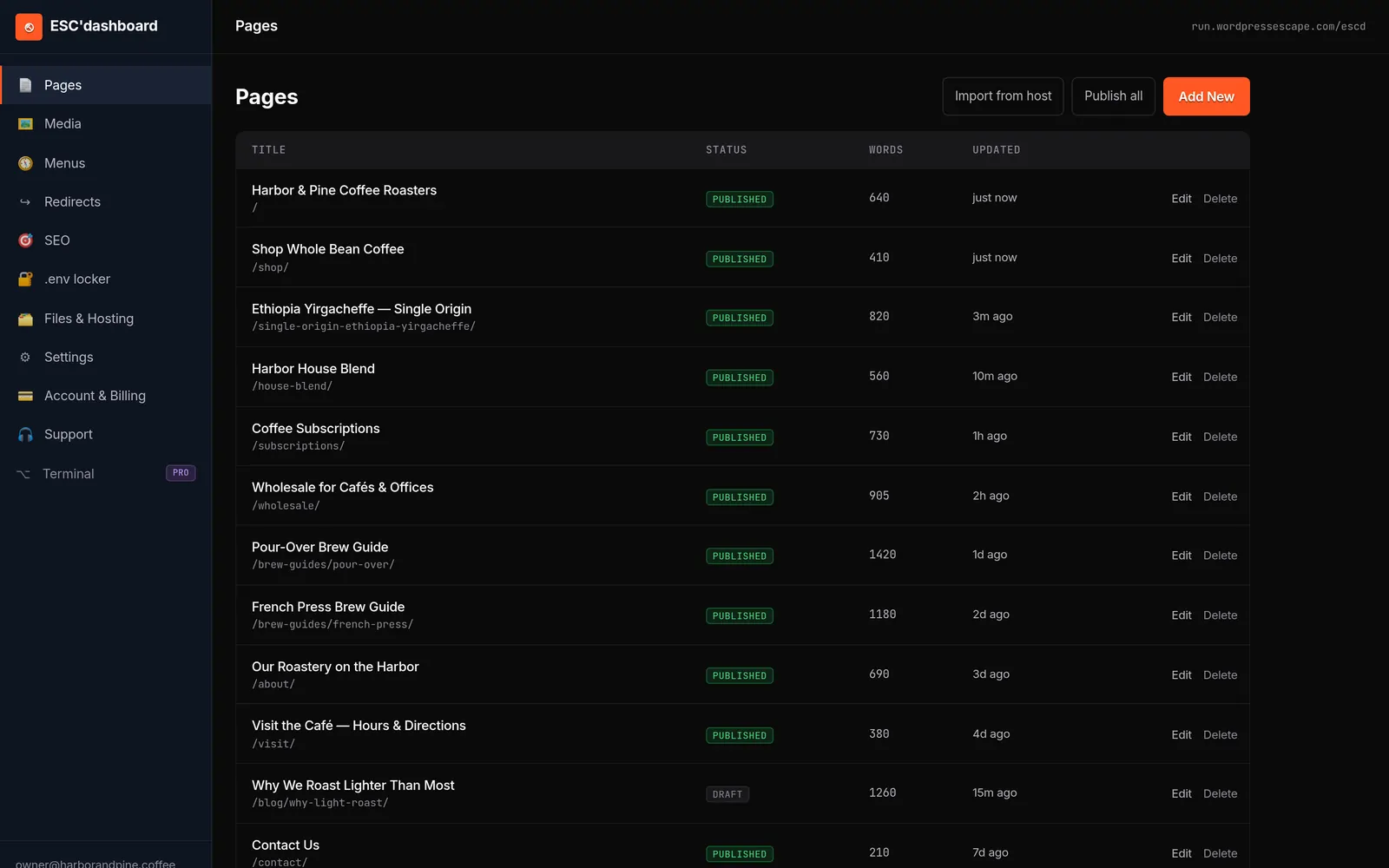
Another option, closer to what Wordpress Escape does for WordPress migrations, is a custom dashboard that directly manages the static site’s content layer. Their ESC dashboard presents a WordPress-style editor that writes to Hugo’s content structure and triggers builds to Cloudflare’s edge, so users get the familiarity of a CMS without the underlying runtime. In a Replit migration context, a similar model can work: you treat your static generator as the "engine" and bolt a friendly editing interface on top, so updates remain as simple as filling out forms and hitting publish.
Whichever route you choose, make sure you plan for permissions, drafts, and preview. Non-developers need to be able to propose changes without immediately affecting the live site and view how updates will look before they go public. Static stacks can handle this via preview environments, branch-based builds, or dashboard features that compile content to a staging URL. Investing in these workflows upfront makes static hosting feel like an upgrade in reliability rather than a downgrade in control.
Cutover strategy: switch DNS from Replit to your static host
After you’ve rebuilt your Replit site as static, tested URLs and redirects, and set up an editing workflow, the final step is cutover: moving live traffic from the old deployment to the new host. Done carefully, this is a low-drama change that most visitors won’t notice. Done haphazardly, it can lead to downtime, mixed content errors, and a period where search engines see conflicting versions of your site.
The first principle of a safe cutover is parallel testing. Before touching DNS, deploy your static site to its final host under a temporary or staging domain, like "staging.yourdomain.com". Use this environment to validate functionality: internal links, forms, integrations, analytics, and any client-side API calls that replaced server-side logic. Compare page output to the current Replit version for a representative sample of URLs. If possible, crawl the staging site to ensure there are no unexpected 404s or major structural differences.
Once you’re confident, plan the DNS change. At Replit, your current deployment likely uses A records or CNAMEs pointing at Replit’s infrastructure. You’ll need to update those records to point to your static host - whether that’s Cloudflare Pages, Netlify, or another provider. Before doing so, lower the TTL (time to live) on your DNS records to shorten propagation time. This gives you more control over the transition, allowing you to rollback quickly if any serious issues appear.
During cutover, monitor logs and performance closely. For the first hour or two, watch error rates, response times, and traffic patterns from analytics. If you see elevated 404s or a spike in redirect chains, investigate and fix quickly. Make sure HTTPS is configured correctly on the new host, with valid certificates and HSTS settings as needed. Mixed-content issues from old asset URLs can cause browsers to complain; updating links or using relative paths in your static build helps avoid this.
Teams that specialize in runtime-to-static migrations, like Wordpress Escape for WordPress, often script much of this process to achieve stable cutovers even for large, high-traffic sites. While your Replit project may be smaller, you can apply the same discipline: stage, test, lower TTL, switch, monitor, and be ready to revert. That structured approach reduces risk and makes moving off Replit feel like a controlled infrastructure upgrade rather than a leap into the unknown.
Performance and cost differences: Replit vs static edge hosting
Under the hood, the biggest practical benefit of migrating a mostly-static Replit site to a static stack is how it changes your performance profile and cost structure. Replit’s deployments are designed to keep a runtime available, ready to execute code whenever requests come in. Static hosting assumes your responses are precomputed and focuses on pushing them as close to users as possible. Those different philosophies show up in measurable ways: latency, stability, and monthly bills.
Performance starts with time to first byte (TTFB), the delay between a browser requesting a page and the first response arriving. In a typical dynamic setup - whether on Replit or elsewhere - the server needs to initialize your app, run routing logic, maybe hit a database, and generate HTML. This can easily be in the hundreds of milliseconds or more under load. Static edge hosting, by contrast, serves files directly from caches located in data centers geographically close to the user. For well-tuned static sites, TTFB can drop to tens of milliseconds, making pages feel instantly responsive.
Metrics like PageSpeed scores, cumulative layout shift (CLS), and overall stability also improve when your content is static. Because HTML is pre-rendered and assets can be optimized during build, there’s less likelihood of layout thrash as scripts execute. Images can be sized correctly, CSS can be minimized, and fonts loaded predictably. Services that specialize in static builds, such as the Hugo-on-Cloudflare edge setup used by Wordpress Escape, routinely achieve PageSpeed scores in the mid-90s or higher, with CLS essentially at zero when layouts are carefully designed. If your current Replit site feels "fine" but not snappy, these changes are noticeable.
On the cost side, the difference is largely about what you’re paying for. Replit charges based on compute, memory, and runtime availability, all of which are necessary for dynamic applications. A static host charges for bandwidth and storage, with compute limited to occasional builds or edge functions. If your site is mostly serving unchanging marketing pages, you’re paying for a running engine you don’t fully use on Replit. Moving to static hosting transfers that budget into cheaper resources where incremental traffic increases don’t require scaling your app.
It’s important to be honest about tradeoffs: static hosting isn’t free, and edge platforms can add their own complexity. But for many Replit sites that resemble traditional content websites more than dynamic apps, the combination of faster page loads, lower operational risk, and reduced monthly cost is compelling. You get an architecture more aligned with how your site behaves - static content, delivered quickly, with a runtime reserved only for the small number of features that truly need it.
When keeping Replit makes sense and when a service should handle migration
Not every Replit-hosted site should be migrated, and not every team should shoulder the full complexity of a DIY static rebuild. Understanding where Replit shines and where specialized services or alternative stacks are better is the last piece of making a sane decision. The goal is to align your infrastructure with your project’s nature and your team’s capabilities.
Replit is at its best when your project is an active application: something you’re iterating on frequently, that includes real server-side logic, and that benefits from tight integration with the development environment. If you’re building interactive tools, dashboards, games, or educational apps, staying on Replit or moving to another full-featured app host is logical. You accept the runtime cost because it directly supports features your users rely on. Static migration here would either be impossible or would gut the experience.
On the other hand, if your Replit deployment is essentially a marketing site, documentation hub, or blog, you’re using a development platform as a web host. That’s convenient at the beginning but increasingly expensive and constraining over time. DIY static migration is feasible if you have a developer comfortable with static site generators, DNS, and build pipelines. They can audit routes, rebuild templates, set up hosting, and train the team on new workflows. This works well for small to medium sites and teams that accept some ongoing technical overhead.
As complexity grows - large content footprints, strict SEO requirements, high traffic, or multiple non-technical editors - the case for a managed migration service becomes stronger. Services like Wordpress Escape exist precisely because rebuilding a 528,854-page WordPress site as static Hugo on Cloudflare while preserving every URL and ranking is a heavy lift for most teams. In that context, outsourcing ensures a predictable outcome: fast, static hosting, a familiar editor, and no WordPress under the hood. The same logic can apply to Replit if your project has evolved into a sizable content property rather than a toy app.
The guiding principle is simple: keep Replit for real apps and active development; consider static migration for content-heavy, mostly-static sites. Then choose between DIY and a done-for-you service based on your tolerance for technical complexity and the stakes of your migration. Owning your static stack and editor gives you long-term independence from any one platform, including Replit, while letting you reserve paid runtimes for the places they truly matter.
Frequently asked questions
How do I know if my Replit site can be migrated to a static host?
Check whether your site’s pages show the same content to every visitor and don’t rely on logins, personalized dashboards, or complex server-side logic. If disabling JavaScript still leaves your core content visible and most interactions are simple forms or links, it’s a strong sign you can move to static hosting. Truly dynamic apps that depend on continuous backend execution should stay on Replit or another runtime-based platform.
Will migrating away from Replit hurt my SEO rankings?
It doesn’t have to. If you preserve your existing URLs, replicate titles and meta descriptions, keep canonical tags consistent, and set up 301 redirects for any paths that must change, search engines will treat the new static site as a continuation of the old one. Problems arise when migrations introduce many new URLs, drop important pages, or fail to redirect old paths, so careful planning and testing are critical.
Can non-developers edit a static site after migration?
Yes, but not directly through files. The usual approach is to add an editing layer on top of your static stack, such as a headless CMS or a custom dashboard that writes to the site’s content structure and triggers rebuilds. Done-for-you services like Wordpress Escape pair static generators with a WordPress-style editor, so non-technical users can update content without touching Git or deployment scripts.
What happens to forms and interactive elements when I go static?
Simple forms and interactions can be preserved by switching to client-side integrations. For example, a contact form can submit to a form backend service via JavaScript, and basic interactive widgets can run entirely in the browser. More complex features that require server-side processing may need separate APIs or functions, so you might keep a small runtime for those components while making the rest of the site static.
Is static hosting always cheaper than Replit for a website?
For mostly-static sites, static hosting is typically cheaper because you’re paying for storage and bandwidth rather than an always-on runtime. Edge platforms and CDNs are optimized for serving pre-built files efficiently at scale. However, you should still factor in build infrastructure, any editing tools or CMS you adopt, and potential fees for external services you use to replace server-side functionality.
Do I need to rewrite my Replit code to use Hugo or another static generator?
You’ll usually need to adapt your templates and routing logic, but not necessarily rewrite everything from scratch. Content can often be moved as-is into markdown or structured data files, and designs can be recreated in the static generator’s layout system. The main changes involve replacing dynamic route handlers with static page generation and mirroring your existing URL structure in the new stack.
See your own numbers first
Every site is different. Run the free 60-second audit on your site - real SEO + speed grades, no login - then decide.
Scan my site free