On this page
Score your site on six areas: plugin footprint, update burden, security history, speed, cost, and editing experience, and subtract points for features that need a live application. A high score means WordPress is costing more than it gives you and leaving is likely worth it; a low score means a cleanup will solve most of the frustration.
How to use this audit
Give each area 0, 1 or 2 points as described. Use real data where you can: the plugin list from Plugins, the update history, your hosting and license invoices, and PageSpeed Insights. Total at the end.
1. Plugin footprint (0 to 2)
Count active plugins and note which ones provide visible features.
wp plugin list --status=active --format=count
wp plugin list --update=available --fields=name,version,update_version- 0: under 10 active plugins, all maintained.
- 1: 10 to 25, or a few that have not been updated by their authors in over a year.
- 2: over 25, a page builder plus add-ons, or plugins abandoned by their authors.
2. Update burden (0 to 2)
- 0: automatic updates on, nothing has broken in a year (auto-updates).
- 1: someone updates manually every few weeks and checks the site.
- 2: updates are postponed because they have broken things before, or nobody does them.
3. Security history (0 to 2)
Check your plugins against a public vulnerability database such as Wordfence Intelligence, Patchstack or WPScan.
- 0: never compromised, no known unpatched vulnerabilities.
- 1: plugins with past vulnerabilities, patched promptly.
- 2: a past hack, malware cleanup, or plugins with unpatched issues.
4. Speed (0 to 2)
Run your homepage and one inner page in PageSpeed Insights on mobile.
- 0: Core Web Vitals pass in field data.
- 1: one metric needs improvement, or no field data and a lab score of 50 to 89.
- 2: failing field data, or a lab score under 50 despite caching.
5. Cost (0 to 2)
Add hosting, premium plugin and theme licenses, maintenance plans or developer hours, and security services for one year.
- 0: modest and predictable, and you get value from it.
- 1: noticeable, mostly spent on keeping things running.
- 2: substantial, and most of it buys no new capability. See maintenance cost.
6. Editing experience (0 to 2)
- 0: editors like the admin and publish without help.
- 1: editing works but needs care to avoid breaking layouts.
- 2: people avoid editing, or every change goes through a developer.
Subtract: features that need a live application
Subtract 3 points for each of these you genuinely depend on: logged-in memberships, online courses with progress tracking, forums or user-generated content, a large WooCommerce store with complex pricing or subscriptions, multi-author editorial workflows. These are where WordPress earns its keep.
Reading your score
| Score | What it means | Next step |
|---|---|---|
| 0 to 3 | WordPress is working for you | Keep it lean; nothing urgent |
| 4 to 7 | A setup problem more than a platform problem | Clean up plugins, enable auto-updates, add caching (guide) |
| 8 to 12 | WordPress costs more than it gives you | Plan an exit (30-day plan) |
If you score high but also subtracted points for live features, look at hybrid options: static pages for content, with the application part kept or moved to a dedicated service. Should I leave WordPress covers those cases in detail.
Sources and further reading
Primary documentation we relied on for this guide. Links were checked on November 11, 2026.
Frequently asked questions
What is the fastest way to ditch WordPress?
For a small site, rebuild it in a static site generator or have a migration service do it, keeping the same URLs, then decommission WordPress once the new site is verified.
Is ditching WordPress risky for SEO?
The risk comes from changed URLs and missing metadata, not from the platform switch itself. Keep URLs and signals the same and verify before launch.
Should I ditch WordPress after a hack?
Clean the site first so you can export trustworthy content. Then decide using the audit: a hack is a strong signal, but if you depend on live features, hardening may be the better answer.
Can I ditch my page builder without ditching WordPress?
Yes. Rebuilding templates with the block editor or a lean theme removes most builder weight while staying on WordPress.
See what ditching WordPress looks like for your URL
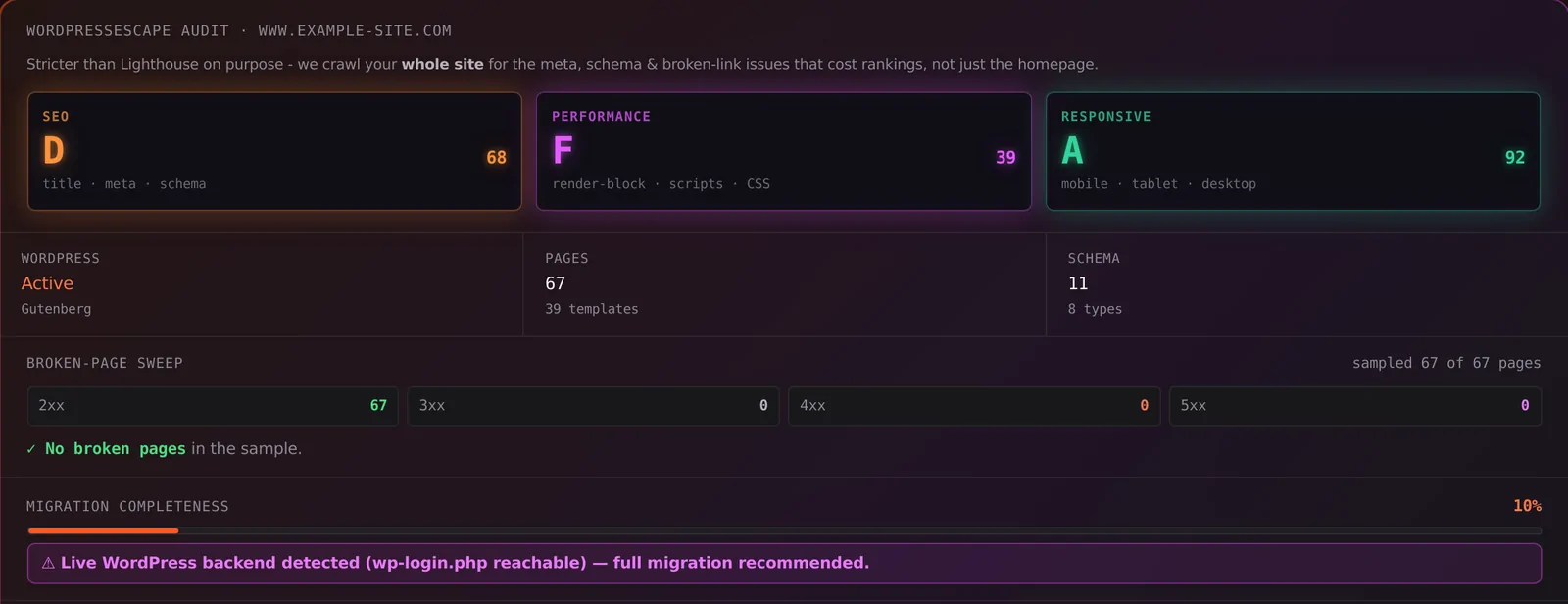
Scan your URL free (60 seconds, no login). You'll get SEO, Performance, and Responsive grades plus a migration spec - then checkout on Stripe if you want us to do it.
Scan my site free