
On this page
- Why AI-Built Websites Struggle to Grow SEO Beyond the First Month
- Why "Move to WordPress" Is Not the Automatic SEO Upgrade You Think
- Static Sites vs AI Builders vs WordPress: The SEO and Ownership Tradeoffs
- Why AI-Generated Sites Hit Technical SEO Walls: Sitemaps, Schema, and JavaScript
- How Platform Lock-In and Monthly Fees Quietly Tax Your SEO Strategy
- The Core Principle of a Safe Migration: Preserve URLs, Preserve Rankings
- Step-by-Step: Migrating an AI Website to a Static Stack Without Losing SEO
- Real Performance Gains: What Happens to SEO When You Go Fully Static
- Editing Without WordPress: How a WordPress-Style Dashboard Works on Static
- When You Should Keep Your AI Site As-Is vs When It’s Time to Migrate
- Frequently asked questions
Why AI-Built Websites Struggle to Grow SEO Beyond the First Month
AI website builders like Lovable, Bolt, Replit, v0, Cursor, and Base44 are fantastic at getting a site online quickly. You describe your business, the AI generates pages, and you’re live in an afternoon. The problem is what happens after that first launch: traffic plateaus, impressions don’t grow, and you start to see that your site is more of a demo than a long-term SEO asset. This isn’t because AI can’t write; it’s because these platforms are not engineered as serious SEO infrastructure.
Most AI builders reuse the same patterns across thousands of sites. That means boilerplate meta titles and descriptions, duplicate H1 structures, and generic copy that barely differentiates your pages from everyone else using the tool. When every “Services” page looks and reads the same, Google has no reason to choose you over the hundreds of similar sites in the index. On top of that, many AI platforms skip fundamentals like XML sitemaps, robots.txt control, and structured data (schema), so search engines never get a clean, machine-readable map of your content.
Technical implementation is another hidden issue. A lot of AI-generated sites lean on heavy JavaScript frameworks and client-side rendering, which means content is built in the browser after the initial page load. That might look slick, but it can make your content harder for crawlers to reliably parse, especially on budget-constrained crawl bots or third-party tools that simulate Google. Combine that with slow Time To First Byte (TTFB), layout shifts, and unoptimized assets, and you’ve created a site that feels modern but behaves like a black box to search engines.
Ownership and iteration are the final bottlenecks. AI builders rarely give you full control over URL structures, canonical tags, or long-term content strategy. You get a nice editor, but not the low-level knobs that serious SEO work depends on. As you try to build topic clusters, landing pages, and linkable resources, you hit platform limits and realize the tool was designed for quick launches, not sustained organic growth. That’s when it’s time to talk about migration.
Why "Move to WordPress" Is Not the Automatic SEO Upgrade You Think
When founders or marketers hit the ceiling with an AI-built website, the most common advice they hear is, “You should move to WordPress.” At first glance, that sounds reasonable: WordPress powers a huge portion of the web, has thousands of SEO plugins, and is familiar to content teams. But moving from an AI builder to WordPress can be a sideways step - or even a step backward - if you care about speed, security, and long-term maintainability.
A typical WordPress deployment involves a database, PHP, a theme layer, and a stack of plugins. Every plugin adds code, database queries, and potential security exposure. Over time, you accumulate SEO plugins, caching plugins, schema plugins, image optimization plugins, and backup plugins, just to achieve what a modern static stack can do out of the box. This plugin creep leads to slower page loads, higher TTFB, and more moving parts that can break during updates. On shared or budget hosting, it’s common to see TTFB in the hundreds of milliseconds, PageSpeed scores dropping into the 60s or 70s, and layout shifts caused by late-loading assets.
Security is another tradeoff. WordPress sites are a major target for automated exploits because of the huge install base and uneven plugin quality. You have to stay on top of core updates, theme updates, plugin patches, and server configuration just to avoid obvious vulnerabilities. For a small team that just wants to publish content and grow SEO, that maintenance burden is massive compared to a static site on a hardened edge platform.
Even if you configure WordPress carefully, you’re still serving dynamic pages on every request. Caching helps, but you’re fundamentally tied to a runtime that has to execute code and touch a database before finishing the response. A static Hugo site deployed to Cloudflare’s edge doesn’t have those constraints: pages are pre-built, served from the closest data center, and TTFB can drop to ~30 ms with PageSpeed scores in the mid-90s and no cumulative layout shift. If your goal is fast, predictable performance and clean technical SEO, jumping first to WordPress can create new problems you’ll eventually have to solve again.
Static Sites vs AI Builders vs WordPress: The SEO and Ownership Tradeoffs
When you’re deciding how to migrate an AI-built website without losing SEO, it helps to compare three real options: stay on the AI builder, move to WordPress, or move to a static site you fully own. Each choice has tradeoffs in speed, control, cost, and long-term search visibility.
AI builders optimize for speed of launch and simplicity. You get hosting bundled with the builder, and the platform manages deployments. However, you’re locked into their editor, their URL rules, their uptime, and their roadmap. If they change pricing, sunset features, or limit export options, your site is stuck. SEO features are usually minimal: limited access to meta fields, no full control over canonical tags, no robust schema editor, and no way to fine-tune performance and caching behavior beyond what the platform allows.
WordPress gives you more control but at the cost of complexity. You own the code and database, but you also own the responsibility for keeping everything secure and fast. You can implement excellent SEO with the right theme and plugins, but that requires ongoing technical care and often a developer. Hosting bills can grow as traffic grows, and caching or CDN setups need proper configuration. For teams moving from a frictionless AI environment, WordPress can feel like trading one set of limits for another.
A static site - generated by something like Hugo and served from the edge - takes a different approach. All pages are pre-rendered, so there’s no database or runtime on request. That makes performance extremely predictable and simplifies security because there is no application layer to hack. You can still have a WordPress-style editor on top (like the ESC’dashboard used by Wordpress Escape), but instead of saving content into a WordPress database, it writes clean files that Hugo uses to build static pages. You keep full control of URLs, meta, schema, and deployment while enjoying low latency and minimal moving parts.
The key is that static doesn’t mean “hard to edit” anymore. With the right editor layer, non-technical teams can work just as comfortably as they would in WordPress, but the underlying site is fast, stable, and version-controlled. For an AI-built site that needs a serious SEO foundation, that combination - static architecture with a familiar editing experience - is often the most sustainable path forward.
Why AI-Generated Sites Hit Technical SEO Walls: Sitemaps, Schema, and JavaScript
The most visible problem with AI-built sites is generic content, but the deeper issue is usually technical SEO. When you look under the hood of many AI-generated sites, you’ll find thin or auto-generated meta tags, missing sitemaps, no structured data, and heavy reliance on JavaScript to render key content. Each of these issues adds friction for search engines and makes it harder for you to steadily grow organic visibility.
Meta tags are often templated across the entire site. Instead of unique, compelling titles and descriptions for each page, you get a standard pattern with a few variables plugged in. That leads to pages competing with each other for similar queries and lowers click-through rates because your snippets don’t stand out. Worse, some builders don’t expose full meta control per page at all, so you’re stuck with whatever the AI chose on day one.
XML sitemaps and robots.txt are critical for guiding crawlers, especially as your site grows. If your AI platform doesn’t generate or update sitemaps dynamically, new pages may be discovered slowly or not at all. Without robots.txt control, you can’t easily exclude low-value or experimental pages from indexing. These are standard features in serious CMS and static setups, but they’re often underdeveloped or hidden in AI builders.
Structured data (schema) is another missing pillar. Real SEO strategies rely on schema for things like articles, products, FAQs, events, and local businesses. Schema helps search engines understand context and can unlock rich results. Most AI site platforms don’t offer a robust schema editor. You might get a basic organization schema for the homepage, but not per-page, configurable markup tied to your actual content strategy.
Finally, heavy JavaScript and client-side rendering can delay when your content becomes visible to crawlers. Google is better than most at rendering JavaScript, but rendering costs time and resources, and not all bots support it. If critical copy, headings, or links are injected after load, you may see discrepancies between what users see and what crawlers index. Moving to a static site where content is rendered at build time, not in the browser, removes that risk and makes your pages straightforward for any crawler to interpret.
How Platform Lock-In and Monthly Fees Quietly Tax Your SEO Strategy
Beyond technical SEO, AI website builders create a strategic problem: platform lock-in. You don’t just pay monthly fees for hosting; you pay in flexibility and long-term control. As your SEO strategy matures and you want to create specific URL patterns, custom landing pages, and deep resource sections, the builder’s constraints begin to matter more than the convenience it offered at the start.
Most AI platforms are closed ecosystems. You can’t easily export a clean version of your site, change the underlying framework, or move to a different hosting provider while keeping the same editing experience. If there is an export option, it’s usually a one-time HTML dump without a clear path to maintain it over time. That makes it hard to treat your site as an asset that can evolve across technologies and providers. Instead, you’re tied to the platform’s pace of innovation and pricing decisions.
From a cost perspective, the monthly fee might look small at first, but it adds up and often includes features you don’t fully use. You’re effectively paying for a full-stack platform instead of the specific things you actually need: reliable hosting, a fast front-end, and a clean content editor. Over multiple years, especially as traffic and complexity grow, that bundled pricing can exceed what you’d pay for a static stack plus a focused editorial dashboard.
Platform lock-in also complicates collaboration. If your SEO consultant, agency, or technical team prefers open tools, version control, and repeatable deployments, they may struggle to work effectively inside a proprietary AI builder. You can’t easily branch, test, or roll back changes, and you’re often limited in how you can instrument performance and logging. All of that makes it harder to execute serious experiments, track results, and refine your site.
Moving to a static site with an editor layer like ESC’dashboard changes the equation. Your content lives in files, your site is built by an open-source static generator, and hosting is decoupled from editing. You can switch providers, adjust build pipelines, and keep a complete copy of your site under version control. Monthly fees become predictable infrastructure costs instead of opaque platform bundles, and your SEO strategy is no longer constrained by someone else’s product roadmap.
The Core Principle of a Safe Migration: Preserve URLs, Preserve Rankings
The most important rule when migrating any website - AI-built, WordPress, or static - is simple: preserve URLs, preserve rankings. Search engines don’t care what technology you use to generate a page; they care about the addresses they’ve already discovered, the content at those addresses, and how users respond. If you change URLs during a migration without careful mapping and redirects, you burn authority and force search engines to re-learn your site from scratch.
That’s why a proper migration starts with a complete URL inventory. You need to crawl your existing site, export every live path, and identify canonical URLs versus duplicates or variants. For AI-built sites, this can be tricky because some platforms use unusual URL patterns or inject query parameters. The goal is to produce a clean list of the URLs currently receiving impressions and traffic so you can guarantee they will exist in the new stack.
Once you have the inventory, you design your new static site so that every important URL is preserved exactly. That means matching slugs, matching folder structures, and avoiding unnecessary changes in trailing slashes, capitalization, or file extensions. If any changes are unavoidable - for example, consolidating thin pages into a stronger hub page - you set up precise 301 redirects that point old URLs to the right new targets. Done well, this process can deliver a migration where zero URLs are lost and rankings remain stable or even improve as performance and content quality go up.
At Wordpress Escape, we apply this principle aggressively, including on large sites. We migrated our own 528,854-page property to static Hugo on Cloudflare’s edge with no lost URLs and preserved ranking footprint, while boosting PageSpeed into the mid-90s, cutting TTFB to around 30 ms, and eliminating cumulative layout shift. That’s not unique to one site; it’s the result of planning around URLs as the backbone of SEO, not treating them as disposable byproducts of whatever tool you happen to use.
For your AI-built site, the same approach applies. Before you think about design changes or content rewrites, lock in your URL plan. Decide which URLs must stay, which can be safely redirected, and how your new static stack will serve them. With that foundation, you can migrate without the “SEO reset” that many teams mistakenly accept as inevitable.
Step-by-Step: Migrating an AI Website to a Static Stack Without Losing SEO
To move an AI-built website to a static stack without losing SEO, you need a structured process that covers discovery, mapping, implementation, and verification. Done carefully, this is a controlled operation rather than a risky leap. The goal is a fast, static site that keeps all your important URLs, improves performance, and gives you long-term ownership over content and infrastructure.
1. Crawl and export the current site. Use a crawler to gather all live URLs, meta tags, canonical tags, status codes, and internal linking patterns. For AI platforms that limit crawling, you may need to combine sitemap export, manual lists from the builder, and external tools to piece together a complete map.
2. Classify URLs by value. Identify which URLs drive organic traffic or have backlinks, which are supporting pages, and which are clearly low-value or duplicate. This lets you focus your preservation efforts on the URLs that matter most for SEO while planning sensible consolidation where appropriate.
3. Design the static architecture. Decide on your static generator (e.g., Hugo) and hosting (e.g., Cloudflare’s edge). Define how content will be stored (Markdown, JSON, etc.), how layouts will map to existing page types, and how your editor layer will interact with the site. In a Wordpress Escape-style setup, the ESC’dashboard acts as the WordPress-like interface, while Hugo builds the actual static site.
4. Recreate pages with matched URLs and improved SEO. For each important URL, create a corresponding static page with matching path. Use the migration as a chance to fix meta tags, headings, internal links, and schema. Because you’re moving to static, you can build cleaner templates and embed structured data directly.
5. Implement redirects and canonical consistency. For any URL changes, configure 301 redirects that point from old paths to new ones. Ensure canonical tags align with your new URL structure to avoid duplicate indexing. On Cloudflare or similar platforms, redirects can be handled at the edge for minimal latency.
6. Deploy, test, and monitor. Launch the static site, then run another crawl to verify status codes, redirects, and meta. Monitor search console and analytics for any drops or anomalies. With a carefully executed migration, you should see stable rankings, faster performance, and a cleaner SEO surface area.
Real Performance Gains: What Happens to SEO When You Go Fully Static
Search engines increasingly reward sites that load quickly, remain stable during render, and deliver content without unnecessary bloat. When you move from an AI builder or WordPress to a fully static site on the edge, the performance gains can be dramatic, and those gains translate into better user signals and more favorable crawling behavior.
On a typical dynamic stack, Time To First Byte might sit between 150-500 ms depending on hosting, caching, and traffic. PageSpeed scores often fluctuate as plugins, scripts, and third-party tags accumulate. Cumulative Layout Shift (CLS) occurs when fonts, ads, or late-loading images reflow the page after initial render. Each of these factors contributes to a less stable experience for users and can indirectly impact SEO via higher bounce rates and lower engagement.
A well-implemented static Hugo site on Cloudflare’s edge behaves differently. Because pages are prebuilt and served from data centers geographically close to users, TTFB can drop to roughly 30 ms, even under load. With lean templates and properly optimized assets, it’s common to see PageSpeed scores at 94+ and CLS effectively at 0, meaning the page doesn’t jump around as it loads. Crawlers receive a complete, fast HTML document with all content present from the first response, which simplifies indexing and interpretation.
These improvements are not just synthetic benchmarks. Users feel them in the form of snappier navigation, faster content display, and fewer frustrating layout shifts. Those experiences influence how long people stay on your pages, how much they read, and whether they explore additional content. Over time, better engagement metrics can support stronger rankings, especially in competitive niches where user experience is a differentiating factor.
When Wordpress Escape migrated its own large site - over 528,000 pages - to static Hugo on Cloudflare, the performance jump was substantial: TTFB around 30 ms, PageSpeed in the mid-90s, and CLS eliminated. That kind of profile is achievable for AI-built sites as well, provided the migration preserves URLs and improves content quality rather than simply reskinning the front-end.
Editing Without WordPress: How a WordPress-Style Dashboard Works on Static
One reason many teams hesitate to leave WordPress or AI builders is fear of losing an easy editing experience. They don’t want engineers involved every time someone needs a new landing page. The good news is that modern static setups can offer a WordPress-style dashboard while keeping WordPress itself completely out of the stack. The ESC’dashboard used by Wordpress Escape is a practical example of this approach.
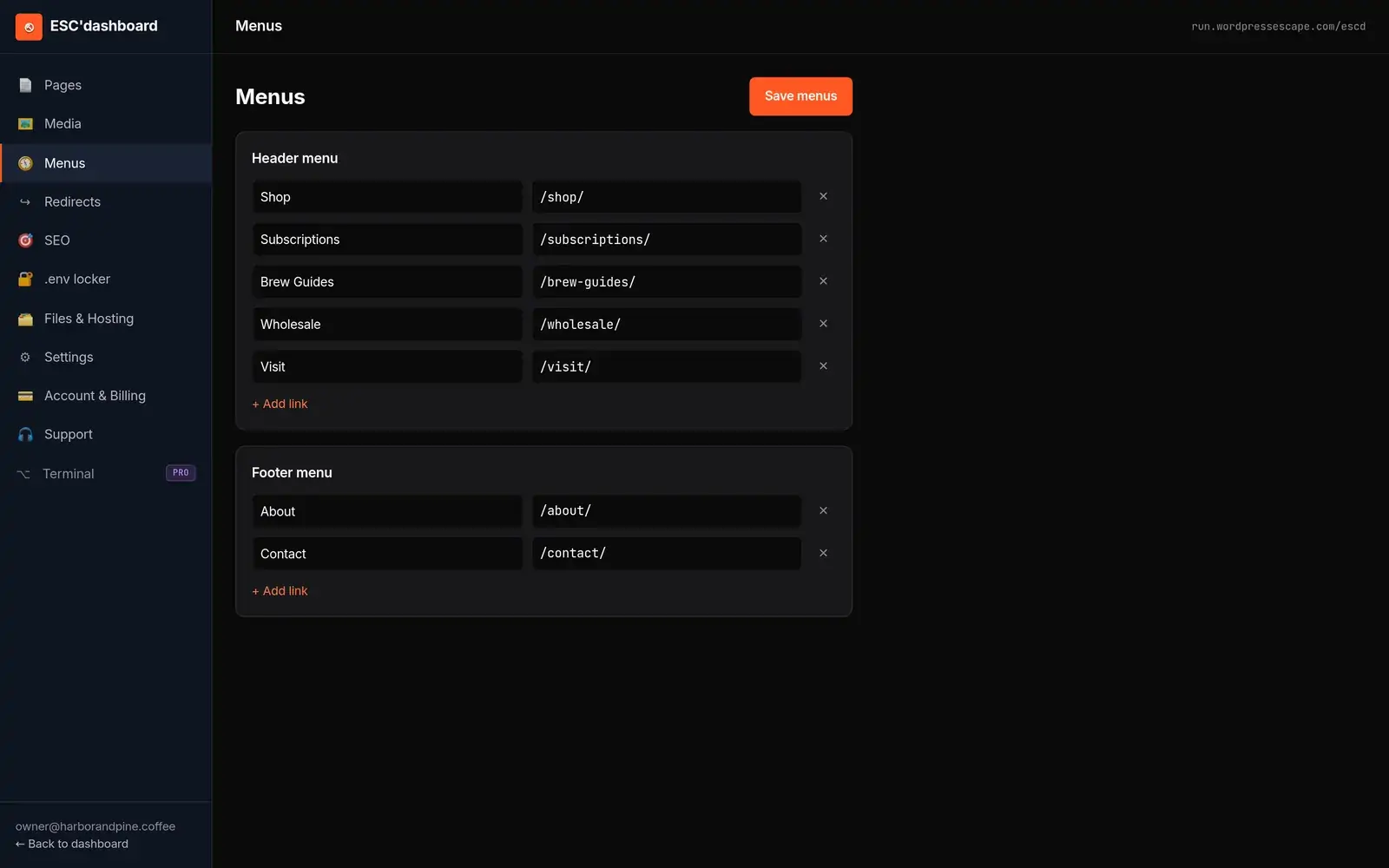
Instead of writing directly into a database, the editor interacts with structured content files - Markdown, JSON, or similar - that Hugo uses at build time. From the editor’s perspective, you still see familiar concepts: pages, posts, categories, tags, menus, and media. You can edit titles, body copy, meta descriptions, canonical tags, and schema fields through forms, much like you would in WordPress. When you hit publish, the system triggers a build that regenerates the static site and deploys it to the edge.
This workflow separates concerns cleanly. Editors never have to touch code or think about Hugo; they work inside the ESC’dashboard, which is designed to feel like a CMS. Developers, if needed, adjust templates, layouts, and build pipelines in the underlying static project. Content and presentation are version-controlled, so changes can be tracked, tested, and rolled back if necessary.
For teams migrating from AI builders, this setup offers a familiar but more powerful environment. You gain full technical SEO control - down to URL slugs, meta, schema, and internal linking - without sacrificing the convenience of a visual editor. There’s no WordPress underneath, so you avoid plugin sprawl, core updates, and the security surface area of a dynamic PHP app. The result is a site that behaves like a static asset from the browser and crawler perspective but feels like a modern CMS from the content team’s perspective.
If you’re used to hitting “Generate page” in an AI builder, you can still lean on AI to draft content. The difference is that you’ll publish into a static stack that respects SEO fundamentals and gives you ownership over structure and performance. That’s the path out of platform lock-in: keep the ease, upgrade the foundation.
When You Should Keep Your AI Site As-Is vs When It’s Time to Migrate
Not every AI-built website needs an immediate migration. There are cases where staying put makes sense, at least for a while. The decision hinges on your growth goals, current performance, and how much your platform is constraining your SEO strategy. Treat migration as a strategic move, not a reflex.
You might reasonably keep your AI site if it’s a small, low-stakes project, such as a prototype, personal portfolio, or temporary campaign. If you’re seeing some organic traction and you don’t rely on the site for core revenue, the convenience of an AI builder might outweigh its limitations. In that scenario, focus on tightening content quality, adjusting meta tags where the platform allows it, and ensuring your basic pages exist and are internally linked.
Migration becomes the right move when your site is central to your business and you’re hitting clear walls: limited control over URLs, inability to add schema at scale, missing or rigid sitemaps, or performance metrics that don’t improve despite effort. If you plan to invest significantly in SEO - building topic clusters, linkable assets, and multi-level navigation - you need infrastructure that won’t fight you at every turn.
Consider also your risk tolerance for platform changes. If the AI builder’s roadmap is unclear, export options are minimal, or pricing is rising, it’s safer to move sooner while your site is manageable. Migrating early lets you establish a static foundation before your URL graph and content footprint become too complex to move easily.
The key is timing and planning. Don’t wait until you’re forced into a rushed migration by a platform shutdown or unexpected price hike. Instead, evaluate your current SEO trajectory, identify the constraints your AI builder imposes, and schedule a deliberate move to a static stack with a WordPress-style editor once the site proves it’s a strategic asset. That way, you protect existing rankings and set yourself up for long-term growth without WordPress’s overhead.
Frequently asked questions
Will I lose my Google rankings if I move my AI-built site to a static platform?
You don’t have to lose rankings if the migration is planned around preserving URLs and content. The critical step is to keep all important URLs identical and use precise 301 redirects wherever change is unavoidable, then verify everything with crawls and search console after launch.
Is WordPress always better for SEO than AI website builders?
WordPress offers more control than most AI builders, but it’s not automatically better for SEO. You still have to manage performance, security, and plugin complexity. A well-built static site with proper meta, schema, and URL control can outperform WordPress in speed and stability while giving similar editorial flexibility.
Do static sites make it harder for non-technical teams to edit content?
Not if you add the right editor layer. Tools like the ESC’dashboard provide a WordPress-style interface on top of a static stack, so editors can manage pages, meta, and schema without touching code, while the site itself remains fast and fully static.
Why do AI-built websites often struggle to rank well in search?
AI-built sites typically reuse boilerplate meta and layout patterns, lack robust sitemaps and schema, and rely heavily on JavaScript rendering. Those factors lead to generic content footprints and technical friction for crawlers, which makes sustained SEO growth harder compared to well-structured static or CMS-based sites.
What’s the biggest risk when migrating away from an AI website builder?
The biggest risk is breaking or changing URLs without a clear redirect plan, which can cause search engines to treat your new site as a different property. A thorough URL inventory, careful mapping, and testing of redirects before and after launch are essential to avoid losing existing authority.
Can I keep using AI to write content after moving off my AI website builder?
Yes. Migration changes your publishing infrastructure, not your writing tools. You can continue using AI assistants to draft content, but you’ll be publishing into a static stack that gives you better control over SEO, performance, and ownership of the final site.
Is it possible to migrate a large AI-generated site without downtime?
With proper planning, you can migrate a large site with minimal or no noticeable downtime. You build and test the static version in parallel, switch DNS or routing when ready, and ensure that all redirects and assets are in place so users experience a seamless transition.
See your own numbers first
Every site is different. Run the free 60-second audit on your site - real SEO + speed grades, no login - then decide.
Scan my site free