
On this page
- Why Cursor is great for building, but incomplete for shipping
- The pitfalls of stuffing a Cursor-built site into WordPress
- What "migrating a Cursor-built site" really means in practice
- Static deployment basics: how to ship your Cursor site fast and globally
- Preserving URLs, redirects, and SEO signals when you go static
- Giving non-developers an editor without falling back to WordPress
- Where Wordpress Escape fits for devs migrating Cursor-built sites
- Step-by-step: migrating your Cursor-built site into a fast static stack
- Tradeoffs and limitations: when static and Wordpress Escape might not fit
- Ensuring long-term maintainability for a Cursor-built static site
- Frequently asked questions
Why Cursor is great for building, but incomplete for shipping
Cursor is the perfect playground for developers who want to vibe-code a site: you iterate quickly, let the AI scaffold components, wire up pages, and get something that looks shockingly good in a day or two. But the moment a client asks, "So when does this go live?" you hit the gap between code and production: hosting, URL structure, redirects, performance, SEO, editing, and ongoing maintenance. Cursor gives you code, not a deployment story.
Most Cursor projects start as a single repo with a handful of routes and components, maybe a basic build script. That’s enough for local development, but the real world needs a few more answers: where does this run, how do we ensure <200ms TTFB, what happens to URLs when content changes, how do we generate sitemaps and schema, and who other than you can safely update copy without breaking the layout. Treating the Cursor project as "done" when it compiles is like shipping an app without logging or backups: it works until the first real constraint appears.
If you ignore these questions and just throw the Cursor build onto generic hosting, you end up with a site that technically works but costs you later: slow responses under load, missing redirects that quietly kill rankings, no structured data for search, and a constant Slack thread of "Can you change this heading?" because there’s no editor. On the other side, you can overcorrect and push the code into WordPress, gaining an editor but losing the performance and simplicity that made you build in Cursor in the first place.
A grown-up shipping path takes the code you wrote in Cursor and treats it as source for a static build: HTML at the edge, optimized assets, reliable URL mapping, and a separate content layer that lets non-devs edit without touching your components. That approach keeps your hard-won front-end control and gives the business what it needs: speed, SEO, and an editing workflow that doesn’t depend on your availability.
The pitfalls of stuffing a Cursor-built site into WordPress
The default move for many teams is "Let’s just put this into WordPress." On paper, it sounds safe: you get a familiar admin, editors can log in, and there are plugins for almost everything. In reality, you’re trying to retrofit a hand-crafted Cursor codebase into a CMS designed around themes and PHP templates, and the friction shows up everywhere from performance to developer happiness.
The first tradeoff is control. Your Cursor components were designed to render HTML directly, with clear props and predictable output. Porting that into WordPress usually means rewriting layouts as PHP templates or grafting them into a block editor. Every change now traverses a stack of theme files, plugin hooks, and cache layers. Debugging a layout bug becomes "Is this the theme, the page builder, the caching plugin, or a shortcode gone wrong?" instead of a clean commit in your repo.
The second tradeoff is performance. A vanilla WordPress site serving dynamic PHP on every request is rarely going to beat static HTML served from a global edge. Even heavily cached WordPress installs tend to hover with TTFB in the hundreds of milliseconds and PageSpeed scores that bounce depending on plugin load and server tuning. When you started in Cursor, you implicitly chose a modern, lean front-end; walking that into WordPress often means accepting slower response times and more complex optimization work to claw back numbers you could have had by staying static.
Finally, there’s maintenance. WordPress brings with it plugins that need updates, core that needs security patches, and an ecosystem where every extension is another surface area for issues. If your Cursor-built site was architected as a static front-end, adding a heavyweight CMS underneath it is the exact opposite direction of "less to break." A cleaner path is to keep the site static and give editors a way to manage content that doesn’t drag in the whole WordPress stack just to change a headline.
What "migrating a Cursor-built site" really means in practice
Migrating a Cursor-built site isn’t just copying files to a server; it’s turning a developer-friendly project into an owner-friendly website. That transformation has a few distinct layers: the build pipeline, the hosting strategy, the URL and redirect mapping, SEO signals (sitemap, schema, metadata), and the editing model for people who don’t touch Git. When you break it down that way, it’s much easier to design a sane path forward.
At the build level, you need a repeatable process that takes your Cursor repo and produces static assets: HTML, CSS, JS, and any media files. If you’re already using a framework with an SSG mode (Next.js, Astro, SvelteKit, etc.), the job is mostly wiring up environment config and deciding which routes are pre-rendered. If the site is custom, you may need a simple script that crawls routes and dumps rendered HTML. Either way, the goal is to ensure that every page your client cares about exists as a file you can deploy.
Next, you choose where those static assets live. "Throw it on a VPS" is one option, but modern teams reach for edge networks: CDNs that serve your content from locations close to users. Cloudflare’s edge, for example, gives you global distribution by default and single-digit millisecond TTFB from many regions when paired with static HTML. That’s the difference between a site that feels instant and one that feels merely acceptable.
Then comes the discipline: mapping URLs, setting redirects from any old paths if this site replaces an existing one, and configuring a sitemap that helps search engines understand the new structure. Finally, you decide how owners will update content: do they open pull requests, push changes through a headless CMS, or use a custom editor that feels like WordPress without the weight. That editing story is often the missing piece when devs "just deploy" a Cursor project and later realize every copy change requires their involvement.
Static deployment basics: how to ship your Cursor site fast and globally
The core idea behind static deployment is simple: every page on your site exists as HTML ahead of time, and your host’s job is just to serve those files as quickly as possible. There’s no database query or PHP render on each request, so performance is predictable and scaling is almost automatic. For a Cursor-built site, this means designing a build step that outputs a clean set of static files and pointing a global edge network at them.
Start by ensuring your build can generate deterministic output. If you’re using Next.js or similar, that’s as straightforward as enabling static export or hybrid SSG modes and defining getStaticProps for content-driven routes. If you have a custom setup, you may use a headless browser or Node-based renderer to visit each route and write the resulting HTML to disk. The benchmark to aim for is: one static file per unique URL you care about, plus shared assets like CSS and JS bundles.
Once you have a build artifact, you choose an edge provider. A CDN like Cloudflare can front your static content so users in New York, London, and Tokyo are all hitting local copies instead of a single origin server. The practical impact is tighter TTFB numbers - often in the 20-50ms range from many regions - and a site that feels instantaneous when users navigate between pages. Because you’ve pre-rendered everything, this speed doesn’t depend on how complex your components are; the work already happened at build time.
From there, deployment is a matter of wiring your repo into a CI pipeline: on push to main, run the build, upload files to the edge, and invalidate any outdated cache entries. With static hosting, rollback is as simple as re-deploying the previous artifact, and uptime is largely a function of your CDN’s reliability rather than a fragile stack of services. As a Cursor developer, you preserve your simple mental model - code turns into files - and gain the robustness of a production environment that was built for static content from day one.
Preserving URLs, redirects, and SEO signals when you go static
One of the biggest risks when migrating any site - whether it started in Cursor, WordPress, or something else - is accidentally breaking URLs that already have traffic or backlinks. Search engines don’t care how you coded the pages; they care that a given URL returns useful content consistently. When you go static, you need a deliberate plan to preserve existing paths, set redirects where necessary, and maintain or enhance the SEO signals that surround your pages.
If your Cursor-built site is new and has no prior traffic, preservation is mostly about discipline going forward: pick a URL scheme and stick with it. Use clean, hierarchical paths that match the content structure (for example, /blog/how-to-migrate-cursor-site instead of something opaque). Once those are live, changing them later should be rare and always accompanied by proper 301 redirects. If you’re replacing an existing site, begin by exporting its URL list - this could be from server logs, analytics, or a sitemap - and map each old path to the new static equivalent.
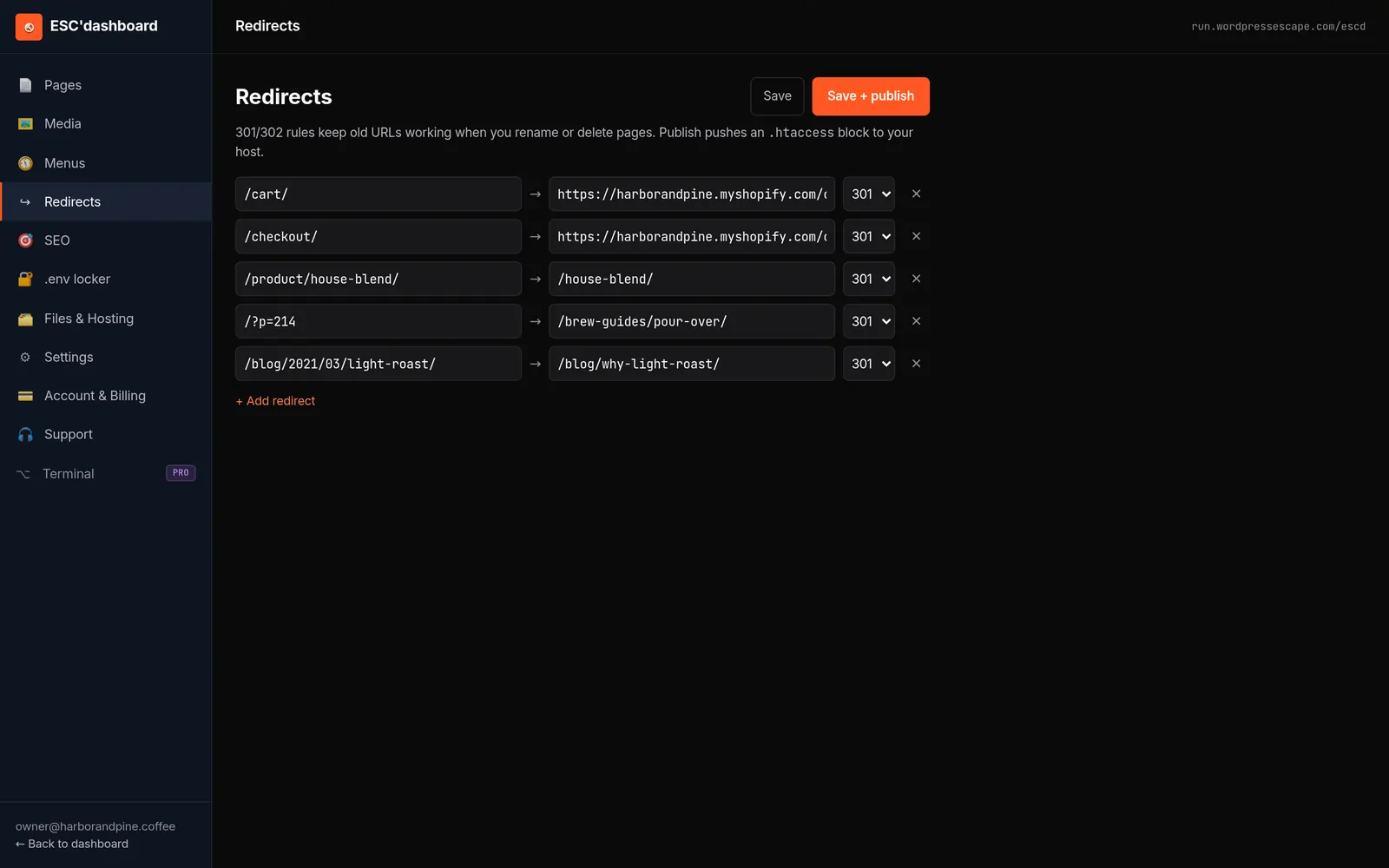
On a static host, redirects are usually configured at the edge: a simple rule that says "if someone asks for /old-slug, send them to /new-slug permanently." This keeps link equity flowing and avoids the dreaded 404 wall of lost traffic. Alongside redirects, you maintain a sitemap.xml that lists all canonical URLs, updated whenever new pages are added. Many static workflows generate sitemaps automatically during build, ensuring search engines see a coherent picture of the site.
Beyond URLs and sitemaps, don’t neglect structural SEO signals like title tags, meta descriptions, headings, and structured data (schema.org JSON-LD). In a static world, these are just part of your templates, which is an advantage: you can standardize patterns and ensure every page type emits the right markup. Migration is most successful when you treat SEO as an integral part of your build, not an afterthought patched with plugins later.
Giving non-developers an editor without falling back to WordPress
The person paying for your Cursor-built site rarely wants to touch Git. They want to log in somewhere, change text and images, publish new pages, and see what’s live without asking the developer every time. This is why WordPress remains so prevalent: its admin UI solves the "editor" problem even as it creates performance and maintenance challenges. If you want to keep your site static and fast, you need an editing layer that gives owners similar comfort without dragging in the entire WordPress stack.
One option is to treat your static site as the view and wire content to a headless CMS: tools like Contentful, Sanity, or custom solutions where editors update fields and your build pipeline pulls that data to generate HTML. This keeps the front-end static while allowing non-devs to change copy, but it does expect them to understand structured content models. For many businesses, that’s a reasonable compromise; for some, it still feels too abstract compared to "edit this page" in a familiar dashboard.
A more approachable pattern emulates the WordPress experience at the UI level while changing the underlying engine. Editors see a list of pages, click to edit, and work in a rich text interface, but saving their changes writes to a content store that your static build consumes rather than a live PHP site. The benefit is that once a change is published, it becomes part of the next static artifact: fast, cacheable, and safe from plugin chaos. The tradeoff is that you, as the developer, need to set up this workflow rather than relying on off-the-shelf WordPress.
When designing an editor for a Cursor-built site, the guiding principle is safety: give non-devs control over text, media, and simple layout choices, but protect component structure and routing. That way, they can refresh content confidently while you keep the guarantee that the site won’t be broken by an overly ambitious drag-and-drop. The result is a system where developers code once, editors own content, and the live site remains static, fast, and low-maintenance.
Where Wordpress Escape fits for devs migrating Cursor-built sites
If you’ve built something in Cursor that now needs to graduate into a production site, Wordpress Escape sits at a specific intersection: static-first deployment, full preservation of URLs and SEO, and an editor that feels like WordPress without actually running WordPress. Instead of wrapping your Cursor code in a traditional CMS, Wordpress Escape takes the output, migrates every page and route into Hugo (a static site generator), and deploys the finished site to Cloudflare’s edge so HTML is served within tens of milliseconds globally.
On the performance side, this stack is tuned for speed: real-world deployments see PageSpeed scores around 94+, TTFB near 30ms from many regions, and Cumulative Layout Shift (CLS) effectively 0 because layout is resolved server-side before any client scripts run. That’s a significant upgrade compared to most WordPress or generic hosting setups and aligns with the expectations you had when choosing to develop in Cursor in the first place.
For URL and SEO preservation, Wordpress Escape treats your existing routes as non-negotiable. If you’re replacing a site, the process includes crawling and mapping every URL, configuring redirects where necessary, and ensuring that no path is lost in the migration. Internally, they’ve already migrated a site with 528,854 pages without dropping a single URL, which gives you a sense of the scale and discipline involved. For smaller Cursor-built sites, that same approach simply means you don’t wake up to missing or broken pages after launch.
The differentiator compared to static exporters or JAMstack DIY is the editor: Wordpress Escape hands over an ESC’dashboard that behaves like a WordPress-style admin - list of pages, editable fields, publish controls - while the underlying site remains pure static Hugo on Cloudflare. There’s no hidden WordPress instance, no PHP, and no surprise "dynamic" layer to maintain. As a developer, you get a stable, static target; as an owner, you get a familiar editing experience. It’s a middle path that acknowledges you started in Cursor for speed and control but still need the human-friendly layer on top.
Step-by-step: migrating your Cursor-built site into a fast static stack
To make this concrete, here’s how a Cursor-built site typically moves from "code in a repo" to "fast static site with an editor" when you follow a static-first path like Wordpress Escape’s. You can adapt these steps to your own tooling, but the sequence and concerns remain largely the same regardless of provider.
Step 1: Stabilize your Cursor project. Make sure routes, components, and data fetching are consistent. Remove any unnecessary runtime dependencies that assume a traditional server environment, and aim for predictable rendering for every page you care about. The goal is a build that produces the same HTML every time from the same input.
Step 2: Define your URL and content model. List out all the pages, their canonical URLs, and any dynamic patterns (like /blog/[slug]). Decide which URLs are permanent and how they should be structured for long-term SEO. This is where you lock in the path naming you’ll preserve through migration.
Step 3: Set up static generation. Configure your framework’s SSG mode or build a script that renders and exports each route to HTML. Validate that the output covers every page and that assets are referenced correctly. For Cursor projects with frameworks like Next.js, this may be as simple as enabling export and testing the result.
Step 4: Wire into a static host at the edge. Connect your repo to a deployment pipeline that publishes static files to an edge network such as Cloudflare. Configure DNS, SSL, and basic caching. Run performance tests to confirm TTFB and PageSpeed meet your targets; adjust asset optimization as needed.
Step 5: Add an editor layer. Decide how non-developers will edit content. If you’re using Wordpress Escape, this is where the ESC’dashboard comes in, mapping each page and field to the content store that drives your static build. If you’re rolling your own, you might integrate a headless CMS and script builds on content changes.
Step 6: Map redirects and SEO signals. Import any legacy URLs, configure redirects, generate a sitemap, and ensure titles, meta descriptions, and schema are present for each page type. Confirm in staging that nothing 404s unexpectedly and that search readiness is baked in at launch.
Tradeoffs and limitations: when static and Wordpress Escape might not fit
No deployment model is perfect, and static sites - even very fast ones - come with constraints you should understand before committing. Wordpress Escape’s approach assumes that the bulk of your site can be represented as static HTML, which is true for most marketing sites, blogs, documentation, and many content-heavy experiences. If your Cursor-built project depends on real-time personalization, complex authenticated dashboards, or heavy server-side logic, those parts may need separate handling.
One tradeoff is dynamic behavior. Static sites can absolutely support interactive features - forms, client-side filters, simple apps - but those live largely in front-end JavaScript and external APIs. If you need deep, per-user data views, you’ll likely architect a split: the public-facing pages are static, and the app portion runs on an appropriate backend. Wordpress Escape is optimized for the former; if your Cursor repo is more of an app than a site, you might only migrate the marketing shell.
Another limitation is highly custom workflows for editors. The ESC’dashboard is designed to feel like WordPress, which is a strength for most teams, but if your organization already operates around a different CMS with bespoke workflows, integrating static content might require extra coordination. That’s not unique to Wordpress Escape; any move from dynamic CMS to static involves rethinking how content moves from draft to live.
There’s also the question of developer autonomy. Some developers enjoy the end-to-end process of setting up their own static hosting, CI, and content layer. For them, a service may feel constraining compared to rolling a custom JAMstack. On the other hand, if you built the site in Cursor to focus on front-end and don’t want to become the de facto DevOps and CMS engineer, delegating the migration and editor setup can be a relief. Knowing where you fall on that spectrum helps you decide whether a service like Wordpress Escape is the right fit or whether you’d prefer to assemble your own stack.
Ensuring long-term maintainability for a Cursor-built static site
Shipping your Cursor-built site as static is a strong first move, but the real test is how it behaves over the next year or two. Will editors be able to publish new content without developer intervention? Can you update the design without breaking URLs or SEO? Does performance stay consistent as the site grows from a handful of pages to hundreds or thousands?
Long-term maintainability starts with clear separation of concerns. Your Cursor repo should own layout and behavior; your content system - whether headless CMS or an editor like ESC’dashboard - should own copy, media, and simple configuration. When each side knows its responsibilities, you can evolve the design (new components, refreshed styles) by updating code and triggering a rebuild, while editors continue to manage content as usual.
Versioning and rollback are the next layer. In a static stack, every deployment is a snapshot of the site. Keeping builds and artifacts around means you can revert quickly if a change introduces regressions. Pair this with automated tests for routing, SEO tags, and core performance metrics, and your Cursor project becomes a stable foundation rather than a fragile experiment.
Finally, plan for scale. If your site grows from dozens to tens of thousands of pages, build times, sitemap generation, and edge cache management become more important. Wordpress Escape’s track record with sites of over half a million pages shows what’s possible when the static pipeline is designed for volume from day one, but even on smaller projects, adopting those patterns early - incremental builds, efficient Hugo templates, structured routing - will make growth smoother. The more intentional you are now about structure, the less painful future iterations will be.
Frequently asked questions
Can I deploy a Cursor-built site directly without using WordPress or Wordpress Escape?
Yes. If your Cursor project can generate static HTML, you can deploy it directly to a static host or CDN and manage content through Git or a headless CMS. The tradeoff is that you’ll need to design your own editing workflow, URL mapping, and SEO setup instead of relying on a done-for-you service.
Why would I choose Wordpress Escape over static export tools like Simply Static?
DIY exporters typically create flat HTML but either leave WordPress running behind the scenes or expect you to manage hosting, redirects, and editing yourself. Wordpress Escape deletes WordPress entirely, migrates your site into Hugo on Cloudflare’s edge, preserves every URL and ranking, and provides a WordPress-style editor without any WordPress underneath.
What happens to my existing URLs and SEO if I migrate my Cursor site to a static stack?
If you plan the migration carefully, your existing URLs can be preserved exactly, and any changes can be covered with 301 redirects. A well-configured static setup includes updated sitemaps, titles, meta descriptions, and schema, so search engines continue to see consistent, high-quality signals even after you switch hosting models.
Is a static site fast enough for modern UX expectations?
A static site served from a global edge is typically faster than dynamic CMS-based sites because every page is pre-rendered. With a stack like Hugo on Cloudflare, PageSpeed scores around 94+, TTFB near 30ms, and CLS at 0 are achievable, which translates to a noticeably snappier experience for users.
Can non-developers edit a static site that started in Cursor?
They can if you add an editor layer. This could be a headless CMS, a custom dashboard, or a service like Wordpress Escape’s ESC’dashboard that mimics the WordPress admin. Editors work with familiar forms and rich text fields, while the build pipeline turns their changes into updated static HTML.
When is WordPress still the right choice for a Cursor-built project?
WordPress can make sense if your client insists on that specific ecosystem, relies on plugins that would be difficult to replace, or needs highly dynamic features tightly integrated into the CMS. For most marketing and content sites, however, a static deployment with a friendly editor offers better performance and lower maintenance.
What if my Cursor-built site includes complex app-like functionality?
In that case, you can split the project: use static deployment for public-facing content pages and host the app portion on an appropriate backend or serverless environment. Static doesn’t prevent you from having dynamic features; it just encourages you to isolate them where they belong instead of running everything through a single monolithic CMS.
See your own numbers first
Every site is different. Run the free 60-second audit on your site - real SEO + speed grades, no login - then decide.
Scan my site free