
On this page
- Why Divi Sites Are Slow (Even When You ‘Optimize’ Them)
- Understanding Divi Shortcode Lock-In (And Why It Matters Before You Migrate)
- Static Site Options for Divi: DIY Plugins vs Clean Rebuild
- What Usually Breaks When You Export a Divi Site to Static (DIY Pitfalls)
- How a Static Hugo Rebuild Works for Divi (Step-by-Step Overview)
- What Happens to Divi Builder After You Go Static (Editing Without WordPress)
- Preserving SEO, URLs, and Rankings When Migrating a Divi Site to Static
- Cost, Tradeoffs, and When a Static Migration from Divi Makes Sense
- Practical Checklist: Preparing Your Divi Site for a Static Migration
- Frequently asked questions
Why Divi Sites Are Slow (Even When You ‘Optimize’ Them)
Divi is popular because it lets non-developers build complex layouts visually, but you pay for that convenience every time a page loads. The theme and builder ship with large CSS bundles, multiple JS files, and a shortcode-based rendering system that all have to execute before users see a fully styled page. Even on good hosting, this weight shows up as sluggish First Contentful Paint, long Total Blocking Time, and poor Interaction to Next Paint metrics that directly hurt your Core Web Vitals and rankings.
At a code level, Divi injects layout logic into the DOM, then relies on JavaScript to interpret and render those layouts on the fly. That means visitors download not just your content, but the entire builder framework every time. Add in global modules, animations, sliders, and dynamic effects, and it’s easy for a Divi homepage to cross 3-5 MB with dozens of HTTP requests. Caching and minification plugins help around the edges, but they can’t change the fundamental fact that the browser is doing far more work than it needs to.
Performance plugins, premium hosting, and image compression can lead to incremental gains, but they rarely fix the underlying Divi overhead. You may get PageSpeed scores into the 70-80 range on desktop while mobile still struggles thanks to large render-blocking CSS, layout shifts from late-loading fonts and elements, and heavy builder scripts. In many cases, site owners spend more on tuning a bulky page builder stack than they would on a lean, static setup that simply serves pre-rendered HTML from a global edge.
This is where a static approach changes the game. Instead of shipping the Divi engine to the browser, you ship only the finished output. By extracting the rendered HTML, CSS, and assets and serving them as static pages from something like Cloudflare’s edge, you effectively cut out the builder overhead entirely. That’s how projects like Wordpress Escape routinely see PageSpeed scores around 94+, TTFB near 30 ms, and CLS at 0 once Divi and WordPress are removed from the request path. You get the same visual design, but the browser sees a fraction of the work.
Understanding Divi Shortcode Lock-In (And Why It Matters Before You Migrate)
Divi stores your content as shortcodes in the WordPress database, not as plain HTML. When you edit a page in the builder, you see a visual layout, but underneath it looks something like a series of nested Divi shortcodes. WordPress only turns those shortcodes into usable HTML when the Divi theme or plugin is active and the page is rendered. This design means your content is tightly coupled to Divi: remove Divi, and you don’t just lose styling - you lose structure entirely.
This is known as shortcode lock-in. If you deactivate Divi and switch to a standard theme, your pages typically explode into raw shortcode strings instead of usable content blocks. That’s a serious problem if you ever want to leave Divi, move to another builder, or migrate to a static site generator like Hugo. You’re not starting with clean HTML that you can simply export; you have to render every page with Divi present, capture the output, and then rebuild from that rendered layer. If you skip this and just treat the site like any other theme, you end up with broken pages and lost layouts.
Shortcode lock-in also complicates traditional migration tools. Many WordPress-to-static plugins assume your content is primarily posts and pages with normal HTML in the editor. With Divi, the only safe migration target is the fully rendered front-end state - the HTML and CSS as the user sees it in the browser. Any approach that tries to convert shortcode structures directly into static templates without Divi’s rendering engine will miss responsive behaviors, nested modules, and global design rules. That’s why a Divi-aware migration path is essential if you want to keep your design intact while moving to static.
Services that specialize in static migrations, such as Wordpress Escape, treat Divi’s shortcodes as an implementation detail to be respected, not bypassed. They let Divi do its job one last time, capture the exact HTML output for every URL, then recreate that design in a static framework like Hugo. Once the static version is verified, Divi and WordPress can be safely removed. Understanding this lock-in upfront helps you avoid the common mistake of deactivating Divi too early and destroying the very layouts you’re trying to preserve.
Static Site Options for Divi: DIY Plugins vs Clean Rebuild
Once you decide to move your Divi site to a static setup, you’re broadly choosing between two paths: a DIY export plugin that snapshots your current WordPress site into flat HTML, or a clean rebuild that separates your design from the Divi and WordPress runtime. Both options can produce static pages, but they differ dramatically in control, durability, and how much cruft you carry into the new site.
DIY tools like Simply Static, WP2Static, and similar plugins crawl your live Divi site, save the rendered HTML, and copy referenced assets into a static bundle. Deployed correctly, this can give you a simple static mirror. However, these tools usually expect WordPress to remain somewhere in the background - either as the origin they crawl on demand, or as a hidden backend you still maintain. For Divi, that means continuing to pay for the builder, keep WordPress patched, and live with the underlying shortcode lock-in even though your public site is static.
A clean rebuild approach takes a more deliberate route: instead of one-off export, you map every URL, capture each Divi-rendered page, and use that as a blueprint to recreate the site inside a static generator like Hugo. The goal is not just to download HTML once, but to turn your Divi design into a stable, maintainable static codebase with a CMS-like editor on top. In the case of Wordpress Escape, for example, the team migrates the rendered design into Hugo templates and content, deploys to Cloudflare’s global edge, and then permanently deletes WordPress and Divi from the stack.
The tradeoff is predictability versus convenience. A DIY export plugin is quicker to start and may be enough for a very small Divi brochure site if you’re comfortable with some occasional breakage or manual patching. A structured rebuild takes more upfront planning but pays off with clean, versionable static code, a consistent editing workflow, and no hidden WordPress instance to babysit. For larger sites, or any Divi installation that generates serious traffic or revenue, the cleaner rebuild path is usually the only practical way to combine static performance with long-term maintainability.
What Usually Breaks When You Export a Divi Site to Static (DIY Pitfalls)
Exporting a Divi site to static HTML with generic tools can look successful at first glance: your homepage loads, internal links work, and the design seems intact. The problems tend to emerge over time, and they usually fall into a few predictable categories. If you know these failure modes, you can either plan around them or choose a migration strategy that avoids them entirely.
One common pitfall is incomplete asset capture. Divi often loads CSS and JavaScript conditionally based on modules in use, user interactions, or lazy-loading behavior. A basic crawler might only hit the default desktop view of each page, missing breakpoints, hover effects, or modules that appear after a user interacts with the interface. When you deploy that static bundle, some layouts will break on mobile, sliders may stop animating, and certain modules render without styling because their assets never made it into the export.
Another issue is dynamic content that depends on WordPress. Divi blogs, category archives, search pages, and custom post type listings often rely on WordPress queries to generate their content. When you freeze these into static HTML without a plan for regeneration, you create a snapshot that quickly goes stale. DIY tools may not automatically rebuild your static output whenever you publish a new post, change categories, or adjust menus. Without a proper integration or rebuild pipeline, your static Divi site becomes frozen in time, and updating it requires manually rerunning exports and uploads.
SEO and UX details can also suffer. Poorly configured exports might change URL structures, drop query parameters, or fail to carry over canonical tags and structured data. Forms frequently break because they were originally paired with PHP-based handlers, and contact or newsletter submissions start failing silently. Divi’s built-in A/B testing, popups, and dynamic modules that rely on AJAX requests can stop working altogether in a static environment. A robust migration needs to audit every interactive element and replace WordPress-dependent functions with static-friendly alternatives like API-backed forms or edge functions.
These pitfalls are why a Divi-aware migration process makes such a difference. Instead of treating the site as generic HTML, a service like Wordpress Escape identifies Divi-specific behaviors, captures all needed assets across viewports, and rebuilds dynamic listings in Hugo so they remain data-driven even in a static context. As part of that process, they also test forms, search, pagination, and menus before the final cutover. The result is a static Divi clone that behaves like the original, without the hidden risk of something quietly breaking three months after you think the migration is done.
How a Static Hugo Rebuild Works for Divi (Step-by-Step Overview)
Migrating a Divi site into a static Hugo build is less about running a single export and more about following a structured, repeatable process. The aim is to end up with a fast, maintainable static codebase that looks and behaves exactly like your current site, while removing WordPress and Divi entirely from the stack. Here’s how that typically unfolds when a done-for-you service like Wordpress Escape handles the migration.
The first phase is discovery and mapping. Every existing URL is crawled and cataloged, including pages, posts, archives, custom post types, and oddballs like landing pages or thank-you screens. Redirects are documented, canonical tags are checked, and the current site’s internal linking patterns are captured. This map becomes the contract: the static Hugo site must reproduce every reachable URL and response code so you don’t lose any SEO equity or break bookmarks.
Next comes rendering and capture. With Divi and WordPress still live, each URL is fetched in its fully rendered state, including responsive variants. The HTML output, CSS references, and assets are collected and normalized. Repeated patterns - headers, footers, sidebars, module layouts - are identified as candidates for Hugo templates. Instead of treating every page as a one-off HTML file, the migration team extracts these patterns and builds base layouts and partials that Hugo can reuse across thousands of URLs.
Then, the content model is defined in Hugo. Posts and pages become markdown or structured content files, while Divi-powered lists (like blog archives) are turned into Hugo list templates that can generate pages from content data. Design elements from Divi’s theme options and global modules are translated into CSS and partials within the Hugo project. The goal is to preserve the front-end look, not the underlying Divi mechanisms. At this stage, Wordpress Escape typically deploys the Hugo build to Cloudflare’s edge and benchmarks performance; on large sites, this has yielded PageSpeed scores above 94, TTFB around 30 ms, and CLS of 0 while serving hundreds of thousands of pages.
The final phases cover integration and cutover. Forms are re-wired to static-friendly backends, search is implemented via client-side index or external services, and analytics, pixels, and tracking scripts are incorporated without reintroducing performance bloat. Once the static Hugo site on Cloudflare passes checks for design parity, URL coverage, and functional behavior, DNS is switched to point traffic to the new edge deployment. Only after traffic has been stable and monitored do services like Wordpress Escape fully remove WordPress and Divi, delivering a static Hugo project and a WordPress-style editor instead of the old dashboard.
What Happens to Divi Builder After You Go Static (Editing Without WordPress)
One of the biggest mental shifts in migrating a Divi site to static is realizing that you won’t be editing layouts in the Divi Builder anymore. Once you move to a static Hugo-based stack, the Divi theme and plugin are no longer involved in rendering pages. That’s by design: Divi is a PHP and JavaScript layer tightly tied to WordPress, and removing it is what allows you to hit the kind of performance numbers that static sites are known for. The question, then, is how you keep the ease of editing you’re used to without WordPress underneath.
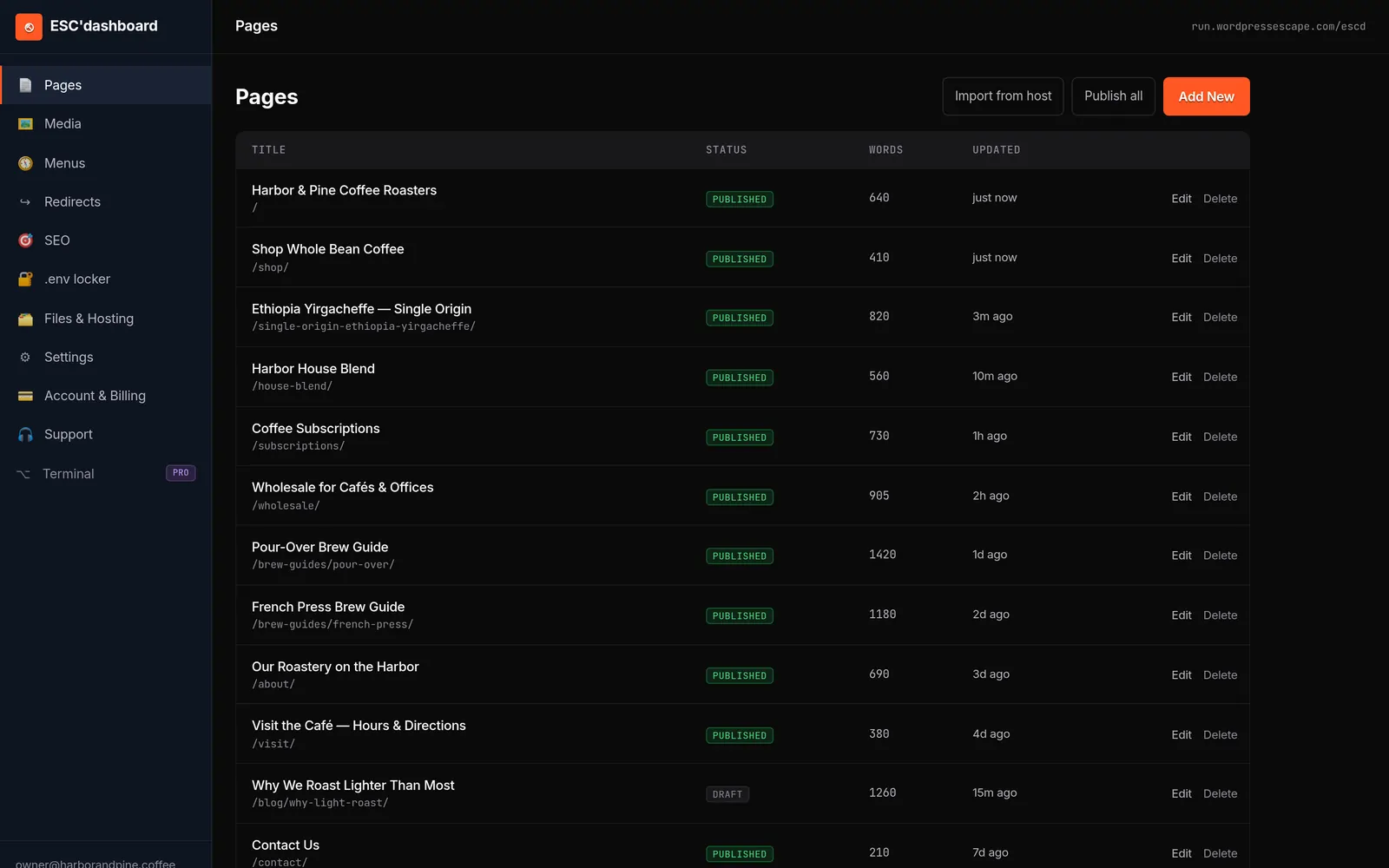
In a pure DIY Hugo setup, you’d typically edit markdown files and partial templates directly, often in a Git repository. That’s powerful but not friendly for a marketing team that’s used to Divi’s drag-and-drop interface. To bridge this gap, a service like Wordpress Escape provides a WordPress-style editor, the ESC’dashboard, on top of the static site. Instead of logging into /wp-admin, you log into a separate dashboard that lets you manage content, menus, and metadata through familiar forms and fields while Hugo handles the underlying build.
Under the hood, the ESC’dashboard stores your content in a format Hugo understands - such as markdown or structured data files - then triggers rebuilds when you publish changes. Because the frontend is static on Cloudflare’s edge, these rebuilds are very fast, and the published site remains just HTML, CSS, and static assets. There’s no Divi, no WordPress core, and no PHP engine to patch. You still see your changes reflected on the live site quickly, but you’re not relying on a PHP runtime to render pages on the fly for each visitor.
The tradeoff is that you lose Divi’s on-page visual drag-and-drop editing but gain a simpler, more predictable content model and far better performance. Layout changes are made through templates and components in the Hugo project, which the migration team can configure for you during the build-out. Content changes - copy updates, new blog posts, swapping images - happen in the ESC’dashboard using form-based controls. For most site owners, this strikes a balance between designer-level control and marketing-friendly workflows, without keeping the Divi Builder (and its performance baggage) in the loop.
Preserving SEO, URLs, and Rankings When Migrating a Divi Site to Static
For most Divi site owners, performance is only half the story; the real fear is losing rankings and traffic during the move to static. The good news is that a correctly executed migration can preserve your SEO signals while dramatically improving Core Web Vitals, which search engines increasingly treat as a quality factor. The key is to treat URL and metadata parity as non-negotiable requirements, not optional nice-to-haves.
The first principle is to keep your URL structure identical wherever possible. Every existing path - whether it’s a blog post, category archive, product page, or landing page - should have a corresponding static URL with the same trailing slashes, case, and parameters where relevant. In a Hugo-based rebuild, this means configuring permalinks and content directories to mirror WordPress output. Services like Wordpress Escape map out all your URLs at the start, then use that as the blueprint for Hugo’s routing, so that no URL is lost and no unnecessary redirects are introduced.
Next, you need to carry over all on-page SEO elements. Titles, meta descriptions, canonical tags, Open Graph tags, and structured data should be preserved exactly or migrated in a way that improves clarity without changing their meaning. Static templates in Hugo can include these fields as parameters, populated from content files or a central configuration. During the migration, this is also a chance to remove duplicate meta tags and clean up any legacy SEO plugin artifacts, while ensuring that the actual signals search engines rely on remain consistent.
Core Web Vitals improvements often follow naturally from going static. By serving pre-rendered HTML from Cloudflare’s edge, with minimal JavaScript and optimized asset loading, you can get TTFB down to roughly 30 ms, CLS to 0, and lab-tested PageSpeed scores climbing into the 90s even on mobile. Those improvements reduce bounce rates and can support better rankings over time, especially on mobile search. In Wordpress Escape’s own migration of a 528,854-page site, zero URLs were lost and performance metrics improved across the board, demonstrating that it’s possible to preserve SEO at scale while upgrading the underlying architecture.
Finally, pay attention to technical details like XML sitemaps, robots.txt, and redirects. Your static deployment should expose a fresh sitemap that reflects all migrated URLs, keep any intentional noindex rules, and replicate necessary 301s. Once the static site is live and DNS is cut over, monitor Google Search Console and analytics closely for crawl errors or unexpected traffic changes. A thorough migration plan, especially one executed by a team experienced with Divi and static frameworks, is what turns the scary idea of "deleting WordPress" into a controlled transition where your SEO remains intact and performance is the only noticeable change.
Cost, Tradeoffs, and When a Static Migration from Divi Makes Sense
Moving a Divi site to a static Hugo build is not a trivial decision. It changes your hosting model, your editing workflow, and your dependency stack. Before you commit, it’s worth weighing the costs and tradeoffs against your current setup. For some sites, incremental optimization on WordPress may be enough. For others, especially those pushing serious traffic or operating under tight performance budgets, a static migration is one of the few ways to reliably meet both speed and stability requirements.
On the cost side, static hosting on platforms like Cloudflare is typically cheaper and more predictable than traditional WordPress hosting. Because the site is just HTML and assets on a global edge, you’re not paying for PHP workers, database connections, and frequent scaling events; you’re mostly paying for bandwidth. You also remove the ongoing costs associated with Divi licenses, performance plugins, and premium caching solutions. However, there is an upfront investment in the migration itself - especially if you choose a done-for-you service like Wordpress Escape that rebuilds your Divi design in Hugo and sets up an ESC’dashboard editor.
The main tradeoff is flexibility versus simplicity. With WordPress and Divi, you can install new plugins and spin up complex dynamic features relatively quickly, but every new extension adds performance and security risk. In a static Hugo setup, you think more deliberately about functionality: forms become API-backed, search is handled via client-side indexing or external services, and anything heavily dynamic is typically offloaded to specialized SaaS tools or edge functions. You gain reliability and speed, but you lose the ability to install arbitrary plugins at will.
Static migration makes the most sense if your Divi site meets at least one of these criteria: it’s noticeably slow on mobile even after optimization, you’re paying for high-end hosting just to keep it somewhat responsive, your Core Web Vitals are holding back rankings, or your organization wants to reduce the operational risk of constant WordPress patching. It’s especially compelling at scale, as demonstrated by Wordpress Escape’s migration of their own 528,854-page site, where they preserved every URL and dramatically improved performance. For very small brochure sites that rarely change, a simple DIY export may be sufficient, but for serious Divi installations, a structured static rebuild is usually the only path that meaningfully improves performance without sacrificing design or SEO.
Practical Checklist: Preparing Your Divi Site for a Static Migration
Before you start migrating a Divi site to static, some upfront preparation will save you headaches later and help ensure a smooth transition. You don’t need to be a developer to tackle this checklist, but you do need admin access to your WordPress install and a clear picture of how your site is currently used. Think of this as a pre-flight inspection: verify what you have, decide what you truly need, and clean up anything that will only complicate the move.
Start with an inventory of your content and features. List your main page types (home, services, blog posts, landing pages, archives), any forms (contact, lead gen, applications), and integrations (CRM, email marketing, payment gateways). Note which of these rely on WordPress plugins versus external services. Identify any parts of Divi you rely on heavily, such as global modules, popups, or A/B testing. This inventory will help you and any migration partner determine which dynamic elements need static-friendly replacements, and which can be retired or simplified.
Next, clean up your Divi and WordPress environment. Remove unused plugins and themes, because they can interfere with rendering or introduce unnecessary complexity during the capture phase. Audit your menus and internal links to fix any obvious broken links or orphaned pages. Check that your permalinks are consistent and that you’re not relying on ad hoc redirects built into obscure plugins. The cleaner your current WordPress install, the easier it is to map and reproduce in Hugo without surprises.
Finally, gather technical details and access. Make sure you can export your existing SEO settings from plugins like Yoast or Rank Math, confirm access to your DNS provider and hosting control panel, and collect any custom code snippets that affect the front end, such as analytics tags, chat widgets, or tracking pixels. If you’re working with a service like Wordpress Escape, they will use this information to ensure the static Hugo build faithfully reproduces your Divi site’s behavior and SEO signals. Having everything organized upfront accelerates the migration and reduces the risk of missing small but important details during the cutover.
Frequently asked questions
Will I lose my Divi layouts if I migrate to a static site?
You will stop using the Divi Builder to render pages, but you do not have to lose the layouts themselves. A proper static migration captures the fully rendered Divi output for each URL, then recreates that design in a static framework like Hugo so the site looks the same, even though Divi and WordPress are no longer running.
Can I still edit my site easily after deleting WordPress and Divi?
Yes, but the editing experience changes. With a service like Wordpress Escape, you get the ESC’dashboard - a WordPress-style editor that manages content and settings for your static Hugo site. You won’t drag and drop with Divi anymore, but you will use familiar form-based controls to add posts, update copy, and manage menus without touching code.
How does a static Divi migration affect my SEO and rankings?
If done correctly, a static migration should preserve or improve your SEO. By keeping the same URLs, titles, meta tags, and structured data while dramatically improving Core Web Vitals, you maintain your existing ranking signals and often see better engagement metrics. The key is careful URL mapping and metadata preservation during the move.
What happens to forms and other dynamic features on a static site?
Forms, search, and other dynamic features need static-friendly replacements. Typically, forms are reconnected to third-party form processors or APIs, search is handled via client-side indexing or external services, and complex dynamic functions are offloaded to specialized tools or edge functions. These changes allow your site to stay functional without relying on WordPress and PHP.
Is migrating from Divi to static worth it for a small site?
For a small brochure site that rarely changes, a full Hugo rebuild may be more than you need, and a simple static export might be enough. However, if you rely on mobile traffic, care about Core Web Vitals, or want to eliminate WordPress maintenance entirely, a static migration can still be worthwhile even for modest sites, especially if you plan to grow.
How long does it take to migrate a Divi site to a static Hugo setup?
Timelines depend on site size and complexity. A small Divi site with a dozen pages may be migrated in days, while a large site with thousands of URLs, multiple post types, and complex integrations can take several weeks. Services like Wordpress Escape front-load discovery and mapping so that by the time you cut over, every URL and feature has been accounted for.
Do I still need WordPress hosting after the migration?
No, not if you choose a migration path that fully rebuilds your site in a static generator and deletes WordPress afterward. In that model, your live site runs as static content on a platform like Cloudflare’s edge, and the ESC’dashboard or similar editor manages your content without requiring a traditional WordPress hosting environment.
See your own numbers first
Every site is different. Run the free 60-second audit on your site - real SEO + speed grades, no login - then decide.
Scan my site free