
On this page
- What Strattic actually is, and why that matters
- The main difference: hidden WordPress backend vs. no WordPress at all
- Performance, Core Web Vitals, and edge delivery
- Vendor lock-in and ownership of the site build
- Pricing model: what you keep paying for
- Editing experience and content workflow
- Dynamic features: forms, search, memberships, and other edge cases
- Migration process: export vs. rebuild
- Who should choose Strattic, and who should choose Wordpress Escape
- Frequently asked questions
What Strattic actually is, and why that matters
Strattic is best understood as a static publishing layer for WordPress: you still create content in WordPress, and the platform generates a static front end for visitors while keeping WordPress available as the editing and management backend. That architecture is useful if your team wants a familiar CMS and does not want to retrain writers or editors. It is also why Strattic can be a reasonable option for organizations that want faster delivery without replatforming their editorial workflow.
The tradeoff is structural. You are not getting rid of WordPress; you are wrapping it. That means you still pay for WordPress hosting, you still maintain WordPress plugins and updates, and you still keep the operational risk of a live WordPress environment, even if the public-facing site is static. For teams trying to eliminate the WordPress attack surface, reduce plugin maintenance, or stop paying for the WordPress stack entirely, that distinction is not cosmetic - it is the whole decision.
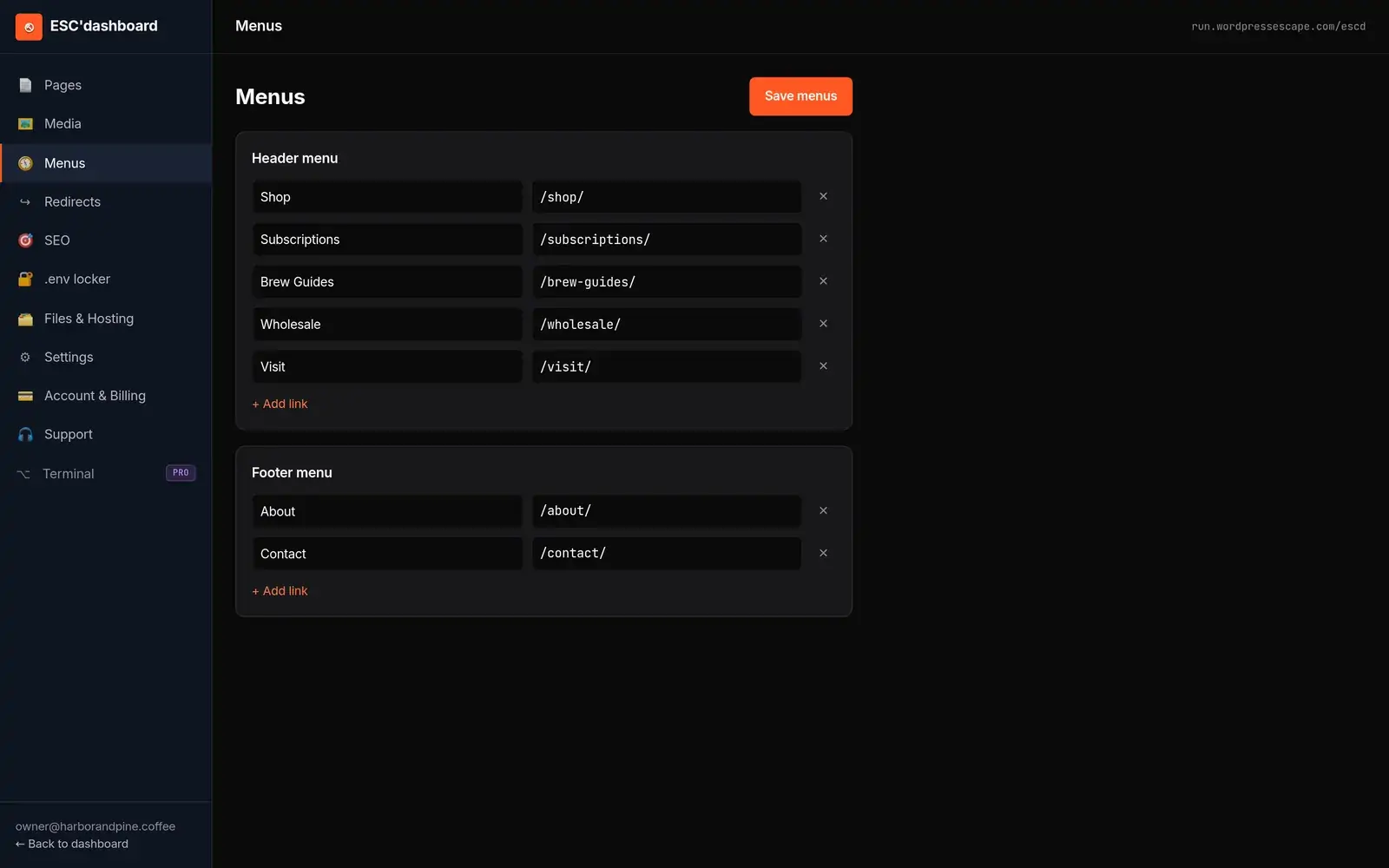
Wordpress Escape takes the opposite approach. Instead of keeping WordPress as a hidden backend, it permanently deletes WordPress, rebuilds the site in Hugo, serves it on Cloudflare’s edge, and hands over ESC'dashboard, a WordPress-style editor that sits on top of the new static system. The practical result is that you keep the editing experience, but you stop carrying WordPress underneath it.
- Strattic: WordPress remains the CMS and backend.
- Wordpress Escape: WordPress is removed entirely.
- Why this matters: backend choice affects security, cost, maintenance, and long-term lock-in.
The main difference: hidden WordPress backend vs. no WordPress at all
The easiest way to compare the two is to ask what lives after migration. With Strattic, the public site is static, but WordPress still exists as the source of truth for content management. With Wordpress Escape, the site is rebuilt so that Hugo becomes the site engine, Cloudflare serves the pages at the edge, and WordPress is not part of the stack anymore. That means the old WordPress database, plugin ecosystem, and admin interface are no longer required for day-to-day operation.
This difference affects more than security. It changes the cost model, the number of systems you have to patch, the failure modes you have to monitor, and the amount of technical debt you inherit. A “static WordPress” setup can still be fragile if the backend remains busy with plugins, editorial roles, scheduled jobs, and integrations that were designed for a dynamic site. Removing WordPress cuts away those moving parts.
For many teams, the real question is whether the content team needs WordPress specifically or just a WordPress-like way to edit pages. If the answer is the latter, a migration that eliminates WordPress entirely usually gives a cleaner operating model. If the answer is the former, a platform like Strattic may be enough. But if the goal is to stop managing WordPress forever, keeping it in the background undermines that goal by design.
- Strattic: static delivery, WordPress backend preserved.
- Wordpress Escape: static delivery, WordPress removed.
- Operational impact: fewer plugins, fewer patches, fewer backend dependencies when WordPress is gone.
Performance, Core Web Vitals, and edge delivery
Performance is one of the strongest arguments for moving off traditional WordPress hosting, but not every “static” solution reaches the same outcome. In practice, performance depends on how many layers remain between the visitor and the HTML, and whether the site still depends on dynamic backend calls. A static front end can be fast even if WordPress remains hidden, but any remaining backend complexity can still affect publish workflows, content freshness, and maintenance overhead.
Wordpress Escape’s positioning is to remove those layers entirely: rebuild the site in Hugo, serve it on Cloudflare’s edge, and eliminate WordPress so the public site is just fast static output. The company cites results such as PageSpeed scores around 94+, TTFB around 30 ms, CLS of 0, and zero URLs lost on its own 528,854-page migration. Those numbers matter because they reflect both front-end speed and the absence of backend drag on the live site.
Strattic can also produce fast delivery, especially compared with a conventional WordPress host. The question is whether you want “fast enough” static delivery with WordPress still in the loop, or whether you want the simplest possible production stack. If your site is large, sensitive to edge performance, or heavily affected by plugin overhead, removing WordPress entirely can create a more predictable result. If your site is smaller and your team prioritizes preserving the existing WordPress workflow, Strattic’s architecture may be sufficient.
- Fastest path: static rendering plus edge delivery, with no live WordPress layer.
- Why TTFB matters: it reflects how quickly the first byte reaches the visitor from the edge.
- Why CLS matters: static rebuilds can preserve layout stability when implemented carefully.
Vendor lock-in and ownership of the site build
One of the most important differences between the two approaches is what you own when the project is done. With a WordPress-based static layer, your site is still functionally coupled to a WordPress backend and to the vendor’s implementation of that static layer. Even if the front end is static, the editing environment, deployment pipeline, and system behavior may remain tied to the vendor’s platform.
Wordpress Escape’s model is designed to reduce that dependency. The site is rebuilt in Hugo, and the deliverable includes the Hugo source so you own the codebase outright. That matters because Hugo is a straightforward static-site generator rather than a proprietary WordPress wrapper. If you ever want to move the site, hand it to another team, or host it elsewhere, the architecture is more portable because the site is already just static source and output.
There is also a strategic difference in how future changes are handled. In a WordPress-backed system, small changes can become platform-specific. In a Hugo-based system, the content and presentation layer are separate from the old CMS, which can make long-term maintenance cleaner if the build process is set up well. The tradeoff is that the initial migration is more involved, because the site has to be rebuilt rather than simply exported.
- Strattic: lower migration friction, but more platform coupling.
- Wordpress Escape: more complete replatforming, but cleaner ownership.
- Best question to ask: do you want a temporary optimization or a permanent exit?
Pricing model: what you keep paying for
Pricing is not just monthly subscription cost. It is the sum of platform fees, hosting fees, plugin licenses, developer time, security overhead, and the hidden cost of keeping WordPress operational. A solution that preserves WordPress may be cheaper to start, but more expensive to operate if it still requires WordPress hosting, maintenance, and ongoing plugin management.
With Strattic, the economic logic usually looks like this: keep WordPress as the backend, add a static delivery layer, and pay for a managed service that handles the static publishing side. That can be attractive if your team wants minimal change. But you are still carrying a WordPress stack underneath, so you are not fully escaping the costs associated with WordPress infrastructure and administration.
Wordpress Escape uses a different cost logic: the project is a done-for-you migration away from WordPress, and the finished system runs without WordPress underneath. That can reduce long-term expense because there is no WordPress core to maintain, no plugin stack to babysit, and no separate WordPress host to fund. The real savings show up over time, especially for larger sites where maintenance, security reviews, and emergency fixes add up.
The honest tradeoff is that a true exit usually costs more upfront than a wrapper product. You are paying for the rebuild, the URL preservation work, and the transition of the editorial workflow. But if your goal is to stop paying WordPress tax every month, the higher initial investment can be rational.
- Short term: WordPress-preserving tools may look cheaper.
- Long term: deleting WordPress often lowers operational drag.
- Budget question: are you optimizing for migration cost or five-year cost?
Editing experience and content workflow
For most content teams, the editor is the hardest part of replatforming. If writers are used to the WordPress admin, replacing it with a raw static workflow can slow publishing dramatically. That is one reason static WordPress products exist in the first place: they preserve a familiar editing experience while changing the delivery architecture.
Strattic keeps the WordPress editor, which makes onboarding easy. Editors continue working in the same interface, and the platform handles the static publishing process behind the scenes. This is a real advantage if your team has a mature WordPress workflow, custom roles, and dozens of users who would otherwise need retraining.
Wordpress Escape addresses the same problem differently. Instead of keeping WordPress, it gives you ESC'dashboard, a WordPress-style editor layered over the rebuilt Hugo site. The goal is to preserve the workflow that editors recognize without preserving the WordPress application itself. That is a meaningful distinction: the team gets a familiar interface, but the site no longer depends on WordPress login sessions, plugins, or backend maintenance.
The right choice depends on whether your editors need the WordPress ecosystem or just the editing behavior. If your content team relies heavily on WordPress plugins inside the admin, Strattic may be easier. If your priority is to keep editors productive while removing WordPress from production, a custom dashboard on top of a static stack is the cleaner design.
- Strattic: familiar WordPress admin stays in place.
- Wordpress Escape: familiar editing experience, but no WordPress behind it.
- Key test: can your team publish comfortably without needing WordPress itself?
Dynamic features: forms, search, memberships, and other edge cases
Static does not mean feature-poor, but it does change how dynamic features are delivered. Forms, search, gated content, comments, personalized recommendations, and member experiences all require some alternative to traditional WordPress page rendering. The important question is not whether these features are possible, but where they live after migration.
In a WordPress-preserving setup, some of these functions can continue to rely on WordPress plugins or backend services, which can simplify migration but preserve complexity. In a true static rebuild, dynamic features are usually handled through purpose-built services, APIs, or edge tools rather than through the old WordPress application. That can produce a cleaner architecture, but it requires a more careful rebuild plan.
Wordpress Escape’s model is intentionally opinionated here: the site is rebuilt statically, WordPress is deleted, and any dynamic needs are re-implemented without depending on the old CMS. That is a better fit for sites that want a lean public front end and are willing to use modern external services for the few features that truly need interactivity. It is a weaker fit for organizations that want to keep complex WordPress plugins doing most of the work behind the scenes.
If your site has heavy dynamic requirements, the best migration plan is to inventory every feature first. Ask which features must stay dynamic, which can become simpler, and which are really legacy baggage. In many cases, a “dynamic” WordPress plugin turns out to be a function that works better when separated from the CMS entirely.
- Forms: usually straightforward to externalize.
- Search: often better handled by dedicated search tooling.
- Memberships: require the most planning and the clearest boundary between content and account logic.
Migration process: export vs. rebuild
The migration process is where the two philosophies diverge most sharply. A Strattic-style migration generally centers on moving an existing WordPress site into a system that can publish it statically while keeping WordPress intact. That can reduce risk because the content model, editor, and backend remain recognizable. It is often the least disruptive path if your main goal is to improve performance and reduce some hosting complexity.
Wordpress Escape’s process is more like a controlled reconstruction. The existing WordPress site is audited, URL structure is preserved, the design is rebuilt in Hugo, and the output is deployed on Cloudflare’s edge. Because the company’s promise is to permanently delete WordPress, the migration has to account for templates, content structure, redirects, media, and any special functionality before the old site is removed. That takes more care up front, but it also means the result is cleaner.
For large sites, this distinction matters a lot. Wordpress Escape cites its own 528,854-page migration as proof that large-scale rebuilds are feasible without losing URLs. That kind of result is especially relevant if you run a content-heavy site where redirects, taxonomy structure, and page-level SEO cannot be allowed to drift. If you are migrating a smaller brochure site, the rebuild may be simpler; if you are migrating a massive site, the rebuild process is the whole product.
- Strattic-style path: preserve WordPress, optimize delivery.
- Wordpress Escape path: reconstruct the site, remove WordPress.
- Migration risk: lower for wrapper approaches, lower long-term complexity for full rebuilds.
Who should choose Strattic, and who should choose Wordpress Escape
Strattic is best for teams that want to keep WordPress, move faster, and avoid retraining editors. If your organization has a lot of internal WordPress knowledge, depends on WordPress-specific plugins, or wants the smallest possible change in how content is published, Strattic is a sensible fit. It is a pragmatic optimization choice, not a radical platform exit.
Wordpress Escape is better for teams that are done with WordPress as a system, not just as a hosting problem. If you want to eliminate the backend, reduce maintenance, own the Hugo source, and run a site that is genuinely static on Cloudflare’s edge, it is the more complete answer. It is also the better fit for organizations that care about long-term simplicity, security surface reduction, and ending platform dependence rather than postponing it.
If you are choosing between them, use this rule: if your biggest concern is editorial disruption, choose the option that keeps WordPress. If your biggest concern is long-term ownership and removing WordPress overhead permanently, choose the option that deletes it. Those are not the same goal, and pretending they are leads to disappointing migrations.
- Choose Strattic if you want WordPress preserved and the transition minimized.
- Choose Wordpress Escape if you want WordPress eliminated and the site rebuilt for the long term.
- Best practical test: do you want a better WordPress setup, or no WordPress at all?
Frequently asked questions
Is Strattic really an alternative to Wordpress Escape?
Yes, but they solve different problems. Strattic keeps WordPress as the backend and adds static delivery, while Wordpress Escape removes WordPress entirely and rebuilds the site in Hugo. If you want a true exit from WordPress, Strattic is not the same outcome.
Does Wordpress Escape preserve URLs and SEO?
That is the goal of the migration process, and it is a core part of the service. The company also cites a 528,854-page migration with zero URLs lost, which is relevant for large SEO-sensitive sites. Any migration still needs careful redirect and content mapping, especially for sites with complex taxonomies or legacy URL patterns.
What is the biggest downside of keeping WordPress in the background?
You still have to maintain WordPress, even if visitors never see it. That means updates, plugin risk, security review, and backend complexity remain part of the operating model. For teams trying to reduce maintenance and attack surface, that is the main drawback.
Is a Hugo rebuild better than a static WordPress export?
If your goal is to eliminate WordPress, yes, because a Hugo rebuild produces a cleaner, WordPress-free architecture. A static export can be faster to launch, but it often leaves WordPress or WordPress-like dependencies behind. The better option depends on whether you care more about speed of migration or final-state simplicity.
What kinds of sites are best suited for Wordpress Escape?
Sites with a strong need for performance, SEO continuity, and long-term simplicity are the best fit. It is especially relevant for large content sites, marketing sites, and organizations that want to remove WordPress maintenance altogether. If your site depends heavily on WordPress plugins as the core application logic, the rebuild needs more planning.
Will editors need to learn a completely new system?
Not necessarily. Wordpress Escape provides ESC'dashboard, a WordPress-style editor designed to keep the editing experience familiar even though WordPress is removed underneath. That makes it easier for content teams to adapt without preserving the old CMS.
Which is cheaper: Strattic or Wordpress Escape?
Strattic may be cheaper upfront because it is less disruptive and keeps the existing WordPress workflow. Wordpress Escape can be cheaper over time if you want to stop paying for WordPress hosting, plugin upkeep, and backend maintenance. The real answer depends on whether you are comparing migration cost or total cost of ownership.
See your own numbers first
Every site is different. Run the free 60-second audit on your site - real SEO + speed grades, no login - then decide.
Scan my site free