
On this page
- Why WordPress Realtor Sites Struggle In 2026
- How Static Sites Improve Mobile Listing Speed
- Static Architecture and Local SEO for Real Estate
- Keeping IDX and MLS Integrations on a Static Site
- Lead-Capture Forms and CRM on Static Real Estate Sites
- Cost Comparison: WordPress vs Static for Real Estate Teams
- The Migration Process: Moving a Realtor Site Off WordPress
- Editing Content Without WordPress: ESC’dashboard
- Real Tradeoffs: When a Static Site Is (and Isn’t) Right for Agents
- Frequently asked questions
Why WordPress Realtor Sites Struggle In 2026
Most real estate agents end up on WordPress because it’s what every web designer and "realtor website package" sells. It works, but only up to a point. By 2026, the typical WordPress realtor site is carrying years of plugins - visual builders, IDX integrations, sliders, lead-capture widgets, security add-ons - sitting on a shared host that quietly throttles performance. The result is a site that feels fine on your office fiber but turns into a frustrating, multi-second wait on a buyer’s phone connection.
Under the hood, WordPress is a dynamic system: every page load hits PHP, a database, and several plugin layers before anything reaches the browser. That’s acceptable for a small business blog. It’s a serious bottleneck when you have hundreds or thousands of listing pages, neighborhood guides, and market reports, all serving mobile visitors who have little patience and plentiful alternatives. Each plugin solves a micro problem while adding queries, scripts, and CSS payload that your hosting stack has to assemble and ship for every request.
For agents and teams, this matters because your site isn’t just a brochure; it is a search tool. Buyers and sellers are clicking through listings, photo galleries, map views, and neighborhood pages. On a congested WordPress stack, that interaction is noticeably slower: you see PageSpeed scores hovering in the 40-60 range on mobile, layout shifts as images and widgets load late, and Time to First Byte (TTFB) in hundreds of milliseconds or more. All of that friction erodes the trust and momentum that should carry a visitor into a showing request or a valuation inquiry.
Static architecture approaches the problem differently. Instead of building pages on demand through WordPress and MySQL, the site is generated ahead of time as flat HTML and assets that can be served instantly from edge locations. Wordpress Escape takes this to its logical conclusion: WordPress is fully deleted after migration, your site is rebuilt as a static Hugo project on Cloudflare’s global edge, and you edit through an ESC’dashboard that feels familiar without any PHP or plugin overhead. The key shift is that every page - from your homepage to your deepest listing detail - becomes a pre-rendered file that can be delivered in ~30 ms TTFB, consistently, to buyers on mobile.
That architectural change turns a fragile, plugin-dependent system into an appliance: your realtor site becomes something you rarely have to worry about. No more overnight plugin conflicts, no patch cycle whenever a vulnerability is announced, and no surprise from a hosting provider quietly moving you onto a more crowded server. For agents, that stability and speed mean fewer technology distractions and more confidence that every link you share is as fast and clean as it can realistically be.
How Static Sites Improve Mobile Listing Speed
Real estate traffic is overwhelmingly mobile. Buyers scroll listings between appointments, zoom photos while standing in front of a property, and check open houses from a car. That context makes mobile speed more than a vanity metric - it’s a direct driver of lead volume and perceived professionalism. A static site has a structural advantage here because every page is already built, stored, and ready to ship from a nearby edge node, instead of being assembled on demand by WordPress and a database.
On a typical WordPress realtor site, each listing page triggers multiple database queries, several plugin hooks, and often third-party scripts. Even if your host is decent, that chain adds latency and unpredictability. As you layer an IDX plugin, lead-capture, analytics, and visual builders, the HTML response time and asset loading only get worse. That’s why many agents see PageSpeed Insights mobile scores stuck around 50-70, and experience visible lag when flipping through listing photos or switching filters.
Static deployments change the baseline: HTML pages are generated once and then served like files, with no PHP execution or database calls per request. On Cloudflare’s edge, this means your homepage, listing index, and neighborhood pages can hit Time to First Byte numbers around ~30 ms and PageSpeed scores consistently in the 90s. With Wordpress Escape’s approach, we’ve seen builds with PageSpeed ~94+ on mobile, cumulative layout shift (CLS) at 0, and fully stable interfaces, even for complex sites with over 500,000 pages. That level of responsiveness is felt immediately when someone taps from one property to the next.
Mobile users care about a few concrete things: how quickly the first content appears, whether the page jumps as images load, and whether tapping a link feels instant or sticky. Because a static site is pre-rendered, the initial HTML arrives fast, and because you’re not fighting plugin-injected scripts and layout tricks, you can keep CLS at or near zero. That means a buyer can scroll photos without the page bouncing, flick through similar listings without delay, and open your contact form without waiting. Every one of those smoother micro interactions increases the chance they’ll stick around long enough to submit an inquiry.
For agents and teams, this doesn’t require becoming a performance engineer. The heavy lifting happens during the migration: your WordPress content and layouts are converted into Hugo templates optimized for static delivery, unnecessary scripts are stripped, and pages are built in a way that favors fast, predictable mobile behavior. From there, the ESC’dashboard lets you add new listings, blog posts, or landing pages while preserving that performance profile. In practical terms, your listing search becomes something that feels app-like on mobile - quick, stable, and trustworthy - without the fragile complexity of maintaining a custom web app.
Static Architecture and Local SEO for Real Estate
Local SEO is the lifeblood of a modern real estate practice. You want to appear when someone searches "homes for sale in [your city]", "best realtor near me", or specific neighborhood phrases like "condos in Old Town". The technical foundation of your site plays a meaningful role in whether those pages are crawled efficiently, understood clearly, and deemed worthy of ranking. Static sites offer two concrete advantages here: they are fast by default and structurally simple, both of which search engines favor when everything else is equal.
Speed is a known ranking factor, especially on mobile. A static site that routinely scores in the 90s on PageSpeed and delivers content with ~30 ms TTFB removes performance as a bottleneck in your local SEO strategy. When Googlebot or Bingbot crawls your site, each page responds quickly and consistently, allowing deeper and more frequent crawl coverage without hitting resource limits. Over time, that means more of your long-tail content - neighborhood profiles, school district guides, niche market reports - can be indexed and surfaced, rather than languishing behind slow responses and intermittent timeouts.
Structure is the second major advantage. Static generators like Hugo encourage clean URL hierarchies and predictable templates. That makes it easier to implement strong on-page SEO practices: unique title tags and meta descriptions for each neighborhood page, consistent schema markup for listings and reviews, and logical internal linking between areas and property types. Because your pages are generated ahead of time, there’s no risk that a plugin update will suddenly change URLs, inject duplicate content, or break canonical tags - all issues that commonly plague older WordPress setups.
For real estate agents specifically, a static site can be organized around local intent. You can create top-level city and county pages, then fan out into micro-neighborhoods, property types, and lifestyle themes (waterfront, golf communities, new construction). Each of these can have fast-loading content, embedded maps, and curated listings. When backed by Cloudflare’s global edge, those pages load quickly for both local users and out-of-area buyers researching markets. That combination of speed and topical depth is what modern local SEO rewards.
Wordpress Escape’s role in this process is to preserve the SEO equity you already have while improving the technical underpinnings. All existing URLs are maintained - we migrated our own 528,854-page site with zero URLs lost - title tags and meta data are carried over, and redirect logic is handled carefully so you don’t create orphaned or broken paths. The result is a site that not only keeps your current rankings but is positioned to expand them via better crawl performance and less technical debt. From there, the ESC’dashboard lets your team publish new neighborhood pages or market updates without worrying about "breaking SEO" through some plugin configuration.
Keeping IDX and MLS Integrations on a Static Site
The first question most agents ask when they hear "static site" is simple: "What happens to my IDX or MLS integration?" Historically, many static tools were aimed at blogs and marketing sites, not data-rich property search. As a result, agents rightly worried that moving static meant losing dynamic listing feeds, search filters, and map-based browsing - the core of a modern realtor site. The reality is more nuanced: you can keep IDX and MLS embeds, but you need to plan how they’re integrated into a static architecture.
Most IDX solutions provide embeddable components: JavaScript widgets, iframe-based search panels, or subdomain-based portals that you can drop into a page. On WordPress, this usually happens through a plugin that injects shortcodes and scripts into your content. On a static site, you bypass the plugin layer and embed the IDX widgets directly into your Hugo templates and content. The static page itself delivers the shell - header, footer, local copy, SEO structure - while the IDX JavaScript handles dynamic listing retrieval within that shell, just as it would on any other modern site.
This hybrid approach is what makes static viable for real estate. Your site becomes a fast, pre-rendered framework that hosts dynamic IDX components. The initial HTML, navigation, and local context load instantly from Cloudflare’s edge, while the listing data itself is requested client-side from the IDX provider’s servers. As long as those embeds are configured and loaded efficiently, the overall user experience can still hit PageSpeed scores in the 90s and maintain a smooth, low-CLS interface. You avoid the overhead of a WordPress plugin making server-side calls and complex database joins for each search.
From a practical standpoint, migrating with Wordpress Escape means capturing how your current site uses IDX - which pages contain search panels, listing grids, featured properties, map search - and reconstructing those placements in the static templates. If your IDX provider supports modern, responsive embeds, they’re wired into the new layout without requiring WordPress as a host. If certain features rely heavily on server-side WordPress hooks, we work through alternatives: moving those features to the IDX provider’s own pages, or replacing them with static-friendly configurations that still meet your business needs.
It’s important to be honest about tradeoffs. A wholly static site cannot run server-side WordPress IDX plugins that depend on PHP callbacks for every request, because WordPress itself is gone. Some ultra-custom integrations might need adjustment; for example, if you have bespoke backend logic that cross-wires listings with proprietary data stored in WordPress, that logic must be re-thought or offloaded. However, the majority of agents and teams rely on mainstream IDX providers whose embeddings are already designed to run as client-side components. For them, the experience of listing search remains intact - only faster and less fragile - once their site is rebuilt static and WordPress removed from the picture.
Lead-Capture Forms and CRM on Static Real Estate Sites
Fast pages and clean listing search only matter if visitors can convert into leads. For real estate agents, that’s primarily through contact forms, valuation requests, showing schedules, and occasional gated content like market reports. One misconception about static sites is that "no server" means "no forms". In practice, static architecture simply changes how form submissions are handled - and can make them more reliable and secure when paired with modern form and CRM services.
On WordPress, forms are typically powered by plugins like Contact Form 7, Gravity Forms, or a bundled form builder. Each submission goes through WordPress itself: PHP script receives the data, writes to the database, sends emails, and maybe pushes to a CRM integration. This works, but it also adds server load, attack surface, and yet another plugin to maintain. If something breaks - a plugin update, spam filter issue, or hosting change - your lead flow can silently suffer without easy detection.
In a static context, the front-end form remains the same: fields for name, email, phone, property interest, and any qualifying questions. What changes is the endpoint. Instead of sending data to WordPress, your forms post to a dedicated form service or API - for example, a serverless function on Cloudflare, a CRM’s native web form endpoint, or a specialized lead-capture platform. These services are built to handle submissions at scale, log them reliably, and apply spam filtering without requiring you to babysit a plugin ecosystem.
For agents and teams, this opens up cleaner integrations. You can wire your "Schedule a Showing" form directly into your CRM, tag leads by the page they submitted on, and trigger automated follow-up sequences. Your "What’s My Home Worth?" form can route to both your email and a valuation workflow, without passing through WordPress at all. The static site is responsible for the presentation and validation; the back-end logic lives in services designed specifically for data handling and automation.
When Wordpress Escape migrates a realtor site, each existing form is audited: which fields it uses, where submissions go, and how they’re tracked. Those forms are rebuilt in the static templates and connected to stable endpoints. The ESC’dashboard then allows you to add or edit forms just as you would in a page builder, but under the hood, submissions bypass WordPress entirely. The upside is fewer moving parts, reduced attack surface, and forms that continue to work reliably even as your static site is served from Cloudflare’s edge nodes around the world. For real estate teams managing many agents, that reliability is critical - you don’t want a plugin conflict on Tuesday to quietly eat weekend open house leads.
Cost Comparison: WordPress vs Static for Real Estate Teams
Cost isn’t just about your monthly hosting bill. For a real estate team, the real expense of a website includes performance bottlenecks that lose leads, emergency fixes when a plugin breaks, and the opportunity cost of time spent chasing technical issues instead of clients. Comparing WordPress to a static deployment requires looking at both direct and indirect costs over a realistic timeframe, not just headline numbers.
A typical WordPress realtor site stack often includes a few components: shared or managed hosting at $20 - $80 per month, premium IDX plugin licensing, form builders, security plugins, backup tools, and periodic developer hours for updates and troubleshooting. Over a year, it’s common for a team to spend several hundred dollars on hosting and plugins, plus occasional $500 - $2,000 engagements when something major breaks or needs redesign. If your site is slow and you invest in performance tuning, that can add another layer of cost with caching plugins, CDN services, and specialized optimization work.
Static architecture changes the cost profile. Hosting static assets on an edge platform like Cloudflare is significantly cheaper at scale because you’re serving files, not running a full PHP and database stack for every request. There’s no need for many performance-related plugins, and security hardening at the WordPress level becomes irrelevant because WordPress itself is removed. The main ongoing costs are your CDN/edge hosting, your IDX licensing, and any form/CRM services, all of which are generally more predictable and easier to justify based on direct business value.
The migration and rebuild are upfront investments. With Wordpress Escape, that includes a done-for-you conversion of your existing WordPress site into a Hugo-based static site, preserving design, URLs, and SEO. For larger teams with hundreds or thousands of pages, this is often less expensive than a full redesign, and the performance gains - PageSpeed ~94+, TTFB ~30 ms, CLS 0 - translate into more effective ad spend and organic traffic. Because static sites require less emergency maintenance, you’re likely to see fewer surprise invoices over the life of the site.
Agents should also factor in non-obvious savings: fewer hours spent updating plugins, reduced downtime during critical listing pushes, and less need for specialized WordPress developers. Your marketing team can operate within the ESC’dashboard to update content and launch campaigns without risking a plugin conflict. Over a multi-year horizon, those saved hours and avoided emergencies often outweigh the one-time migration cost, especially for teams that depend on their site as a primary lead engine.
The Migration Process: Moving a Realtor Site Off WordPress
Migrating off WordPress can sound intimidating, especially if your site has grown organically over years of content, listings, and plugin tweaks. The key is to approach it as a structured project with clear stages: inventory, mapping, conversion, verification, and go-live. Done correctly, your visitors never experience disruption, and your SEO equity remains intact while the underlying engine of your site quietly upgrades from dynamic to static.
The first step is a content and URL inventory. That means gathering a complete list of pages - city and neighborhood guides, about pages, team bios, blog posts, landing pages, and any custom content - along with their current URLs. For agents with large sites, this often includes sitemaps, analytics reports, and manual checks to catch older, high-value pages that may not be prominently linked. Wordpress Escape uses this inventory to ensure that every existing URL has a corresponding static destination, with a specific focus on preserving the exact paths that currently rank or receive traffic.
Next comes design and structure mapping. Your current theme, header and footer layout, navigation menus, and key page templates are analyzed and translated into Hugo templates. This is where the look and feel of your brand is preserved: logos, colors, typography, and layout are recreated in static form so your visitors don’t feel like they’ve landed on a different site. During this stage, there’s also an opportunity to make targeted improvements: simplifying cluttered layouts, removing heavy sliders, and cleaning up scripts that contribute to slow performance.
Conversion is the heart of the process. Content is exported from WordPress, cleaned, and imported into Hugo’s content structure. Pages are generated as static HTML, CSS, and JavaScript. IDX embeddings are wired into the right templates; forms are reconnected to new endpoints; and any custom functionality is either replicated or replaced with static-friendly alternatives. For sites with complex structures, this is where experience matters: Wordpress Escape’s own migration of a 528,854-page site shows that even very large inventories can be handled systematically without losing URLs.
Before go-live, there’s a verification phase. Performance is tested - PageSpeed, TTFB, CLS - and compared to your existing WordPress baseline. Links are crawled to catch any broken paths or missing content. SEO-critical elements like title tags, meta descriptions, canonical tags, and schema markup are checked against your old site. Only once these checks pass does the static site go live on Cloudflare’s edge, with DNS updated as needed. From a visitor’s perspective, the change is mostly invisible except for one thing: pages now feel noticeably faster and more stable, especially on mobile.
Editing Content Without WordPress: ESC’dashboard
A common concern agents have about moving off WordPress is the perceived loss of an easy editing environment. They’re used to logging into wp-admin, clicking "Pages", and typing into a visual builder. The idea of static sites often conjures images of developers editing text files and deploying through Git, which is understandably not appealing for a real estate team focused on clients, not code. The solution is to separate the concept of "WordPress" from the concept of "editor".
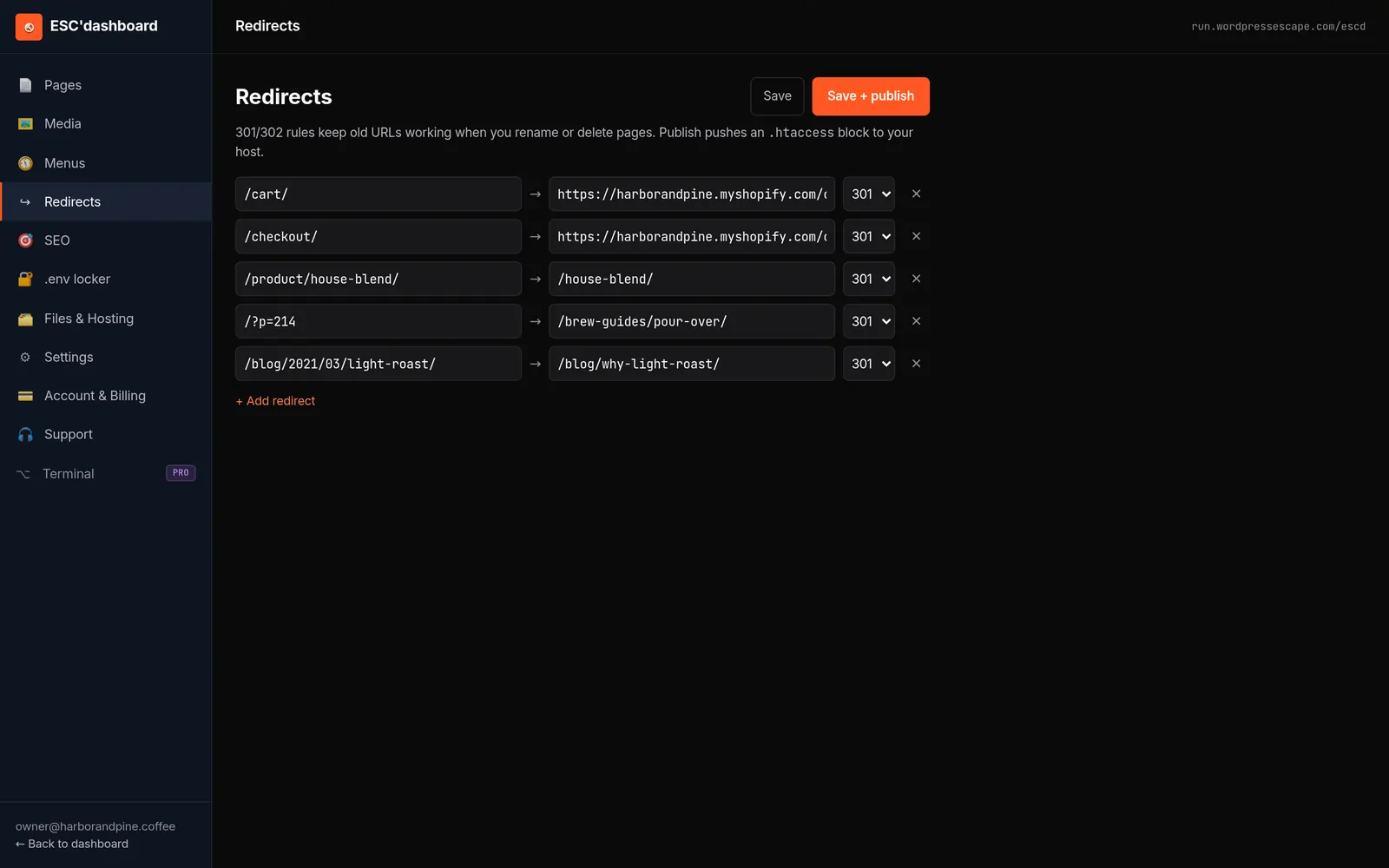
Static sites can have friendly editors; they just don’t need to be WordPress. Wordpress Escape provides an ESC’dashboard that’s deliberately designed to feel familiar: you see a list of pages, you can click into content areas, edit text, add new sections, and publish changes without touching code. Under the hood, those edits update the Hugo content and trigger a static rebuild, but as an agent, you don’t have to manage that process. You’re working with fields and rich text instead of templates and HTML.
This editorial layer is important for keeping your marketing agile. You want to be able to add a new landing page for a just-listed luxury property, publish a market update for your city, or update open house details without submitting a ticket to a developer. With the ESC’dashboard, those workflows remain intact: log in, edit, save, and your changes roll out across Cloudflare’s edge. The difference is that you’re not inadvertently installing new plugins, changing PHP code, or risking structural issues with every update.
Another benefit of editing in a static-friendly dashboard is consistency. Because your content is structured, you can manage global components - navigation, footers, neighborhood lists - in a controlled way. Team bios, office locations, and contact information can be updated centrally, ensuring that all pages stay in sync. This reduces the chance that an outdated phone number or broken link lingers in a forgotten WordPress widget area. For larger teams, this consistency across dozens of agent profile pages and landing pages translates directly into fewer support issues and a more professional online presence.
For agents who are comfortable in WordPress, there is an adjustment period. The ESC’dashboard isn’t a clone of wp-admin, and some workflows are intentionally simplified to avoid the complexity that made WordPress fragile. However, most users find that after a short acclimation, the experience is cleaner: fewer options, less noise, and an editing environment that’s clearly focused on the content that matters. In exchange, you get a site that no longer depends on WordPress itself - meaning no logged-in performance penalty, no urgent update warnings, and no need to worry about whether your editor is inadvertently opening up security holes.
Real Tradeoffs: When a Static Site Is (and Isn’t) Right for Agents
No architecture is perfect for every situation. Static sites solve significant problems for many real estate agents and teams, but it’s important to be clear about when they are the right fit and when a traditional WordPress or fully custom dynamic application might still make sense. Understanding these tradeoffs helps you make a strategic decision instead of chasing a trend.
Static shines when your site is primarily content-driven: listings, neighborhood guides, testimonials, blogs, and landing pages that don’t require user-specific server-side logic. In this scenario, pre-rendered pages deliver performance and stability benefits without sacrificing functionality. IDX and MLS embeds continue to provide dynamic listing search within static shells; forms send data to external services and CRMs; and marketing campaigns can be run through fast, dedicated landing pages. For most agents and mid-sized teams, this covers the vast majority of their real-world requirements.
Where static is less ideal is in scenarios requiring complex, personalized server-side behavior tied deeply into the site’s own backend. For example, if you’ve built a custom portal where each buyer logs in to see a personalized feed of properties, saved searches, and messages, and that logic lives entirely in WordPress plugins and PHP, migration would require re-architecting that functionality instead of simply exporting content. Similarly, if your business depends on heavy on-site transactions or booking logic that intertwines with WordPress, you’ll need to analyze how much of that can be offloaded to specialized platforms or APIs.
There are also organizational tradeoffs. Static architecture reduces the need for frequent plugin updates and emergency debugging, but it does ask you to commit to a more curated toolset: IDX providers that support modern embeds, CRM systems with robust form endpoints, and a workflow that treats your site more like a durable product than a constantly tweaked experiment. For some teams, that discipline is a welcome relief; for others, who enjoy trying every new plugin weekly, it requires a mindset shift.
Wordpress Escape’s approach is to be candid about these boundaries. We permanently delete WordPress after migrating a site to static; there is no "secret WordPress backend" left running. For most realtor sites, that’s a feature, not a bug: fewer moving parts, less risk, and a performance profile that simply isn’t achievable with a long-lived WordPress stack. But if your business model truly relies on custom WordPress-only features that can’t realistically be replicated or offloaded, the static route may not be the best immediate move. The goal is to align the architecture with how you actually generate and manage leads, not to fit your practice into a technology choice that doesn’t match your needs.
Frequently asked questions
Will I lose my current Google rankings if I move my real estate site to a static setup?
You shouldn’t lose rankings if the migration preserves all existing URLs, meta tags, and structured data. A careful static rebuild maintains your site's URL structure, implements proper redirects where needed, and keeps important SEO elements intact while improving core web vitals, which can actually help local rankings over time rather than hurt them.
Can a static real estate site still support IDX and MLS listing search?
Yes. Modern IDX and MLS providers offer embeddable JavaScript widgets or iframe-based search tools that work independent of WordPress. In a static architecture, your pages are pre-rendered, and those IDX components are embedded into the layout, providing dynamic property search inside a fast, static shell.
How do contact and valuation forms work on a static realtor website?
Forms on static sites submit to external endpoints instead of WordPress, typically using dedicated form services, serverless functions, or CRM web-to-lead URLs. Visitors still see familiar fields and confirmation messages, but the handling of submissions is moved to systems built specifically for reliable data capture and automation.
Is moving my team’s WordPress site to static expensive compared to a full redesign?
A static migration is usually comparable to or less than a custom redesign, with different benefits. Instead of paying mainly for new visuals, you’re investing in performance, security, and stability while keeping your existing brand look and URLs. Over time, lower maintenance overhead and fewer emergency fixes often make static more economical.
Will my agents still be able to update pages and publish new content without developers?
Yes. A static site can be paired with a WordPress-style dashboard that lets non-technical users edit pages, add posts, and manage content. The difference is that edits trigger static builds instead of live WordPress changes, so you keep the convenience of an editor without the fragility of a plugin-heavy backend.
Are static sites secure enough for a professional real estate practice?
Static sites remove many of the common attack vectors associated with WordPress, such as vulnerable plugins, outdated PHP versions, and exposed login pages. Because they serve pre-built files instead of running dynamic code on every request, the surface area for exploitation is much smaller, which generally improves your site's security profile.
What happens if I need very custom features beyond listings and content pages?
For highly custom, personalized features - like complex client portals or booking systems - you may need dedicated applications or APIs alongside your static site. These can often be integrated as separate services while your main public-facing site remains static, but in some cases, a full dynamic system might still be the better fit depending on your requirements.
See your own numbers first
Every site is different. Run the free 60-second audit on your site - real SEO + speed grades, no login - then decide.
Scan my site free