
On this page
- Why a dental practice website is different from a generic local business site
- Why WordPress dental sites feel slow (and what that costs in local SEO)
- Mobile performance for "dentist near me" searches
- Local SEO, reviews, and structured data for dental practices
- Online appointment booking embeds: keeping dynamic features on a static site
- Security, WordPress vulnerabilities, and patient trust
- Cost, maintenance, and the real price of keeping WordPress
- How a migration off WordPress works without losing URLs or rankings
- Editing a static dental site without going back to WordPress
- Is moving to a fast static site right for your dental practice?
- Frequently asked questions
Why a dental practice website is different from a generic local business site
A dental practice website does not behave like a generic brochure site. It is a hybrid of medical information, local discovery, and live operations: patients use it to decide whether to trust you with their health, to check insurance and services, and to book appointments on their phone, often while they are in pain or anxious. That combination makes performance, clarity, and reliability more critical than it is for a typical "local business" site.
Most dental sites have a predictable set of pages and features: a homepage with your value proposition and calls to action, provider bios and credentials, services and procedures pages, insurance or payment information, location and contact pages, and an online appointment request or real-time booking integration. You may also have educational blog posts, pre- and post-op instructions, and forms that patients are expected to review or complete before visiting the office. All of this must load quickly, be easy to use on mobile, and feel safe and professional.
Unlike restaurants or retail shops, a dental site must address health-related concerns and privacy expectations. Patients share personal information, medical history, and sometimes images when they submit forms or book appointments. If your site looks outdated, takes five seconds to load, or throws security warnings, many visitors will abandon and try another practice that looks more modern and trustworthy. That means technical decisions - such as sticking with WordPress versus moving to a static architecture - have direct implications for patient acquisition and retention.
Static sites, when designed correctly, can serve these predictable, content-driven pages extremely efficiently. Services, bios, and FAQs rarely change day to day, so there is no reason they should be rebuilt dynamically with a heavy PHP and database stack on every visit. Exceptions like appointment booking or secure forms can be offloaded to specialized services such as LocalMed or NexHealth, which embed directly into the static site and handle dynamic logic and data collection on their own infrastructure. Wordpress Escape leverages this pattern, keeping your essential dental content static and fast while preserving the dynamic integrations that your front desk relies on.
Why WordPress dental sites feel slow (and what that costs in local SEO)
Many dental practices choose WordPress because it is familiar, inexpensive, and widely supported by agencies. Over time, though, these sites tend to accumulate large page builders, image-heavy themes, dozens of plugins, and complex hosting configurations. The result is a homepage that might be downloading 3-5 MB of assets, calling a database repeatedly, and running JavaScript from multiple third-party widgets. On a typical 4G mobile connection, that can translate into a 3-6 second wait before anything usable appears on screen.
That delay matters because local "dentist near me" searches are extremely time-sensitive. A potential patient who opens three results from Google is likely to call or book with the practice whose site loads quickly, shows clear contact information, and feels trustworthy. If your site takes several seconds to display above-the-fold content, you are losing some of those high-intent visitors before they even see your address or phone number. Search engines also factor speed into rankings; a sluggish site can be disadvantaged against a faster competitor serving similar content.
There are technical reasons for this speed gap. WordPress pages are assembled on the fly: PHP code executes, database queries fetch content and settings, and plugins inject their own logic and assets. Even with caching, each request routes through a stack that was never designed for edge-level latency. Add in real-time security scanning, backup processes, or misconfigured caching plugins, and time to first byte (TTFB) can easily sit in the hundreds of milliseconds or more, especially on budget shared hosting.
By contrast, a static site built on a generator like Hugo and served from a global edge network can deliver a fully rendered HTML page in a fraction of that time. Wordpress Escape’s own migrated site, with over 528,854 pages, consistently achieves PageSpeed scores around 94+, TTFB near 30 ms, and zero layout shifts (CLS 0). Those numbers are not theoretical: they show what happens when you remove the runtime overhead and let the server simply send prebuilt HTML and optimized assets. For a dental practice, that performance translates into smoother local search experiences, less bounce from mobile users, and a technical foundation that supports strong local SEO rather than undermining it.
Mobile performance for "dentist near me" searches
Most new patients meet your practice for the first time on a phone. They search "dentist near me" or variations like "emergency dentist open now" and tap one of the top results. In that moment, your site has a narrow window - often under two seconds on modern devices - to load enough content for the visitor to decide whether to stay. Anything that slows down that experience erodes your conversion rate, especially when your competitors are only a tap away.
Mobile performance is driven by several factors: time to first byte (how quickly the server responds), how much HTML and JavaScript must be downloaded before the first paint, image optimization, and how many render-blocking resources the browser must process. WordPress themes and builders that look polished on desktop often ship massive CSS files, unoptimized hero images, and multiple JavaScript bundles. Combined with plugin scripts for sliders, analytics, chat widgets, and forms, the page can become heavy enough that older phones or weaker connections struggle.
When your site is static and served from a content delivery network at the edge, the browser receives a lean HTML document almost immediately, along with minimized CSS and JavaScript that are tailored to your actual design. Wordpress Escape’s approach focuses on building with Hugo and pushing assets to Cloudflare’s edge, which delivers TTFB around 30 ms in many regions and enables near-instant first contentful paint when the HTML is simple and cacheable. For a dental practice, this means the user can see your name, location, and main calls to action almost as soon as they tap the search result.
To make mobile performance work for your "dentist near me" presence, the site should prioritize what matters most to mobile visitors: a clean header with your practice name and logo, a visible call button and appointment link, concise service summaries, and the address and map embed. On a static architecture, you can confidently strip away unnecessary scripts and widgets because you are no longer compensating for WordPress limitations with layers of plugins. The speed gains are not abstract; they directly influence whether a rushed or anxious patient moves forward to book with you or backs out and chooses another practice.
Local SEO, reviews, and structured data for dental practices
Local SEO for dentists revolves around a few high-impact elements: your Google Business Profile, consistent NAP (name, address, phone) data across directories, on-page content that clearly describes your services and location, and review signals that reassure both search engines and humans. Whether your site runs on WordPress or is static, these fundamentals remain the same - but a fast, technically clean site gives those signals more room to work and can avoid penalties or crawl inefficiencies that slow platforms sometimes incur.
A key piece of local SEO is structured data, often implemented as JSON-LD schema. For dental practices, that typically means using organization or local business schema (e.g., MedicalBusiness, Dentist) along with markup for address, opening hours, and potentially services. Review schema can highlight ratings, number of reviews, and sources, which may influence how rich results display. On WordPress, schema is often bolted on via plugins that inject scripts into head sections or use shortcodes in templates. These plugins can conflict, break on theme updates, or be disabled accidentally, leaving your schema inconsistent.
On a static site generated by Hugo, schema becomes part of the build process. Templates can include structured data directly in the HTML for each location or provider page, ensuring that every deployment keeps schema correct and complete. Wordpress Escape’s migration process preserves existing URLs and ranking pages, then rewrites templates to embed local SEO best practices in the static output. Because there is no runtime system assembling pages, your schema is less likely to be altered or broken by future plugin updates or theme changes.
Reviews matter deeply in dentistry, where patients are wary of pain, cost, and previous bad experiences. Integrating review content and signals into a static site can be done via dynamic widgets from platforms like Google, BirdEye, or other reputation tools, or via curated testimonials on services pages. The static site hosts the curated text and design, while the third-party scripts handle live review feeds. This division allows you to keep the core pages lightweight and fast while still reflecting your latest reputation data where it counts. For local SEO, consistent mentions of your city, neighborhood, and service types across these pages reinforce relevance and help your static architecture compete effectively in "dentist near me" results.
Online appointment booking embeds: keeping dynamic features on a static site
One of the biggest concerns dentists have about moving away from WordPress is the impact on online appointment booking. Practices increasingly rely on systems like LocalMed, NexHealth, or other patient engagement platforms to provide real-time scheduling, automated reminders, and form capture. These tools are often embedded as iframes, JavaScript widgets, or links that open hosted booking pages. The fear is that a static site will somehow limit or break these dynamic functions.
In practice, static sites are well-suited to host booking embeds because the scheduling logic and data storage live entirely on the vendor’s infrastructure. Your website’s role is simply to present a container - a secure page, an iframe, or a button that launches the booking flow. Whether the surrounding page is generated by WordPress or Hugo makes no difference to LocalMed or NexHealth, as long as the embed code and DNS configuration remain correct. A migration to static involves carefully preserving those embed codes and ensuring that URLs and call-to-action buttons continue to point to the same booking endpoints.
Wordpress Escape’s process is designed around this principle. When we migrate a dental practice off WordPress, we identify every booking-related integration: shortcodes, HTML blocks, or widgets used for LocalMed, NexHealth, or similar. Those blocks are translated into pure HTML and JavaScript within the new static templates so that the booking experience remains identical or improves with cleaner styling. Because the static site is faster, patients reach the booking widget more quickly, and the vendor’s script can execute without competing against a heavy WordPress page’s JavaScript.
If you use additional dynamic tools - such as chat widgets, intake form platforms, or insurance verification portals - they can be integrated in the same way. The static site hosts the container and design, and the specialized service handles runtime interactions. The key is to avoid embedding so many scripts that you recreate WordPress-like bloat in the browser; careful selection of critical tools and performance-conscious placement ensures your static site stays lean while still supporting the operational workflows your front desk requires.
Security, WordPress vulnerabilities, and patient trust
Dentistry operates in a trust-sensitive environment. Patients expect not only clinical competence but also discretion and security when they share personal data. Even if your website does not store medical records directly, it is a visible touchpoint for how seriously your practice takes privacy and safeguarding information. Security warnings, hacked pages, or visible spam can severely damage that perception and cause patients to hesitate before contacting you.
WordPress, by design, is a dynamic content management system that runs PHP and interacts with a database on every request. Its popularity makes it a prime target for automated attacks, and its plugin ecosystem introduces thousands of potential vulnerabilities. Common problems include outdated plugins with known exploits, weak admin passwords, misconfigured file permissions, and hosting environments that lag behind best practices. A single compromised plugin can lead to malicious redirects, injected scripts, or defaced pages - all visible to patients and search engines.
Maintaining a secure WordPress site demands ongoing patching, monitoring, and sometimes paid security services. Dental teams already juggle clinical care, insurance, and operations; adding technical security management is rarely a priority, yet failure can have outsized reputational impact. Even when the site is not storing protected health information, patients often do not distinguish between different systems; if your website appears unsafe, they infer that other aspects of your practice may be similarly neglected.
A static site dramatically reduces the attack surface because there is no live application stack to exploit. The server simply delivers prebuilt HTML, CSS, and JavaScript; there is no admin login area, database, or plugin directory for attackers to target. Wordpress Escape’s approach goes further by permanently deleting WordPress from the deployment, ensuring that there is no hidden backend to compromise or maintain. Dynamic functionality like booking or forms is offloaded to HIPAA-conscious vendors whose architectures are designed for secure data handling. For your practice, this means fewer security-related emergencies, reduced risk of visible hacks, and a web presence that quietly signals reliability and care to your patients.
Cost, maintenance, and the real price of keeping WordPress
On the surface, WordPress seems inexpensive. Many dental practices start with a low-cost theme, shared hosting, and a handful of plugins, paying a one-time design fee or a modest monthly retainer. Over the life of the site, however, the real costs accumulate in ways that are easy to overlook: hosting upgrades to cope with traffic or bloat, premium plugin renewals, security tools, performance optimization, and emergency fixes when something breaks before a busy day of patient appointments.
Consider a realistic scenario: a practice pays $40-80 per month for managed WordPress hosting, $100-300 per year for premium plugins (SEO, page builder, security, booking helpers, etc.), and occasional agency fees for updates and troubleshooting. If a plugin update conflicts with the theme and breaks the homepage or booking form, the fix may require emergency developer hours, delaying or reducing online bookings while the issue persists. Over a few years, these line items add up, not just in dollars but in staff time spent coordinating with vendors and worrying about the site.
Static sites shift the cost profile. Hosting static assets on a global CDN like Cloudflare is typically less expensive and more predictable than dynamic WordPress hosting because there is no CPU-heavy backend to scale. There are no plugin licenses because there are no plugins; the site’s functionality is defined in templates and powered by external, specialized services where necessary. Maintenance changes from constant patching to occasional design or content updates, which can be handled through a simple editor if your static setup includes one.
Wordpress Escape is positioned specifically for practices that want the operational simplicity of "WordPress-like" editing without the ongoing maintenance burden. After migration, you manage content through the ESC dashboard, which presents a familiar editing interface but does not rely on WordPress underneath. Updates produce new static builds rather than altering a live database, which substantially lowers the chance of breaking the site with a misconfigured plugin or theme change. While the upfront migration is an investment, it often replaces years of piecemeal fixes and performance band-aids with a stable, fast foundation that requires less firefighting and fewer surprise expenses.
How a migration off WordPress works without losing URLs or rankings
For most dentists, the biggest risk in moving off WordPress is the potential disruption to existing traffic and SEO. Your site may have years of content, backlinks to specific pages, and ranking positions for procedure keywords and local searches. Losing URLs, breaking internal links, or confusing search engines with poorly handled redirects can undo that work. A careful static migration must therefore treat your current site map and URL structure as assets to be preserved, not incidental details to be rewritten.
The process typically begins with a full crawl of your existing WordPress site: capturing every public URL, mapping internal links, and identifying templates used for standard pages like services, providers, and blogs. From there, the migration team extracts content - texts, images, metadata, and structured data - and uses a static generator such as Hugo to rebuild those pages in a way that mirrors the original URL paths. If your services lived under /services/ and provider bios under /team/, the static site can reproduce those paths precisely so that both search engines and human visitors see familiar locations.
Redirects are handled only where necessary - for example, consolidating duplicate or thin content - but the default goal is zero lost URLs. Wordpress Escape’s own migration of a large site with 528,854 pages demonstrates that scale does not inherently require sacrificing paths or breaking rankings. During deployment, the static site is configured behind your existing domain, and DNS changes point traffic to the new, fast edge hosting once the build is verified. Search engines discover the improved performance and clean structure naturally, without suddenly encountering a different site architecture or series of unnecessary 301 redirects.
Rankings depend on multiple factors beyond URLs: content quality, backlinks, structured data, and site speed. A static migration that preserves content and paths while improving performance and technical hygiene can strengthen your SEO over time. The key is to avoid superficial redesigns that remove useful copy or change headings purely for aesthetic reasons without considering their search value. A migration partner that understands dental SEO will balance visual updates with respect for your existing ranking signals. With Wordpress Escape, the emphasis is on keeping every URL, maintaining page intent, and then layering performance and security enhancements underneath so that your visibility is protected and, ideally, enhanced by the move.
Editing a static dental site without going back to WordPress
Static sites are often perceived as developer-only territory: when you think of Hugo or other static generators, you may imagine command-line tools and manual file edits. For a dental practice, that is not practical. You need front desk staff or marketing partners to add new provider bios, update office hours, edit service descriptions, and publish occasional blog posts without having to learn git or ask a developer every time. The challenge is to provide this flexibility without reintroducing WordPress and its heavy, vulnerable backend.
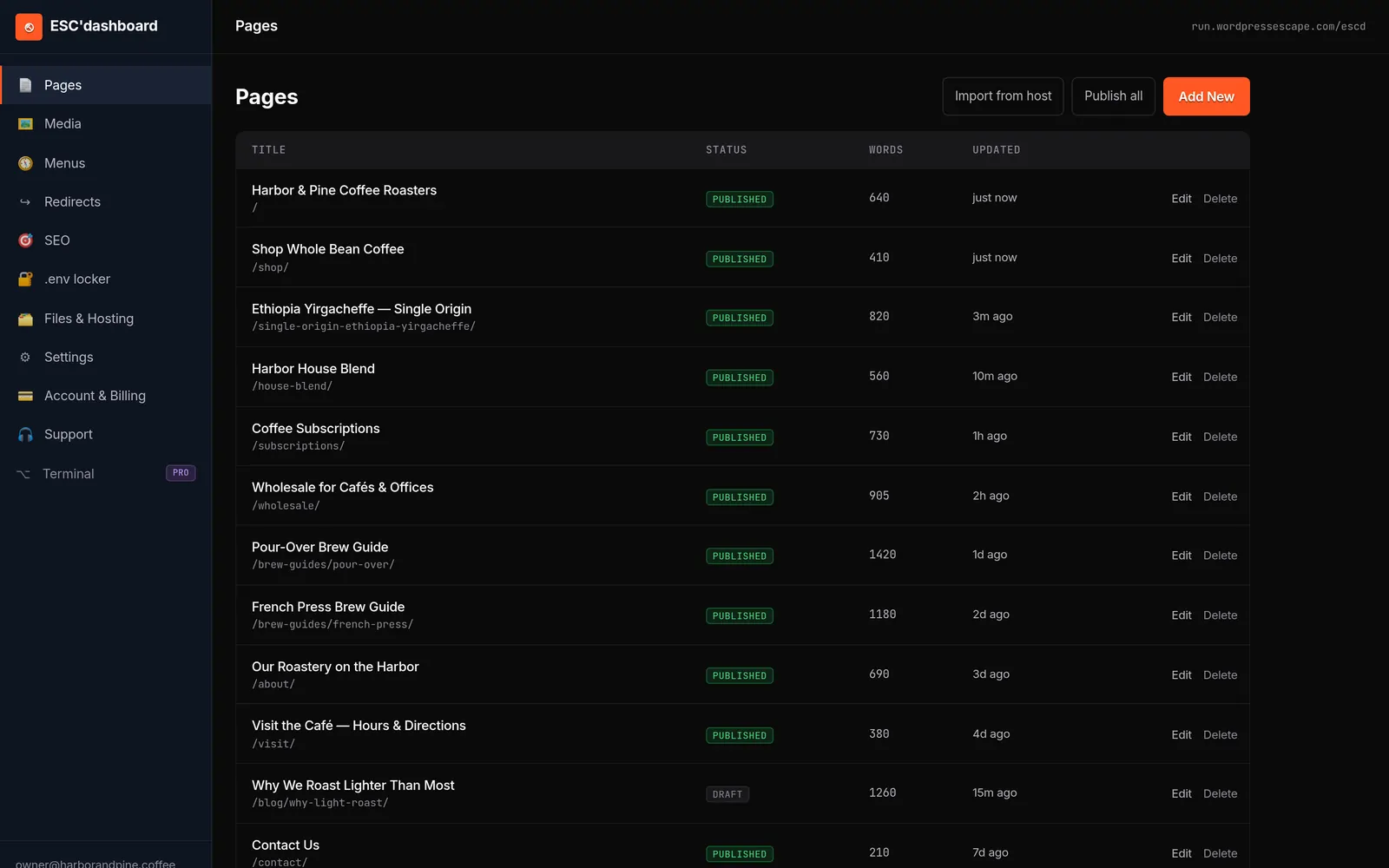
Modern static architectures solve this with custom content dashboards that separate editing from deployment. Wordpress Escape’s ESC dashboard is an example of this approach: it offers a WordPress-style interface where you can log in, edit content fields, manage pages, and schedule updates, but instead of storing data in a live WordPress database, it feeds a static build process. When you publish, the system generates new HTML pages and assets and pushes them to the edge, replacing the previous version atomically.
This model has several advantages for a dental practice. First, there is no plugin layer for staff to accidentally alter. The fields and options are tailored to your site’s structure - services, providers, locations, FAQs - so you see exactly the elements that matter, without generic theme settings or complex builder tools. Second, changes are reversible at the build level; you can maintain a history of content versions without worrying about database corruption or partial updates. Third, access control can be simplified to roles that match your team’s responsibilities, limiting who can adjust critical elements while still enabling day-to-day updates.
Crucially, using a WordPress-style editor does not require WordPress itself. You keep the editing comfort while shedding the maintenance burden. For most dental practices, this means the website becomes more predictable: no surprise plugin prompts, fewer update warnings, and a cleaner workflow for publishing changes. The static foundation quietly handles performance and security, while your staff continues to work with familiar concepts like pages, posts, and fields, making the transition from WordPress less disruptive than many expect.
Is moving to a fast static site right for your dental practice?
Not every dental practice has the same needs or constraints. A solo practitioner with a simple brochure site will weigh the tradeoffs differently from a multi-location group with complex workflows and multiple integrations. Deciding whether to move off WordPress to a static site involves balancing performance, security, editing flexibility, and long-term costs against your current pain points and growth plans.
A static architecture is particularly compelling if you recognize some common symptoms: your WordPress site feels slow on mobile despite efforts to optimize; you rely on many plugins, and updates frequently break parts of the site; you are concerned about security but do not have the time or expertise to manage patches; or your hosting costs and agency retainers have crept up without delivering noticeably better results. In these cases, removing the dynamic WordPress layer and embracing a static build can simplify your environment and create a more stable foundation for local SEO and online bookings.
On the other hand, if your site includes heavily customized, real-time functionality that cannot be offloaded to external services - such as complex patient portals built directly into WordPress - it will require careful evaluation before migrating. Many practices already use dedicated systems like LocalMed and NexHealth for these tasks, which makes static migration straightforward, but if you have unique in-house tools, you will need a clear plan for how they will be handled. The goal is to ensure that moving to static does not compromise legitimate dynamic needs.
Wordpress Escape’s positioning is intentionally narrow: we focus on permanently deleting WordPress, rebuilding sites as fast static Hugo deployments on Cloudflare’s edge, preserving every URL, ranking page, and brand look, and handing you an ESC dashboard for ongoing edits. This is not a generic DIY export; it is a service built for teams who want performance and security without the overhead of running WordPress forever. For many dental practices, that combination - fast "dentist near me" experiences, dependable booking embeds, simplified maintenance, and reduced attack surface - aligns closely with what they want their web presence to be: quiet, effective, and trustworthy.
Frequently asked questions
Will a static site still work with my online appointment booking system like LocalMed or NexHealth?
Yes. Online booking systems such as LocalMed and NexHealth typically integrate via embed codes, iframes, or links to hosted pages, and these work the same way on static sites as they do on WordPress. The scheduling logic and data are handled by the vendor, while your static site simply presents the container and calls to action. A careful migration preserves those embeds and can even improve the experience by loading the surrounding page more quickly.
Can moving off WordPress hurt my current Google rankings for dental-related searches?
A well-managed migration should not harm your rankings and can improve them over time. The key is to preserve every important URL, maintain the intent and quality of your content, and handle any necessary redirects cleanly. When you move to a faster static architecture and keep your structured data and local SEO signals intact, search engines typically see a technically healthier site, which supports continued visibility for your practice.
How will my staff update content if the site is static and no longer runs WordPress?
Static does not mean uneditable; it means pages are generated ahead of time rather than assembled on the fly. With a system like Wordpress Escape’s ESC dashboard, your team uses a familiar, WordPress-style interface to edit pages, services, and provider bios. When they publish changes, the platform rebuilds the site and deploys new static pages, so you retain easy content management without the risks and maintenance burdens of a live WordPress backend.
Is a static site secure enough for a dental practice that handles sensitive patient information?
A static site significantly reduces your attack surface because it removes the dynamic application stack, admin logins, and plugin directories that attackers often target on WordPress. Sensitive patient information should be handled through dedicated, HIPAA-conscious systems for forms and portals, which can be integrated into the static site via secure embeds or links. This division allows your public-facing site to remain fast and low-risk while specialized platforms manage protected data.
Will I lose any existing pages or links if I switch my dental website from WordPress to static?
You do not have to lose pages or links in a static migration. A thorough process starts by crawling your existing site, mapping all URLs, and rebuilding them in the static generator so that paths remain the same. With Wordpress Escape, the goal is zero lost URLs: every ranking page and important path is preserved, and only truly redundant or harmful URLs are consolidated via redirects. This careful handling protects both patient bookmarks and SEO equity.
Is a static site only worthwhile for large dental groups, or does it benefit solo practices too?
Both solo practices and multi-location groups can benefit from static sites, but the value shows up differently. For solo dentists, the gains often come from improved mobile speed, reduced security worries, and lower long-term maintenance overhead. For larger groups, static architectures help scale performance across many locations, keep complex sites consistent, and avoid the cumulative risks and costs of managing multiple WordPress installations. The decision depends more on your appetite for reliability and simplicity than on practice size.
See your own numbers first
Every site is different. Run the free 60-second audit on your site - real SEO + speed grades, no login - then decide.
Scan my site free