
On this page
- The Real Problem With Church WordPress Sites
- Why Static Sites Make Sense For Churches
- Speed, SEO, and Mobile Experience: Why Performance Matters for Ministry
- Security, Updates, and the Volunteer Reality
- Handling Sermons, Podcasts, and Media on a Static Site
- Events, Calendars, and Service Times Without WordPress Plugins
- Online Giving and Forms on a Static Site
- Editing Content Without WordPress: ESC’dashboard for Volunteers
- Cost and Maintenance: Why Static Can Be Cheaper Long-Term
- The Process of Moving a Church Site Off WordPress
- Frequently asked questions
The Real Problem With Church WordPress Sites
WordPress became the default choice for church websites because it is familiar, free to start, and comes with thousands of themes and plugins. But the same flexibility that makes WordPress attractive also makes it fragile for churches, especially when most web work falls to a mix of staff and volunteers who already have more than enough to do.
A typical church WordPress setup includes shared hosting, a theme from a marketplace, half a dozen plugins for sermons, events, forms, and giving, and an SSL certificate from the host. Every single piece can break: hosts can throttle or suspend sites, themes stop receiving updates, plugins become incompatible, and SSL renewals fail. When those pieces break, your congregation sees "Error establishing a database connection" or a hacked homepage instead of service times and sermon content.
Most churches rely on volunteers or part-time staff to keep the site afloat. That means fending off plugin updates that could break the layout, chasing down the cause of white screens, and scrambling when the site is suddenly flagged as insecure. The burden grows over time: more plugin updates, more PHP changes, more vulnerability notices, and more ways for things to go wrong. As a result, many churches quietly accept a slow, sometimes-broken website because they don’t have the technical capacity to do better.
The most dangerous part is invisible. An outdated WordPress core or plugin is a direct invitation to automated bots scanning for known vulnerabilities. Even if your site "looks fine," it might be silently compromised, injected with spam links, or used as part of a botnet. That’s not a risk churches can ignore when trust and credibility are central to their mission. Static sites offer a different path: remove the moving parts entirely, and you remove most of the ways things can go wrong.
Why Static Sites Make Sense For Churches
A static site is simply a collection of pre-built HTML, CSS, and JavaScript files served directly to visitors without a database or dynamic backend. For churches, that means your website is no longer a running application that needs constant patching. It becomes a fast, hardened public front door that is much easier to keep stable and secure across seasons, staff changes, and volunteer turnover.
From a ministry perspective, the core needs of a church website are straightforward: share sermon content, post events and service times, provide a way to give online, highlight ministries, and offer a reliable contact point. None of these require a full dynamic CMS exposed to the internet. Static sites can handle all of these through embedded players, simple donation widgets, structured content, and lightweight forms that submit securely to modern services.
Static sites excel at one thing churches need most: reliability. With no database, no PHP, and no plugin stack, there is nothing to silently break because a hosting company upgraded their environment or a plugin author changed an API. A static site will render the same way today, next month, and next year unless you intentionally change it. That predictability is invaluable when the person who built the site moves away, volunteers rotate, or a new communications director inherits the web presence.
Because static sites are simpler under the hood, they also align better with the skillset most churches have. Volunteers do well with clear fields, obvious editing screens, and content that behaves consistently after publishing. Static site workflows can provide that simplicity at the editing level while keeping the public site as lean as possible. This makes it feasible for churches to keep content up to date without needing a "WordPress expert" on call every time something goes wrong.
Speed, SEO, and Mobile Experience: Why Performance Matters for Ministry
For many churches, the website isn’t just a digital bulletin board; it’s where newcomers decide whether to visit at all. If your WordPress homepage takes 5-8 seconds to load, or freezes while loading multiple sliders and scripts, people on mobile devices may never see your service times or pastor’s welcome. That’s not just bad technology - it’s a ministry problem.
Static sites solve this primarily through simplicity. Instead of generating pages dynamically and talking to a database for every request, the server simply returns pre-built files that are already optimized for browsers. On modern edge platforms, it’s realistic to see Time to First Byte (TTFB) around 30 ms, PageSpeed scores in the mid-90s, and Cumulative Layout Shift (CLS) effectively at zero because the layout is stable from the first paint. Those numbers translate directly into real-world improvements: pages render quickly even on older phones and slow connections, and visitors don’t have to wait or fight with shifting content to find basic information.
Search engines pay attention to this. Google’s ranking signals include Core Web Vitals, such as loading speed and visual stability. A church site that loads quickly, remains stable, and works well on mobile is more likely to appear when people search for "church near me" or specific ministries in your area. While content and relevance still matter most, a sluggish WordPress site can drag down otherwise strong pages simply because performance is poor.
Performance also impacts how freely you can share your site. When pages load instantly, staff can confidently link to sermon recaps in emails, events in social media posts, and giving pages in seasonal campaigns without worrying that the site will buckle under increased traffic. Static architecture makes it practical to serve hundreds of thousands of pages - even large archives of sermons and blog posts - without degrading performance, which is especially important for churches that publish frequent messages and resources.
Security, Updates, and the Volunteer Reality
Security is where the gap between WordPress and static sites becomes most obvious for churches. WordPress itself is widely used and frequently patched, but the combination of core, themes, and plugins introduces constant vulnerabilities. Keeping everything secure requires monitoring updates, reading changelogs, testing on staging environments, and occasionally hiring help when something breaks. Most churches don’t have the budget or staff capacity to treat their website like a full-time software project.
In a static model, the attack surface is drastically reduced. There is no login page exposed to the internet, no admin dashboard to brute-force, no database to inject, and no dynamic code that can be exploited via known vulnerabilities. The public site is a set of files, and while those still need to be served securely, they are orders of magnitude harder to compromise compared to a full WordPress stack. This shift alone removes an entire category of risks that churches commonly face, such as defaced homepages and injected spam content.
The volunteer reality makes this difference even more critical. Many church sites are managed by well-meaning volunteers who understand WordPress basics but not security best practices. They may install plugins from unvetted sources, reuse passwords, or ignore update warnings because they once clicked "Update" and the homepage broke. Static sites change the task list completely: instead of "maintain WordPress," volunteers focus on "publish sermons," "update event dates," and "adjust ministry pages" using simple, predictable tools.
Updates still exist in a static workflow, but they are more controlled and less urgent. Core tools and dependencies can be updated by a technical partner without exposing the public site to interim breakage. Churches no longer face the dilemma of choosing between staying secure and keeping their site functioning because the risky components have been removed from the public surface. For ministries, this means fewer emergencies, fewer late-night calls to fix a broken site, and more time spent communicating rather than troubleshooting.
Handling Sermons, Podcasts, and Media on a Static Site
One common reason churches stick with WordPress is the belief that sermon archives and podcast feeds require a dynamic CMS. WordPress plugins make it easy to upload audio, generate feeds, and embed players, but they also tie your content to a fragile plugin ecosystem. Static architecture can handle the same needs in a simpler, more durable way without losing any of the functionality congregations rely on.
For sermon audio and video, the best practice is to host media with services designed for it: platforms like Vimeo or YouTube for video, and modern podcast hosts for audio files and RSS feeds. A static site then embeds those players using standard HTML or script snippets. From a visitor’s perspective, nothing changes; they still click play on the sermon page, listen or watch directly embedded on your site, and can subscribe to podcast feeds using their preferred apps.
Sermon archives on a static site can be generated from structured content, rather than a database. When editors enter sermon titles, dates, speakers, and series information into simple forms, the system can automatically build listing pages, series overviews, and detail pages. This keeps the archive navigable even when it grows to hundreds or thousands of messages. Static generation also makes it easier to maintain consistent layouts and URL patterns, which matters for long-term links shared in newsletters or other resources.
Podcasts remain fully supported. As long as your media host provides a podcast RSS feed, you can link that feed in your static site, reference it on a "Subscribe" page, and include buttons for Apple Podcasts, Spotify, and other platforms. The core podcast functionality lives with the media provider, while your site serves as the presentation layer. This division of responsibilities keeps your main site light and secure while relying on providers whose entire business is handling large media files reliably.
Events, Calendars, and Service Times Without WordPress Plugins
Events are another area where churches often rely on WordPress plugins that promise robust calendars but introduce complexity and maintenance burdens. Static sites can manage events effectively by shifting from "dynamic calendar plugin" thinking to "structured event content" thinking, where each event is defined once and displayed in multiple views. This approach is both more resilient and easier to reason about for non-technical editors.
An events system on a static site typically starts with simple fields: event name, date and time, location, description, and optional tags (such as "youth," "family," or "outreach"). Editors fill out these fields in a dashboard, and the static site generator produces event listing pages, detail pages, and filtered views. The end result can be a clean calendar-style overview, a chronological list, and "feature cards" on the homepage for upcoming key events, all without needing a live plugin or database.
Recurring events like weekly services or monthly meetings are handled by creating event templates or by using repeat rules that generate individual instances. For a church, this means Sunday services, midweek Bible studies, and regular youth nights can all appear consistently on the site with minimal effort, and visitors can quickly confirm times and locations. The static nature of the site ensures that these pages load quickly and do not suddenly change behavior because a plugin author pushed a new update.
Integration with external tools remains possible when needed. If your church uses a separate event registration platform, the static site can link directly to those registration pages or embed their forms, keeping the registration workflow intact while maintaining the performance and stability benefits of static architecture. Service times, holiday schedules, and special events can be highlighted prominently on the homepage without worrying about adding another heavy plugin to WordPress.
Online Giving and Forms on a Static Site
Online giving is usually non-negotiable for modern churches, and the good news is that static sites support all major forms of online giving without needing WordPress plugins. Most churches already use specialized giving platforms that provide embeddable donation widgets, secure hosted pages, or API-based integrations. A static site can integrate with these just as easily as WordPress does, often with fewer points of failure.
There are two common patterns for giving on a static site. The first is to embed a giving widget directly on a "Give" page or in a sidebar section. The giving provider supplies a short snippet of HTML or JavaScript, which you paste into the static site’s content. Visitors stay on your domain while interacting with a secure, provider-hosted widget that processes payments and handles receipts. The second pattern is to link to a fully hosted, secure giving page provided by the platform. In both cases, the critical security responsibilities live with the giving provider, which is where they belong.
General forms - such as contact forms, prayer requests, and sign-up forms - are handled through modern form services or the giving platform’s form features. A static site includes the form markup, and submissions are sent to the external service, which then emails staff, logs entries, or routes data into downstream systems. This avoids the need for WordPress form plugins that frequently introduce vulnerabilities, spam issues, or deliverability problems when misconfigured.
For churches, this arrangement offers a clear set of benefits. Giving remains fully functional and secure, but your main site no longer bears the responsibility for payment processing code. Staff see submissions in familiar dashboards or email inboxes, and the public-facing experience is streamlined and fast. The "Give" page becomes one of the fastest-loading pages on the site, which is important when people click a giving link from a service or newsletter and expect immediate responsiveness.
Editing Content Without WordPress: ESC’dashboard for Volunteers
One of the biggest concerns churches have about leaving WordPress is the editing experience. Staff and volunteers are used to logging into wp-admin, clicking "Pages" or "Posts," and making changes. They may not love WordPress, but they know what to expect. Any static solution that ignores this reality will fail in practice because the editing workflow must be approachable for non-technical users.
A practical way forward is to keep the editorial patterns people recognize while removing WordPress underneath. That is the idea behind a WordPress-style editor such as ESC’dashboard: give users an admin-like interface with clear navigation (Pages, Sermons, Events, Give, etc.), fields for content, and simple publishing controls, but have those changes compile into a static site instead of saving into a WordPress database. From the editor’s perspective, they are still "editing the website" in a browser, not editing code.
For volunteers, this shifts their focus from plugins and settings to content and structure. Instead of wrestling with shortcodes, theme options, and conflicting plugin interfaces, they see a streamlined dashboard designed specifically for the church’s site. Sermon entries have sermon fields, event entries have event fields, and pages have section fields that mirror the design. Publishing changes kicks off a static build, and within a short window the public site updates with the new content.
This approach also protects churches from the most common failure mode: someone logs into WordPress, updates a plugin, and the site breaks. Since there is no WordPress core or plugin stack, volunteers are not exposed to decisions they shouldn’t have to make. Their role becomes updating content and scheduling posts, while the underlying static infrastructure is managed by a technical partner who ensures the generator, hosting, and integrations remain stable.
Cost and Maintenance: Why Static Can Be Cheaper Long-Term
At first glance, WordPress appears cheaper because the software itself is free and many churches start with low-cost shared hosting. Over time, however, the cost picture changes. Performance issues lead to upgraded hosting plans, plugin conflicts lead to paid support, and security incidents require urgent developer help. The total cost of ownership includes not just dollars, but also staff time, volunteer burnout, and the occasional reputational hit when the site goes down at a critical moment.
Static architecture can be more cost-effective once the site is established because the ongoing maintenance needs are lower. With no database and no public CMS to patch, regular emergency work disappears. Hosting costs can be optimized by using edge-based platforms that efficiently serve static files, which often handle large numbers of pages and visitors without the scaling complexities of dynamic applications. For large sites, serving hundreds of thousands of static pages is typically more predictable and affordable than scaling a WordPress instance to do the same.
The financial calculus for churches also includes what they do not have to pay for anymore. There is no need for premium caching plugins, security plugins, database optimization tools, or frequent developer hours dedicated solely to keeping WordPress updated. Instead, the budget can shift toward content creation, design refreshes when needed, and carefully planned features that truly support ministry goals rather than patching underlying technical issues.
From a leadership perspective, the biggest savings may be intangible. When staff and volunteers no longer have to worry about the site breaking with each update, they spend more time using the website as a ministry tool rather than treating it as a problem to be managed. This makes it easier to justify investing in a proper static migration upfront, knowing that the long-term maintenance load will be significantly lighter and more predictable.
The Process of Moving a Church Site Off WordPress
Migrating a church website from WordPress to a static site is not just a copy-and-paste exercise; it requires careful planning to protect URLs, search rankings, and content structure. Done well, the process preserves every existing page, sermon, and event while rebuilding the underlying architecture for speed and stability. The goal is that visitors and search engines see the same or better content under the same addresses, while the technology running it becomes static and secure.
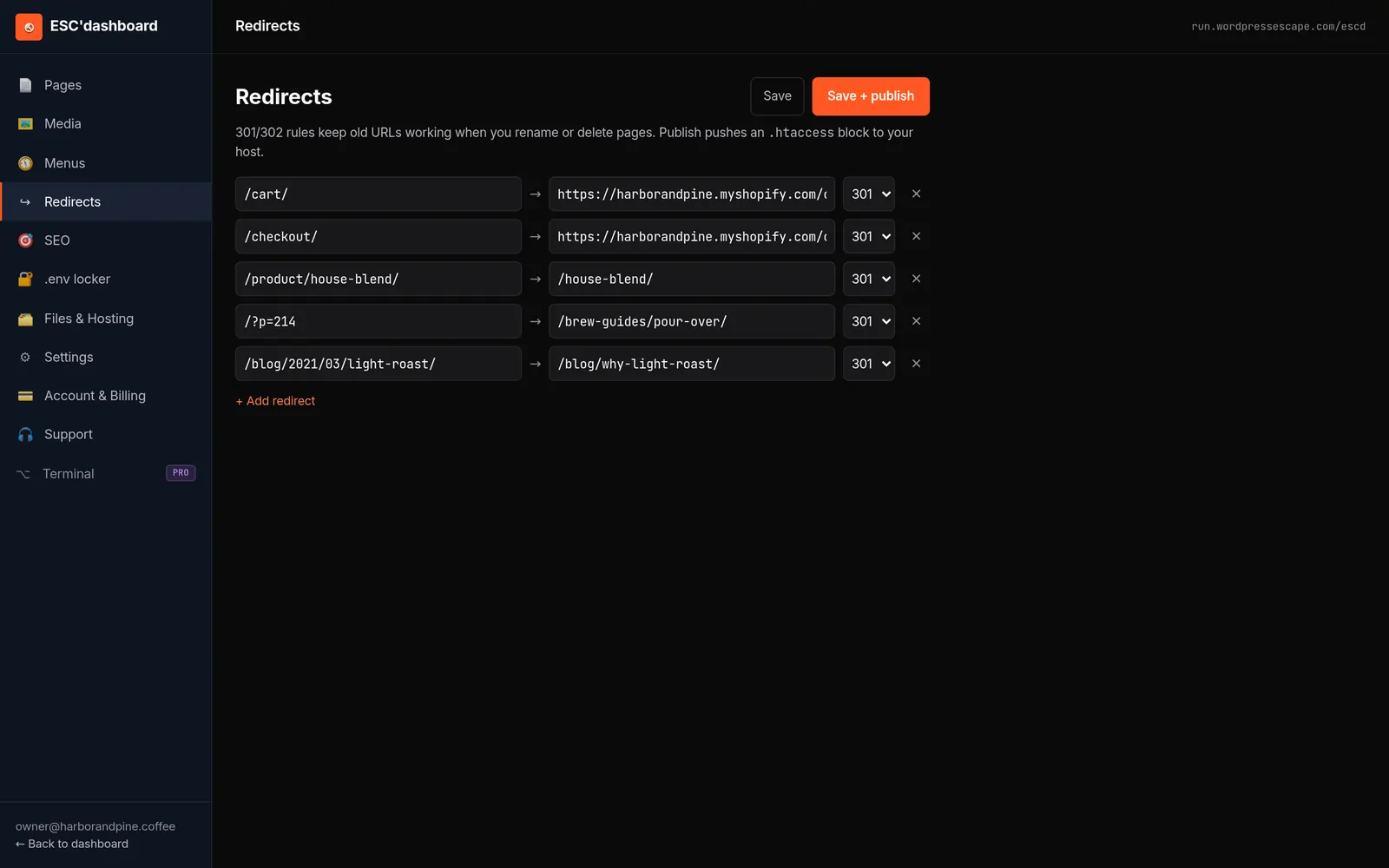
The first step is a thorough inventory of the existing WordPress site. This includes listing all public URLs, mapping which templates they use (sermon archives, events, ministries, blog posts, etc.), and identifying any special functionality such as online giving, embedded media, or form workflows. From there, the new static structure is designed to mirror the existing URL patterns so that permalinks remain intact. Search engines and external links continue to work without needing mass redirects or confusing URL changes.
Next, content is extracted from WordPress. Pages, posts, custom post types, and taxonomies are transformed into structured data suitable for static generation. Sermon records become structured entries with titles, dates, speakers, and tags; events become structured records with time and location; general pages become content sections. During this phase, embedded media and giving widgets are mapped to their static equivalents, ensuring that all external integrations continue to function.
Once the static site is generated and thoroughly tested, the WordPress instance can be retired. In some approaches, WordPress remains running as a hidden backend, which leaves many of the security and maintenance burdens in place. A more decisive approach permanently deletes WordPress and moves DNS to point at the static hosting environment, often on an edge network. The editorial experience moves into the new dashboard designed for the static site, and staff or volunteers receive training focused on publishing content rather than managing plugins.
Frequently asked questions
Will a static site still let us post weekly sermons and podcast episodes?
Yes. A static site can fully support weekly sermon publishing and podcast episodes by using structured sermon entries and embedding audio or video hosted on dedicated platforms. Editors add each new sermon in a dashboard, and the site regenerates pages and archives automatically, while media hosting and podcast feeds remain with services built for that purpose.
Can our church keep online giving when we move off WordPress?
You can absolutely keep online giving when you move off WordPress. Most church giving platforms already provide embeddable widgets or hosted pages that work perfectly on static sites, so your "Give" page continues to function while the payment processing and security remain with the specialized provider.
Will switching to a static site hurt our search rankings or break our URLs?
A well-planned static migration preserves existing URLs and page structures, which protects your search rankings and avoids broken links. As long as the new site maintains the same permalink patterns and content hierarchy, search engines will see a faster, more reliable version of the same pages rather than a completely new site.
Do volunteers need to learn coding to manage a static church website?
No coding is required for volunteers to manage a static church website if the editing experience is designed properly. With a WordPress-style dashboard that exposes fields for pages, sermons, events, and giving embeds, non-technical editors can update content in a browser just as they did before, without interacting with the underlying static generator.
Is a static site really more secure than a WordPress site?
A static site is significantly more secure than a typical WordPress site because it removes the main attack vectors: public admin logins, databases, dynamic plugins, and executable PHP code. While no system is perfectly risk-free, serving pre-built files on hardened infrastructure eliminates many of the vulnerabilities that automated bots routinely exploit on WordPress installs.
What happens to our existing media library and documents if we leave WordPress?
Your existing media library and documents can be exported and referenced from the static site, either by hosting them on a dedicated storage service or bundling them into the static build where appropriate. During migration, files are cataloged, mapped to their existing URLs where possible, and then linked or embedded in the new static pages so congregants still have access to all resources.
Is moving off WordPress worth it for a small church with a simple site?
For a small church, the benefits of moving off WordPress often come from reduced risk and simplified maintenance rather than new features. Even a simple site can be affected by plugin vulnerabilities, hosting changes, and update-related breakage, whereas a static site tends to run quietly and reliably with far fewer surprises, freeing limited staff and volunteer time for ministry work.
See your own numbers first
Every site is different. Run the free 60-second audit on your site - real SEO + speed grades, no login - then decide.
Scan my site free