
इस पेज पर
- आप पहले से डिप्लॉय किए गए Replit साइट को **माइग्रेट** करना चाहें, इसके कुछ ठोस कारण हैं: अगर ऐप अब रोज़ाना बदल नहीं रहा, उस पर *real users* आने लगे हैं, या आपका बिल अनुमान लगाना मुश्किल हो गया है, तो Replit से बाहर जाना समझदारी हो सकती है। कई मामलों में, production जरूरतों के लिए **ज़्यादा भरोसेमंद hosting**, **बेहतर performance**, **predictable costs**, और **ज़्यादा deployment control** की जरूरत पड़ती है। मुख्य वजहें ये हैं: - **अनिश्चित लागत**: Replit का usage बढ़ने पर खर्च अचानक बढ़ सकता है, इसलिए monthly cost का अनुमान लगाना कठिन हो जाता है। - **Production reliability**: अगर आपकी साइट 24/7 चलनी चाहिए, downtime से revenue या user trust पर असर पड़ता है, तो dedicated hosting बेहतर हो सकती है। - **Performance**: Shared infrastructure में response times unstable हो सकते हैं, cold starts हो सकते हैं, और users को धीमापन महसूस हो सकता है। - **Scalability**: जब traffic बढ़ता है, Replit की compute limits या shared resources bottleneck बन सकते हैं। - **More control**: Custom networking, background workers, cron jobs, database choices, staging environments, और stronger deployment workflows की जरूरत होने पर Replit सीमित लग सकता है। - **Compliance और security**: अगर app sensitive या regulated data संभालती है, तो audit logs, security controls, या compliance requirements के कारण migration जरूरी हो सकता है। - **Vendor lock-in से बचाव**: अगर app Replit-specific setup पर बहुत ज्यादा निर्भर हो गई है, तो दूसरी platform पर जाना portability और long-term flexibility के लिए बेहतर हो सकता है। अगर आपकी साइट अभी भी सक्रिय रूप से बन रही है, users नहीं हैं, और खर्च स्थिर है, तो Replit पर बने रहना ठीक हो सकता है। लेकिन अगर app एक स्थिर product बन चुकी है और आपको **lower risk, better control, और predictable operations** चाहिए, तो migrate करना अक्सर सही कदम होता है।
- If your project is **mostly static** - for example, a marketing site, portfolio, docs, or a simple landing page - you should usually **not stay on Replit Autoscale**; a **Static Deployment** is the better fit on Replit because it serves prebuilt HTML/CSS/JS without a backend and is designed for those use cases. You should **stay on Replit with a dynamic deployment** if your app needs **login/authentication, user profiles, database reads/writes, real-time updates, APIs, or personalized content**. A practical rule of thumb: | Project type | Best choice on Replit | |---|---| | Marketing site, docs, FAQ, portfolio | **Static Deployment** | | Mostly browser-based frontend with minimal JS | **Static Deployment** | | Web app with login, dashboard, database, or APIs | **Autoscale** or **Reserved VM** | If your site is “mostly static” but has a few interactive parts, you can still stay on Replit by keeping the public pages static and using backend services only where needed, because Replit documentation says static and server-backed deployments can coexist on different subdomains or paths. So the decision is simple: - Choose **Static** if the site does not need a backend. - Choose **Autoscale** if it is a real web app with dynamic behavior. - Choose **Reserved VM** if you need always-on, predictable server capacity. If you want, I can turn this into a one-line decision rule or a migration recommendation for a specific Replit project.
- अपने Replit साइट का **इन्वेंटरी** बनाइए: **कोडबेस, URLs, और dependencies**
- **Replit** से content और structure export करना SEO तोड़े बिना तभी सुरक्षित होता है जब आप raw files के साथ-साथ page metadata, headings, and crawlable HTML भी preserve करें. Replit की SEO guidance के अनुसार हर page का unique title/meta description, semantic HTML, sitemap.xml, robots.txt, Open Graph/Twitter tags, structured data, और fast delivery setup बनाए रखना चाहिए. अगर आपका goal site को **own hosting** पर ले जाना है, तो सबसे सुरक्षित approach यह है: - **Complete export** करें: सभी source files, templates, assets, routes, और content files साथ लें. - **Page structure preserve** करें: `<main>`, `<header>`, `<nav>`, `<footer>`, और प्रति page एक ही `<h1>` रखें. - **Metadata copy** करें: हर page के लिए unique `<title>` और `<meta name="description">` बनाए रखें. - **Crawl files रखें**: `sitemap.xml` और `robots.txt` नए host पर भी publish करें. - **Structured data रखें**: JSON-LD schema को visible content से match कराएं. - **Social previews बनाए रखें**: Open Graph और Twitter Card tags per page export करें. - **Performance improve** करें: content-heavy sites के लिए static deployment या prerendered HTML prefer करें. अगर आपका Replit app **client-rendered SPA** है, तो SEO risk अधिक होता है क्योंकि crawler को initial HTML में real content नहीं मिल सकता. SEO-focused sources recommend करते हैं कि important marketing pages को static या prerendered HTML surface पर रखें, जबकि interactive app को अलग routes पर रखें. Export करते समय सबसे जरूरी check यह है कि deployed source page खोलकर देखें कि क्या HTML response में सच में content, headings, और metadata मौजूद हैं, या सिर्फ एक empty shell आ रहा है. यही difference SEO preservation का सबसे बड़ा factor है. Replit की built-in SEO tools भी मदद कर सकती हैं: publishing page से **SEO rating** देखें और जरूरत हो तो **Optimize with Agent** use करें, क्योंकि Replit का SEO Agent sitemap, robots.txt, Open Graph tags, structured data, और per-page titles/meta descriptions जैसे items generate या verify करने में मदद करता है.
- अगर आप **सबसे आसान सेटअप** चाहते हैं, तो **Hugo + edge hosting** एक अच्छा विकल्प है, लेकिन यह तभी सही है जब आप Git-आधारित वर्कफ़्लो और build/deploy प्रक्रिया से सहज हों. अगर आपकी प्राथमिकता *कम जटिलता* है, तो **Jekyll via GitHub Pages** या किसी सरल static-hosting विकल्प को चुनना अधिक आसान हो सकता है. **कब Hugo + edge hosting चुनें** - जब साइट content-driven हो और structural updates कम हों. - जब build speed, Core Web Vitals, और low latency आपके लिए महत्वपूर्ण हों. - जब आप चाहते हों कि साइट किसी भी static host/CDN पर आसानी से चले; Hugo का output plain static HTML होता है. - जब आप **Cloudflare Pages**, Netlify, Vercel, या similar edge/CDN hosting पर deploy करना चाहते हों. **कब simpler options बेहतर हैं** - जब आपको *minimal configuration* चाहिए और team Git/CLI workflows में comfortable नहीं है. - जब आप zero/very-low hosting friction चाहते हैं, खासकर छोटे documentation या personal sites के लिए. - जब आप static site generator की बजाय hosting simplicity को प्राथमिकता देते हैं. **सरल तुलना** | विकल्प | ताकत | कमज़ोरी | किसके लिए बेहतर | |---|---|---|---| | **Hugo + edge hosting** | बहुत तेज build, low-cost deployment, CDN पर global delivery, static output किसी भी host पर चलता है | config और templates कुछ लोगों के लिए complex लग सकते हैं | content sites, docs, बड़े sites, performance-focused projects | | **Jekyll + GitHub Pages** | setup सरल, hosting friction कम, GitHub Pages के साथ tight integration | Hugo से build speed और flexibility कम हो सकती है | छोटे sites, simple workflows, legacy/GitHub-centric teams | | **Astro** | modern default, component-friendly, अच्छा developer experience | pure static simplicity की तुलना में stack थोड़ा broader हो सकता है | modern content sites जहां flexibility चाहिए | अगर आपका लक्ष्य **“कम से कम झंझट में तेज static site”** है, तो मेरा practical pick होगा: **Hugo + Cloudflare Pages या similar edge CDN**. अगर लक्ष्य **“सबसे simple setup”** है, तो **Jekyll on GitHub Pages** या कोई similarly managed static host ज्यादा आसान रहेगा.
- Replit से बाहर जाते समय **URLs और redirects** बनाए रखने के लिए, सबसे सुरक्षित तरीका यह है कि आप अपने **production domain** को canonical बनाएं और सभी पुराने या वैकल्पिक URLs को उसी पर redirect करें। Replit पर static deployments में URL rewrites और redirects कॉन्फ़िगर किए जा सकते हैं, और custom domain जोड़ने पर भी default Replit URL अक्सर accessible रहता है, इसलिए canonicalization ज़रूरी होती है. अगर आपका मतलब **OAuth/login redirects** से है, तो production में **redirect URI** को अपने published domain के साथ exact match करना चाहिए; Replit development URLs बदल सकते हैं, इसलिए उन्हें production redirect के लिए इस्तेमाल नहीं करना चाहिए. यदि आप चाहें, मैं इसे Wordpress Escape के लिए एक **Hindi website copy** में भी बदल सकता हूँ - जैसे “Keep URLs and redirects intact when leaving Replit” का natural Hindi marketing translation.
- गैर-डेवलपर्स के लिए एक **एडिटर** दें, ताकि स्टैटिक में जाने के बाद भी वे आसानी से कंटेंट बदल सकें। Static site editors और Git-backed visual CMS जैसे विकल्प गैर-तकनीकी उपयोगकर्ताओं को Git, टेम्प्लेटिंग, या कोडबेस की जानकारी के बिना पेज एडिट करने देते हैं।
- **Replit se static host par DNS cutover** ka sabse safe tareeqa yeh hai ki pehle TTL kam karein, phir new static host ko live traffic se pehle fully test karein, aur cutover ke baad authoritative DNS aur public resolvers dono par verify karein. - **Cutover se 24-48 ghante pehle** `A`, `AAAA`, aur agar use ho to `CNAME` records ka TTL **300 seconds** ya usse kam kar dein. - TTL kam karne ke baad **kam se kam ek purana TTL cycle** wait karein, taaki resolvers naya TTL properly honor karna start kar dein. - New static host par site ko **hosts-file override**, `curl --resolve`, ya direct IP test se verify karein, taaki public DNS badle bina staging ho jaye. - Agar site par writes ya dynamic changes hain, to cutover ke waqt **write freeze** ya maintenance mode rakhein; mostly static sites ke liye simple DNS switch kaafi hota hai. - Cutover ke time **sirf needed records** change karein: root `@`, `www`, aur jo bhi relevant subdomains hon. - DNS change ke baad pehle **authoritative nameserver** par record check karein, phir public resolvers par verify karein. - First hour mein logs, error rates, aur key user flows monitor karein, aur rollback ke liye old host ko kuch der tak alive rakhein. Agar aap chahen, main isko **Wordpress Escape ke liye ek 5-step customer-facing runbook** ya **short checklist** mein bhi convert kar sakta hoon.
- **Replit** is better suited to full-stack apps and dynamic workloads, while **static edge hosting** is usually faster and cheaper for simple sites, landing pages, docs, and other read-only content. For **performance**, static edge hosting typically wins because files are served from edge/CDN infrastructure with no backend to wake up, which reduces latency and avoids cold starts. Replit’s static deployments are also fast and cached, but Replit’s broader deployment model still involves hosted infrastructure rather than a dedicated global edge network, and free or server-backed deployments can incur cold-start delays when idle. For **cost**, static hosting is usually lower for static content. Replit’s static deployments are billed only for data served, and one source notes static hosting is free with an outbound transfer charge beyond allocation, while always-on or autoscaling deployments add recurring monthly costs. By contrast, static edge hosts often offer generous free tiers or low fixed pricing for static sites, which makes them more economical as traffic and project count grow. A practical rule of thumb: | Use case | Better choice | Why | |---|---|---| | Landing page, portfolio, documentation | **Static edge hosting** | Fast global delivery, no backend, lowest cost | | Full-stack app, API, database-backed product | **Replit** | Integrated runtime, backend support, easier app deployment | | Variable traffic with backend needs | **Replit Autoscale** | Scales up and down automatically | | Mostly static content with occasional updates | **Static deployment or edge host** | Cheaper and faster than always-on compute | If you want, I can also compare **Replit vs Cloudflare Pages / Netlify / Vercel** specifically on speed, cold starts, and monthly cost.
- रेप्लिट को **रखना समझदारी** है जब आपका लक्ष्य तेज़ी से बनाना, प्रयोग करना, या बिना लोकल सेटअप के काम करना हो; **माइग्रेशन सर्विस** तब बेहतर होती है जब ऐप वास्तविक उपयोगकर्ताओं पर निर्भर हो, uptime, compliance, या लागत-पूर्वानुमान महत्वपूर्ण हों. **रेप्लिट रखें अगर:** - आप सीख रहे हैं, teaching कर रहे हैं, या hackathon/prototype बना रहे हैं. - आपको browser-based development, quick sharing, या integrated deployment चाहिए. - प्रोजेक्ट छोटा है, internal tool है, या low-stakes demo है. - गति, experimentation, और zero-setup workflow, infrastructure control से ज़्यादा महत्वपूर्ण है. **माइग्रेट कराएँ अगर:** - ऐप mission-critical है या downtime से revenue/customer impact होगा. - आपको **reliable scaling**, **compliance controls**, या **advanced CI/CD** चाहिए. - संवेदनशील या regulated data है, या security/privacy requirements कड़े हैं. - predictable infrastructure cost और deeper hosting control की ज़रूरत है. **एक practical rule:** अगर आप अभी भी product validate कर रहे हैं, रेप्लिट पर रहना ठीक है; लेकिन जैसे ही app production-grade reliability, data handling, या governance मांगने लगे, migration करवाना बेहतर होता है. **Migration service का काम कब सबसे ज़्यादा उपयोगी होता है:** - जब code को GitHub पर sync करके local development और staging set up करना हो. - जब secrets, environment variables, database connections, और file storage को production-ready तरीके से relocate करना हो. - जब Replit से direct jump risky हो, क्योंकि staging, testing, और phased cutover की जरूरत हो. - जब app को custom hosting, cloud platform, या stricter operational control पर ले जाना हो. अगर आप चाहें, मैं इसे **website copy** के लिए 2 संस्करणों में भी दे सकता हूँ: - **short marketing version** - **more technical version**
- अक्सर पूछे जाने वाले सवाल
आप पहले से डिप्लॉय किए गए Replit साइट को **माइग्रेट** करना चाहें, इसके कुछ ठोस कारण हैं: अगर ऐप अब रोज़ाना बदल नहीं रहा, उस पर *real users* आने लगे हैं, या आपका बिल अनुमान लगाना मुश्किल हो गया है, तो Replit से बाहर जाना समझदारी हो सकती है। कई मामलों में, production जरूरतों के लिए **ज़्यादा भरोसेमंद hosting**, **बेहतर performance**, **predictable costs**, और **ज़्यादा deployment control** की जरूरत पड़ती है। मुख्य वजहें ये हैं: - **अनिश्चित लागत**: Replit का usage बढ़ने पर खर्च अचानक बढ़ सकता है, इसलिए monthly cost का अनुमान लगाना कठिन हो जाता है। - **Production reliability**: अगर आपकी साइट 24/7 चलनी चाहिए, downtime से revenue या user trust पर असर पड़ता है, तो dedicated hosting बेहतर हो सकती है। - **Performance**: Shared infrastructure में response times unstable हो सकते हैं, cold starts हो सकते हैं, और users को धीमापन महसूस हो सकता है। - **Scalability**: जब traffic बढ़ता है, Replit की compute limits या shared resources bottleneck बन सकते हैं। - **More control**: Custom networking, background workers, cron jobs, database choices, staging environments, और stronger deployment workflows की जरूरत होने पर Replit सीमित लग सकता है। - **Compliance और security**: अगर app sensitive या regulated data संभालती है, तो audit logs, security controls, या compliance requirements के कारण migration जरूरी हो सकता है। - **Vendor lock-in से बचाव**: अगर app Replit-specific setup पर बहुत ज्यादा निर्भर हो गई है, तो दूसरी platform पर जाना portability और long-term flexibility के लिए बेहतर हो सकता है। अगर आपकी साइट अभी भी सक्रिय रूप से बन रही है, users नहीं हैं, और खर्च स्थिर है, तो Replit पर बने रहना ठीक हो सकता है। लेकिन अगर app एक स्थिर product बन चुकी है और आपको **lower risk, better control, और predictable operations** चाहिए, तो migrate करना अक्सर सही कदम होता है।
अगर आपने Replit पर कोई साइट इसलिए लॉन्च की थी क्योंकि कोड से लाइव तक पहुंचने का वह सबसे तेज़ तरीका था, तो आप अकेले नहीं हैं। Replit के Deployments की मदद से वेब सर्वर जल्दी सेट करना और कस्टम डोमेन जोड़ना आसान हो जाता है। लेकिन जैसे ही आपका प्रोजेक्ट ज़्यादातर स्थिर marketing या content site बन जाता है, हर महीने जिस runtime का आप भुगतान कर रहे होते हैं, वह बेकार का अतिरिक्त बोझ बन जाता है। असल में आप उन पेजों के लिए सर्वर किराए पर ले रहे होते हैं जिनमें बहुत कम बदलाव होता है, जबकि उन्हें सस्ते, cache-friendly static files के रूप में भी सर्व किया जा सकता है।
तीन आम दिक्कतें ऐसी हैं जो टीमों को Replit deployment से हटकर माइग्रेट करने के लिए मजबूर करती हैं। पहली है लगातार लागत: Replit की pricing active runtimes और compute के हिसाब से बनी है, budget static hosting के हिसाब से नहीं। दूसरी है platform lock-in: आपकी साइट Replit के environment के अंदर रहती है, और हर feature, outage या policy change इस बात को प्रभावित करती है कि आप deploy कर पाएँगे या नहीं। तीसरी है performance and control: Replit development के लिए तेज़ है, लेकिन आपको वह edge-cached, ultra-low-latency static hosting नहीं मिलता जो Cloudflare या अन्य CDN services by default देती हैं।
साथ ही, हिचकिचाना भी आसान है। आप URLs खोना नहीं चाहते, rankings गिराना नहीं चाहते, या सिर्फ hosting बचाने के लिए design को शुरू से दोबारा नहीं बनाना चाहते। और अगर आप developer नहीं हैं, तो infrastructure को छूने से बचने के लिए आप Replit की simplicity पर निर्भर रह सकते हैं। सही नतीजा यह है कि look, URL structure, और search visibility जस की तस बनी रहे, लेकिन साइट ऐसे static hosting पर चली जाए जिसे आप control करते हों, और आगे बदलाव करने के लिए एक आसान editor भी हो, ताकि copy में छोटा-सा बदलाव करने पर हर बार redeploy न करना पड़े।
यही वह जगह है जहाँ static-site generators और done-for-you migration services, जैसे Wordpress Escape, complex WordPress sites के लिए काम आते हैं - उन्हें Cloudflare के edge पर static Hugo sites के रूप में दोबारा बनाकर। यही सोच Replit पर भी लागू होती है: अगर आपकी साइट ज़्यादातर static है, तो आप उसकी structure को capture करके उसे static site के रूप में regenerate कर सकते हैं, और उसे अलग से host कर सकते हैं - Replit के runtime से जुड़ाव तोड़ते हुए भी content को एक non-developer-friendly dashboard के ज़रिए edit करते रह सकते हैं।
If your project is **mostly static** - for example, a marketing site, portfolio, docs, or a simple landing page - you should usually **not stay on Replit Autoscale**; a **Static Deployment** is the better fit on Replit because it serves prebuilt HTML/CSS/JS without a backend and is designed for those use cases. You should **stay on Replit with a dynamic deployment** if your app needs **login/authentication, user profiles, database reads/writes, real-time updates, APIs, or personalized content**. A practical rule of thumb: | Project type | Best choice on Replit | |---|---| | Marketing site, docs, FAQ, portfolio | **Static Deployment** | | Mostly browser-based frontend with minimal JS | **Static Deployment** | | Web app with login, dashboard, database, or APIs | **Autoscale** or **Reserved VM** | If your site is “mostly static” but has a few interactive parts, you can still stay on Replit by keeping the public pages static and using backend services only where needed, because Replit documentation says static and server-backed deployments can coexist on different subdomains or paths. So the decision is simple: - Choose **Static** if the site does not need a backend. - Choose **Autoscale** if it is a real web app with dynamic behavior. - Choose **Reserved VM** if you need always-on, predictable server capacity. If you want, I can turn this into a one-line decision rule or a migration recommendation for a specific Replit project.
किसी भी माइग्रेशन की योजना बनाने से पहले, आपको इस बारे में बिल्कुल ईमानदार होना होगा कि आपका Replit प्रोजेक्ट वास्तव में क्या करता है। अगर वह सचमुच एक डायनामिक ऐप्लिकेशन है, तो runtime हटाकर उसे पूरी तरह static बनाना core functionality तोड़ सकता है। लेकिन अगर उसमें ज़्यादातर टेक्स्ट, इमेज और marketing pages हैं, जिनमें कभी-कभी form submissions आती हैं, तो static hosting बेहतर विकल्प हो सकता है, क्योंकि इससे आपका stack सरल होता है और खर्च भी कम होता है।
उन features के हिसाब से सोचें जिन्हें server-side execution की ज़रूरत होती है। अगर कोई साइट real-time APIs, authenticated dashboards, complex back-end logic, या websockets पर निर्भर है, तो उसे शायद Replit पर ही रहना चाहिए या किसी और app host पर जाना चाहिए। उदाहरण के लिए, जो कुछ भी user sessions को बनाए रखता है, personalized data generate करता है, या long-lived processes चलाने की ज़रूरत रखता है, वह इस बात का संकेत है कि आपको runtime चाहिए। ऐसे मामलों में आप सबसे अच्छा यही कर सकते हैं कि infrastructure को optimize करें या बदलें, लेकिन app चलाने के लिए फिर भी किसी platform की ज़रूरत रहेगी।
इसके उलट, नीचे दिए गए संकेत बताते हैं कि आपकी साइट static migration के लिए उपयुक्त हो सकती है। पहला, हर page हर user के लिए एक ही content render करता है, और उसमें login या personalization नहीं है। दूसरा, अगर आप JavaScript disable कर दें, तब भी आपका core content दिखता और काम करता रहता है, यानी server HTML serve करने के अलावा ज़्यादा कुछ नहीं कर रहा। तीसरा, आपके "dynamic" elements सिर्फ़ simple contact forms, newsletter signups, या basic analytics तक सीमित हैं, और इन सबको form backends या third-party services के client-side integrations से संभाला जा सकता है। इन criteria के आधार पर, Replit पर बने कई marketing sites, documentation hubs, और simple blogs पूरे runtime के हिसाब से ज़रूरत से कहीं ज़्यादा संसाधन ले रहे होते हैं।
एक बीच का रास्ता भी है: static front ends के साथ API-powered components। अगर आपके पास कुछ interactive हिस्से हैं - जैसे pricing calculator या feedback form - तो आप main site को static hosting पर migrate कर सकते हैं, और उन elements को JavaScript में डाल सकते हैं जो external APIs से बात करता है। यह उसी तरह है जैसे Wordpress Escape पूरे WordPress runtime को एक static Hugo build से बदल देता है, और फिर client-side scripts तथा services के ज़रिए interactivity बनाए रखता है। मकसद यह है कि paid runtime capacity सिर्फ़ उन हिस्सों के लिए बचाई जाए जिन्हें उसकी सचमुच ज़रूरत है, और बाकी सब static, cached, और सस्ता रहे।
अपने Replit साइट का **इन्वेंटरी** बनाइए: **कोडबेस, URLs, और dependencies**
जब आप तय कर लेते हैं कि आपकी साइट static हो सकती है, तो अगला कदम यह समझना है कि आप वास्तव में क्या migrate करने जा रहे हैं। एक Replit प्रोजेक्ट routes, templates और scripts के ऐसे जाल जैसा हो सकता है जो समय के साथ अपने-आप बढ़ता गया हो। इसे move करने से पहले, आपको अपने codebase, URL structure और external dependencies की साफ़-सुथरी inventory चाहिए, ताकि कोई ज़रूरी page छूट न जाए और वे paths टूटें नहीं जिन्हें search engines पहले से जानते हैं और rank करते हैं।
सबसे पहले code को देखें। अपना Replit workspace खोलें और अपना web framework या server पहचानें: जैसे Python Flask app, Node.js Express server, या कोई simple static file server। देखें कि routes कहाँ define किए गए हैं और templates कैसे render हो रहे हैं। किसी भी dynamic logic पर नज़र डालें - conditionals, database calls, या API requests - जो users को दिखने वाली चीज़ बदलती हैं। इससे आपको असली dynamic endpoints और उन pages के बीच फर्क समझ में आएगा जिन्हें static HTML में bake किया जा सकता है। अगर आप template engine इस्तेमाल करते हैं, तो बाद में उसी structure को अपने चुने हुए static generator में भी mirror करना होगा।
इसके बाद एक URL map बनाइए। सबसे आसान तरीका है कि आप अपनी live site को Screaming Frog या किसी हल्के link checker जैसे tool से crawl करें, फिर सभी reachable URLs की list export कर लें। हर URL के लिए उसका status code, canonical tag, और कोई redirects नोट करें। ऐसे pages पर खास ध्यान दें जो साफ़ दिखाई नहीं देते: legacy paths, campaign landing pages, और documentation URLs जिन पर external sites ने link किया हो सकता है। आपका लक्ष्य एक spreadsheet या structured list तैयार करना है जिसमें हर path, उसका title, और उसका current use दिखे, ताकि आप सुनिश्चित कर सकें कि वे static build में मौजूद हों।
अंत में dependencies का catalog बनाइए। इसमें वह सब शामिल है जिस पर आपकी site निर्भर करती है लेकिन जो main codebase का हिस्सा नहीं है: databases, environment variables, external APIs, analytics scripts, और third-party widgets। हर dependency के लिए पूछिए कि क्या वह user experience या SEO के लिए critical है। Logging endpoint optional हो सकता है, जबकि newsletter signup form नहीं। Static migration में आम तौर पर server-side data connections की जगह client-side calls आ जाते हैं, इसलिए अभी आप किन चीज़ों पर निर्भर हैं, यह जानना बाद में उन features को support करने की योजना बनाने में मदद करता है।
यह audit process उसी तरह है जैसे Wordpress Escape बड़े WordPress sites को static Hugo builds में बदलने से पहले करता है: वे 528,854 pages की inventory बनाते हैं, हर URL को preserve करते हैं, और ranking के लिए अहम structures को जस का तस रखते हैं, जबकि नीचे का भारी runtime हटा देते हैं। इस चरण में आप Replit site को जितनी सटीकता से map करेंगे, आपका static rebuild उतना ही smooth होगा - और पुराने deployment को बंद करने के बाद "missing" pages मिलने की संभावना उतनी ही कम रहेगी।
**Replit** से content और structure export करना SEO तोड़े बिना तभी सुरक्षित होता है जब आप raw files के साथ-साथ page metadata, headings, and crawlable HTML भी preserve करें. Replit की SEO guidance के अनुसार हर page का unique title/meta description, semantic HTML, sitemap.xml, robots.txt, Open Graph/Twitter tags, structured data, और fast delivery setup बनाए रखना चाहिए. अगर आपका goal site को **own hosting** पर ले जाना है, तो सबसे सुरक्षित approach यह है: - **Complete export** करें: सभी source files, templates, assets, routes, और content files साथ लें. - **Page structure preserve** करें: `<main>`, `<header>`, `<nav>`, `<footer>`, और प्रति page एक ही `<h1>` रखें. - **Metadata copy** करें: हर page के लिए unique `<title>` और `<meta name="description">` बनाए रखें. - **Crawl files रखें**: `sitemap.xml` और `robots.txt` नए host पर भी publish करें. - **Structured data रखें**: JSON-LD schema को visible content से match कराएं. - **Social previews बनाए रखें**: Open Graph और Twitter Card tags per page export करें. - **Performance improve** करें: content-heavy sites के लिए static deployment या prerendered HTML prefer करें. अगर आपका Replit app **client-rendered SPA** है, तो SEO risk अधिक होता है क्योंकि crawler को initial HTML में real content नहीं मिल सकता. SEO-focused sources recommend करते हैं कि important marketing pages को static या prerendered HTML surface पर रखें, जबकि interactive app को अलग routes पर रखें. Export करते समय सबसे जरूरी check यह है कि deployed source page खोलकर देखें कि क्या HTML response में सच में content, headings, और metadata मौजूद हैं, या सिर्फ एक empty shell आ रहा है. यही difference SEO preservation का सबसे बड़ा factor है. Replit की built-in SEO tools भी मदद कर सकती हैं: publishing page से **SEO rating** देखें और जरूरत हो तो **Optimize with Agent** use करें, क्योंकि Replit का SEO Agent sitemap, robots.txt, Open Graph tags, structured data, और per-page titles/meta descriptions जैसे items generate या verify करने में मदद करता है.
आपके Replit site में क्या-क्या मौजूद है, इसकी साफ़ inventory होने पर आप content और layout को इस तरह निकालने पर ध्यान दे सकते हैं कि आपके SEO signals सुरक्षित रहें। Search engines सिर्फ page पर मौजूद शब्दों को नहीं देखते; वे URLs, metadata, internal links, और structured data भी track करते हैं। अगर migration में paths बदल दिए जाएँ या ज़रूरी tags छूट जाएँ, तो महीनों या सालों की organic growth एक sloppy move से खत्म हो सकती है, भले ही नया site लोगों को देखने में लगभग वैसा ही लगे।
Replit से content export करने के दो मुख्य तरीके हैं। पहला है codebase से सीधे pull करना, यानी उन templates, markdown files, या JSON structures को निकालना जो अभी आपके routes को feed कर रहे हैं। यह तरीका तब बहुत अच्छा काम करता है जब आपका site पहले से content-first तरीके से organized हो। आप हर हिस्से को static site generator के expected format में convert कर सकते हैं, और titles, slugs, तथा body content को preserve कर सकते हैं। दूसरा तरीका है live site को crawl करके rendered HTML download करना। यह "HTML-first" approach ज़्यादा brute-force है, लेकिन अक्सर तब आसान होती है जब code messy हो या runtime से बहुत tightly coupled हो।
आप जो भी रास्ता चुनें, URL consistency पर बहुत ध्यान दें। हर existing path के लिए सुनिश्चित करें कि नया static version बिल्कुल वही URL इस्तेमाल करे, जिसमें trailing slashes और जहाँ relevant हो वहाँ capitalization भी शामिल है। अगर आपको structure बदलना ही पड़े - जैसे "/post?id=123" से "/posts/my-article" पर जाना - तो पुराने path से नए path तक permanent 301 redirects सेट करें, ताकि search engines समय के साथ authority transfer कर सकें। सबसे सुरक्षित migrations में URLs को बिल्कुल नहीं बदला जाता; उन्हें उन primary keys की तरह माना जाता है जो content की discovery और ranking तय करती हैं।
Metadata भी सुरक्षित रहनी चाहिए। Pages export करते समय उनके title tags, meta descriptions, canonical URLs, और JSON-LD schema जैसी structured data को capture करके replicate करें। ये elements search engines को बताते हैं कि हर page किस बारे में है और वह आपकी broader site graph में कैसे fit होता है। अगर आपने social sharing के लिए open graph tags customize किए हैं, तो उन्हें भी साथ ले जाएँ। हर page type के लिए एक checklist बनाना उपयोगी रहेगा, ताकि move के दौरान कोई ज़रूरी चीज़ छूटे या rename न हो जाए।
Wordpress Escape जैसी done-for-you services इसी तरह के SEO-preserving rebuild में विशेषज्ञ होती हैं, जो हर URL और ranking signal को clone करते हुए runtime को edge पर static Hugo architecture से बदल देती हैं। जब आप खुद Replit से migrate करते हैं, तो आप भी लगभग यही भूमिका निभा रहे होते हैं: SEO-critical elements को ऐसे assets की तरह treat करना जिन्हें सावधानी से move करना है, न कि ऐसे incidental details की तरह जिन्हें बाद में दोबारा बनाया जा सकता है। पहले URLs और metadata के आधार पर export की planning करने से launch के बाद होने वाले उन परेशान करने वाले surprises से बचा जा सकता है, जहाँ pages तो ठीक दिखते हैं लेकिन traffic चुपचाप गिरने लगता है।
अगर आप **सबसे आसान सेटअप** चाहते हैं, तो **Hugo + edge hosting** एक अच्छा विकल्प है, लेकिन यह तभी सही है जब आप Git-आधारित वर्कफ़्लो और build/deploy प्रक्रिया से सहज हों. अगर आपकी प्राथमिकता *कम जटिलता* है, तो **Jekyll via GitHub Pages** या किसी सरल static-hosting विकल्प को चुनना अधिक आसान हो सकता है. **कब Hugo + edge hosting चुनें** - जब साइट content-driven हो और structural updates कम हों. - जब build speed, Core Web Vitals, और low latency आपके लिए महत्वपूर्ण हों. - जब आप चाहते हों कि साइट किसी भी static host/CDN पर आसानी से चले; Hugo का output plain static HTML होता है. - जब आप **Cloudflare Pages**, Netlify, Vercel, या similar edge/CDN hosting पर deploy करना चाहते हों. **कब simpler options बेहतर हैं** - जब आपको *minimal configuration* चाहिए और team Git/CLI workflows में comfortable नहीं है. - जब आप zero/very-low hosting friction चाहते हैं, खासकर छोटे documentation या personal sites के लिए. - जब आप static site generator की बजाय hosting simplicity को प्राथमिकता देते हैं. **सरल तुलना** | विकल्प | ताकत | कमज़ोरी | किसके लिए बेहतर | |---|---|---|---| | **Hugo + edge hosting** | बहुत तेज build, low-cost deployment, CDN पर global delivery, static output किसी भी host पर चलता है | config और templates कुछ लोगों के लिए complex लग सकते हैं | content sites, docs, बड़े sites, performance-focused projects | | **Jekyll + GitHub Pages** | setup सरल, hosting friction कम, GitHub Pages के साथ tight integration | Hugo से build speed और flexibility कम हो सकती है | छोटे sites, simple workflows, legacy/GitHub-centric teams | | **Astro** | modern default, component-friendly, अच्छा developer experience | pure static simplicity की तुलना में stack थोड़ा broader हो सकता है | modern content sites जहां flexibility चाहिए | अगर आपका लक्ष्य **“कम से कम झंझट में तेज static site”** है, तो मेरा practical pick होगा: **Hugo + Cloudflare Pages या similar edge CDN**. अगर लक्ष्य **“सबसे simple setup”** है, तो **Jekyll on GitHub Pages** या कोई similarly managed static host ज्यादा आसान रहेगा.
यह तय करने के बाद कि क्या माइग्रेट करना है और अपने URLs को कैसे बनाए रखना है, अगला बड़ा फैसला आपकी static stack का होता है। कम-से-कम आपको source content को static files में बदलने का एक तरीका और उन्हें serve करने के लिए एक host चाहिए। आम तौर पर यह trade-off एक तरफ raw speed और flexibility और दूसरी तरफ non-developers के लिए simplicity के बीच होता है। सही विकल्प आपकी टीम के skills और आपके अनुमानित traffic या complexity पर निर्भर करता है।
Hugo, Jekyll, या Eleventy जैसे static site generators structured content को तेज़, cacheable HTML में बदलने के लिए आज़माए हुए विकल्प हैं। खास तौर पर Hugo बड़े sites के लिए optimized है और hundreds of thousands of pages को तेज़ी और कुशलता से render कर सकता है। इसका templating system आपको ऐसे layouts define करने देता है जो आपके मौजूदा Replit design से मेल खाते हों और URL schemes को बिल्कुल वैसा ही reproduce करें। Git और templates के साथ सहज टीमों के लिए, Hugo एक बेहद scalable foundation देता है, जिसे आगे deployment pipelines और CDNs से और बेहतर बनाया जा सकता है।
hosting की तरफ़, Cloudflare Pages जैसे edge-centric providers कम latency के साथ दुनिया भर में static sites serve करने में उत्कृष्ट हैं। जब Hugo से बना site Cloudflare के edge पर चलता है, तो आमतौर पर metrics में time to first byte कुछ दसियों milliseconds के आसपास हो सकता है और पहले जिन pages को भारी runtime पर निर्भर रहना पड़ता था, उन पर top-tier PageSpeed scores मिल सकते हैं। ऐसा इसलिए होता है क्योंकि आपके pages पहले से build होकर users के नज़दीक geographically cache होते हैं और server-side processing के बिना deliver किए जाते हैं। Global audience के लिए यह single-region Replit deployment से एक ठोस upgrade है।
अगर आपको उस स्तर की scale की ज़रूरत नहीं है, तो Netlify, Vercel (static-only mode में इस्तेमाल किया गया), या यहाँ तक कि CDN के साथ object storage जैसे सरल hosting विकल्प भी काफ़ी हो सकते हैं। इनमें से कई platforms static generators के साथ सीधे integrate होते हैं और preview deployments जैसी built-in सुविधाएँ देते हैं। हालांकि, इनमें भी मान लिया जाता है कि pipeline कोई developer या technical person चला रहा है, जो तब बाधा बन सकता है जब आपकी site updates काफी हद तक non-technical editors पर निर्भर हों।
यहीं hybrid approaches, जैसे Wordpress Escape WordPress migrations के लिए इस्तेमाल करता है, प्रासंगिक हो जाती हैं। ये एक शक्तिशाली static engine (Hugo) और edge hosting (Cloudflare) को एक custom dashboard के साथ जोड़ती हैं जो एक familiar CMS जैसा महसूस होता है, ताकि editors Git या templates को छुए बिना content update कर सकें। जब आप किसी Replit site को migrate करते हैं, तो आप भी ऐसा ही संतुलन लक्ष्य बना सकते हैं: ऐसा static stack चुनें जो performance और reliability सुनिश्चित करे, और उसके ऊपर एक editing interface जोड़ें, ताकि site को maintain करने के लिए on-call developer की ज़रूरत न पड़े।
Replit से बाहर जाते समय **URLs और redirects** बनाए रखने के लिए, सबसे सुरक्षित तरीका यह है कि आप अपने **production domain** को canonical बनाएं और सभी पुराने या वैकल्पिक URLs को उसी पर redirect करें। Replit पर static deployments में URL rewrites और redirects कॉन्फ़िगर किए जा सकते हैं, और custom domain जोड़ने पर भी default Replit URL अक्सर accessible रहता है, इसलिए canonicalization ज़रूरी होती है. अगर आपका मतलब **OAuth/login redirects** से है, तो production में **redirect URI** को अपने published domain के साथ exact match करना चाहिए; Replit development URLs बदल सकते हैं, इसलिए उन्हें production redirect के लिए इस्तेमाल नहीं करना चाहिए. यदि आप चाहें, मैं इसे Wordpress Escape के लिए एक **Hindi website copy** में भी बदल सकता हूँ - जैसे “Keep URLs and redirects intact when leaving Replit” का natural Hindi marketing translation.
किसी भी लाइव साइट को माइग्रेट करते समय - चाहे वह Replit से हो, WordPress से हो, या किसी और प्लेटफ़ॉर्म से - सबसे अहम बात URLs को जस का तस बनाए रखना है। आपके paths ही वह तरीका हैं जिनसे उपयोगकर्ता, search engines, और बाहरी links कंटेंट तक पहुँचते हैं। अगर आप इन्हें बिना सावधानी के बदल देते हैं, तो आपकी authority बिखर जाती है और broken links का एक जंगल खड़ा हो जाता है। सही ढंग से किया जाए, तो static migration visitors के लिए लगभग अदृश्य हो सकती है: वे वही URLs इस्तेमाल करते रहते हैं, और पीछे से सिर्फ़ आपका hosting और runtime बदलता है।
अपनी पहले की inventory से बनाई गई canonical URL list से शुरुआत करें। Replit deployment अभी जो भी route serve कर रहा है, उसके लिए static equivalent तय करें। आदर्श स्थिति में path बिल्कुल वही रहता है। उदाहरण के लिए, "/about" "/about" ही रहता है, और "/blog/post-slug" "/blog/post-slug" ही रहता है। आपकी static generator की configuration इसी list से driven होनी चाहिए, ताकि build का output match करे। जहाँ आपका पिछला Replit app dynamic query parameters पर निर्भर था, वहाँ सोचें कि क्या उन्हें साफ़-सुथरे static paths में normalize किया जा सकता है या edge-level routing rules के ज़रिए वैसे ही preserve किया जा सकता है।
असल दुनिया में कुछ बदलाव टाले नहीं जा सकते। हो सकता है आप पुराने pages हटाना चाह रहे हों, या sections को नया रूप दे रहे हों। जब किसी URL को बदलना या हटाना ज़रूरी हो, तो पुराने path से नए सबसे उपयुक्त destination तक explicit 301 redirects सेट करें। ये redirects उस स्तर पर managed होने चाहिए जो edge के सबसे करीब हो: आपकी CDN या static host configuration में, न कि application code के अंदर। सही 301s search engines को बताते हैं, "यह content हमेशा के लिए यहाँ से शिफ्ट हो गया है" और समय के साथ link equity आगे पास करते हैं, जिससे ranking loss या crawl errors से बचाव होता है।
Trailing slashes और HTTP-to-HTTPS transitions को भी एकसमान तरीके से संभालना ज़रूरी है। जब आप Replit से migrate करते हैं, तो आपका नया hosting एक साफ़ canonical format enforce करना चाहिए - आम तौर पर HTTPS के साथ, और हर path का सिर्फ़ एक version, चाहे trailing slash हो या न हो। गलत तरीके से configured redirects redirect chains बना सकते हैं, जो users की गति कम करते हैं और crawl budget बर्बाद करते हैं। cutover से पहले automated tools और high-traffic pages के manual checks की मदद से अपने redirect map को अच्छी तरह test करें।
Wordpress Escape द्वारा बड़े WordPress installations के लिए संभाले जाने वाले बड़े site migrations दिखाते हैं कि zero broken URLs बनाए रखना scale पर भी संभव है: उन्होंने hundreds of thousands of pages को rebuild किया है, जबकि हर path live रखा है। आप अपने Replit project के लिए भी वही सोच अपना सकते हैं, भले ही वह छोटा हो। हर URL को non-negotiable मानें, जब तक उसे हटाने का कोई ठोस कारण न हो, और किसी भी बदलाव को deliberate, tested redirects के साथ सपोर्ट करें। यही अनुशासन safe migrations और SEO disasters के बीच फर्क बनाता है।
गैर-डेवलपर्स के लिए एक **एडिटर** दें, ताकि स्टैटिक में जाने के बाद भी वे आसानी से कंटेंट बदल सकें। Static site editors और Git-backed visual CMS जैसे विकल्प गैर-तकनीकी उपयोगकर्ताओं को Git, टेम्प्लेटिंग, या कोडबेस की जानकारी के बिना पेज एडिट करने देते हैं।
लोग developer-centric platforms जैसे Replit पर साइटें बनाए रखने के पीछे एक बड़ा कारण आसान editing खो देने का डर है। जब तक app चल रही होती है, कोई भी IDE में templates या content में बदलाव करके उसे redeploy कर सकता है। Static पर जाना ऐसे locked-in files की ओर बढ़ना लग सकता है, जहाँ हर बदलाव के लिए Git commit करना पड़े। अगर आपकी टीम में marketers, writers, या non-technical founders हैं, तो यह एक वाजिब चिंता है जिसे पहले से address करना चाहिए।
असल चुनौती यह है: Hugo जैसे static generators developer workflow को ध्यान में रखकर बनाए गए हैं, जहाँ content files में रहता है और Git में versioned होता है। यह stability और traceability के लिए शानदार है, लेकिन उस व्यक्ति के लिए user-friendly नहीं है जिसे सिर्फ एक headline बदलनी हो या नया case study जोड़ना हो। अपने static site को usable बनाए रखने के लिए आपको एक abstraction layer चाहिए - एक dashboard या editor जो static stack के ऊपर बैठा हो और non-technical users की तरफ से file updates और rebuilds संभाले।
ऐसा editor implement करने के कई तरीके हैं। एक common DIY pattern है एक "headless CMS" का उपयोग करना, जो APIs के जरिए content expose करता है, और फिर एक build pipeline रखना जो deploy time पर उस content को आपके static generator में pull करे। Editors पूरी तरह CMS के अंदर काम करते हैं, code को कभी touch नहीं करते। Developers integration और template logic संभालते हैं। यह approach flexible है, लेकिन इसे set up और maintain करना काफ़ी complex हो सकता है। इसमें एक external dependency भी जुड़ती है, जिस पर आपको भरोसा भी करना होता है और जिसका भुगतान भी करना पड़ता है।
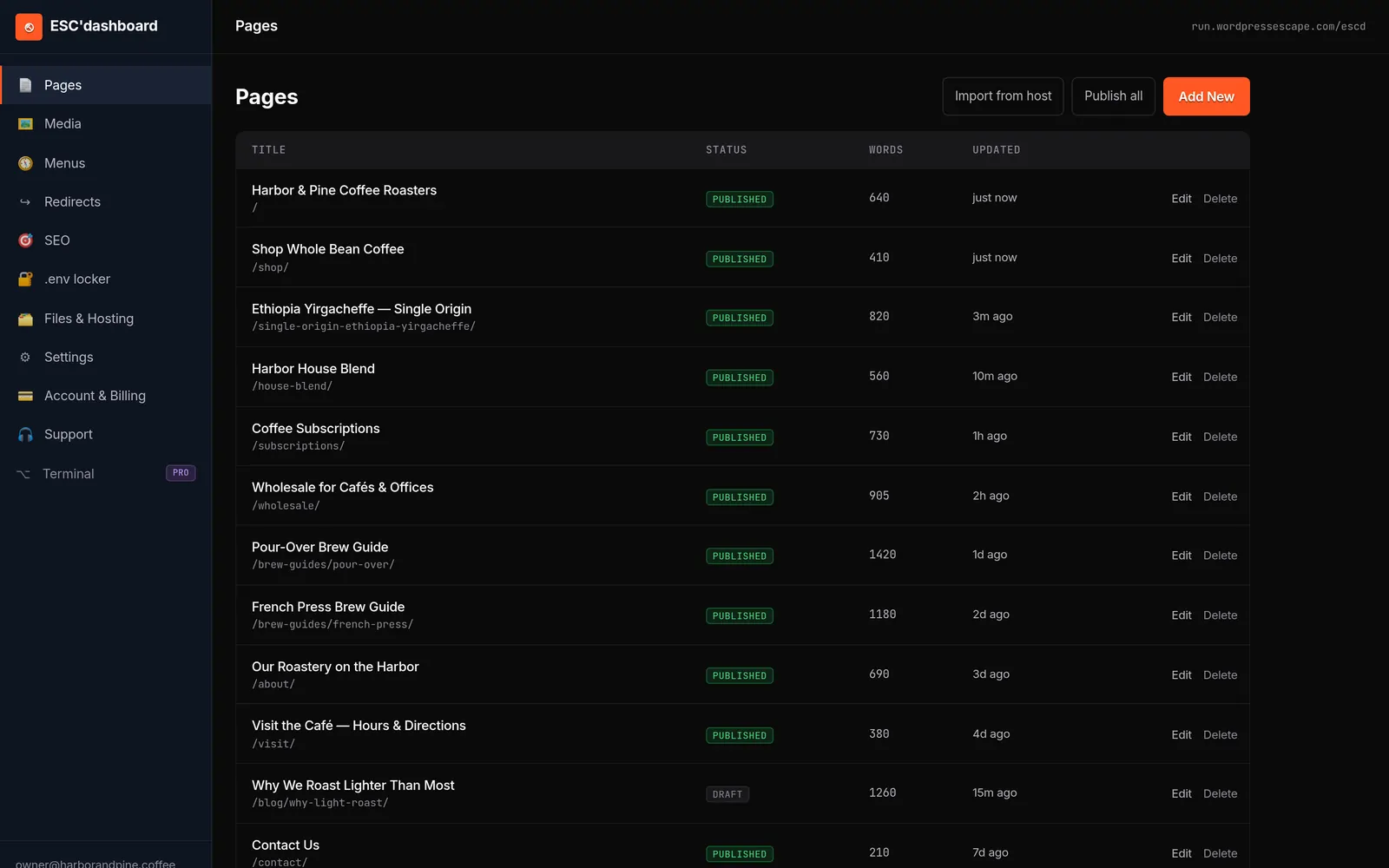
एक और विकल्प, जो Wordpress Escape के WordPress migrations वाले model के काफ़ी करीब है, एक custom dashboard है जो सीधे static site की content layer manage करता है। उनका ESC'dashboard एक WordPress-style editor दिखाता है जो Hugo की content structure में लिखता है और Cloudflare के edge पर builds trigger करता है, ताकि users को CMS जैसी familiar experience मिले, लेकिन underlying runtime के बिना। Replit migration के संदर्भ में भी ऐसा ही model काम कर सकता है: आप अपने static generator को "engine" मानते हैं और उसके ऊपर एक friendly editing interface जोड़ देते हैं, ताकि updates forms भरने और publish दबाने जितने आसान बने रहें।
आप जो भी रास्ता चुनें, permissions, drafts, और preview के लिए पहले से plan करना ज़रूरी है। Non-developers को यह ability मिलनी चाहिए कि वे changes तुरंत live site को प्रभावित किए बिना propose कर सकें और public होने से पहले देख सकें कि updates कैसी दिखेंगी। Static stacks preview environments, branch-based builds, या dashboard features के जरिए यह कर सकते हैं जो content को staging URL पर compile करते हैं। इन workflows में शुरुआत से निवेश करने पर static hosting control में कमी नहीं, बल्कि reliability में upgrade जैसा महसूस होती है।
**Replit se static host par DNS cutover** ka sabse safe tareeqa yeh hai ki pehle TTL kam karein, phir new static host ko live traffic se pehle fully test karein, aur cutover ke baad authoritative DNS aur public resolvers dono par verify karein. - **Cutover se 24-48 ghante pehle** `A`, `AAAA`, aur agar use ho to `CNAME` records ka TTL **300 seconds** ya usse kam kar dein. - TTL kam karne ke baad **kam se kam ek purana TTL cycle** wait karein, taaki resolvers naya TTL properly honor karna start kar dein. - New static host par site ko **hosts-file override**, `curl --resolve`, ya direct IP test se verify karein, taaki public DNS badle bina staging ho jaye. - Agar site par writes ya dynamic changes hain, to cutover ke waqt **write freeze** ya maintenance mode rakhein; mostly static sites ke liye simple DNS switch kaafi hota hai. - Cutover ke time **sirf needed records** change karein: root `@`, `www`, aur jo bhi relevant subdomains hon. - DNS change ke baad pehle **authoritative nameserver** par record check karein, phir public resolvers par verify karein. - First hour mein logs, error rates, aur key user flows monitor karein, aur rollback ke liye old host ko kuch der tak alive rakhein. Agar aap chahen, main isko **Wordpress Escape ke liye ek 5-step customer-facing runbook** ya **short checklist** mein bhi convert kar sakta hoon.
Replit साइट को static रूप में फिर से बनाकर, URLs और redirects का परीक्षण करने, और editing workflow सेट up करने के बाद, आखिरी कदम cutover होता है: old deployment से live traffic को नए host पर ले जाना। इसे सावधानी से किया जाए, तो यह एक कम-हंगामे वाला बदलाव होता है, जिसे ज़्यादातर visitors नोटिस भी नहीं करते। लापरवाही से किया जाए, तो downtime, mixed content errors, और ऐसा दौर आ सकता है जब search engines आपकी site के conflicting versions देखते रहें।
Safe cutover का पहला सिद्धांत parallel testing है। DNS को छेड़ने से पहले, अपनी static site को उसके final host पर एक temporary या staging domain, जैसे "staging.yourdomain.com", के तहत deploy करें। इस environment का उपयोग functionality validate करने के लिए करें: internal links, forms, integrations, analytics, और वे सारे client-side API calls, जिन्होंने server-side logic की जगह ली है। चुने हुए URLs के एक representative sample पर page output को current Replit version से compare करें। अगर संभव हो, तो staging site को crawl करें ताकि कोई unexpected 404 या बड़ी structural differences न रह जाएँ।
जब आप confident हों, DNS change की योजना बनाएँ। Replit पर आपका current deployment संभवतः A records या CNAMEs का उपयोग करता है जो Replit की infrastructure की ओर point करते हैं। आपको उन records को अपने static host की ओर update करना होगा - चाहे वह Cloudflare Pages हो, Netlify हो, या कोई और provider। ऐसा करने से पहले, अपने DNS records पर TTL (time to live) कम कर दें ताकि propagation time घट जाए। इससे transition पर आपका control बढ़ता है, और अगर कोई गंभीर समस्या दिखे तो आप जल्दी rollback कर सकते हैं।
Cutover के दौरान logs और performance पर कड़ी नज़र रखें। पहले एक-दो घंटे में error rates, response times, और analytics से आने वाले traffic patterns देखें। अगर 404s बढ़े हुए दिखें या redirect chains में तेज़ उछाल आए, तो तुरंत जाँच करें और सुधार करें। सुनिश्चित करें कि नए host पर HTTPS सही तरीके से configured हो, वैध certificates और ज़रूरत के हिसाब से HSTS settings के साथ। पुराने asset URLs से आने वाली mixed-content समस्याएँ browsers में warnings पैदा कर सकती हैं; links को update करना या अपनी static build में relative paths का उपयोग करना इसे रोकने में मदद करता है।
Wordpress Escape जैसे teams, जो WordPress के लिए runtime-to-static migrations में विशेषज्ञ हैं, अक्सर इस प्रक्रिया का बड़ा हिस्सा script कर देते हैं ताकि बड़े, high-traffic sites के लिए भी stable cutovers हासिल किए जा सकें। आपका Replit project भले ही छोटा हो, आप वही discipline अपना सकते हैं: stage करें, test करें, TTL कम करें, switch करें, monitor करें, और revert करने के लिए तैयार रहें। यह structured approach risk कम करती है और Replit से बाहर निकलने को एक controlled infrastructure upgrade बनाती है, न कि अज्ञात में छलाँग।
**Replit** is better suited to full-stack apps and dynamic workloads, while **static edge hosting** is usually faster and cheaper for simple sites, landing pages, docs, and other read-only content. For **performance**, static edge hosting typically wins because files are served from edge/CDN infrastructure with no backend to wake up, which reduces latency and avoids cold starts. Replit’s static deployments are also fast and cached, but Replit’s broader deployment model still involves hosted infrastructure rather than a dedicated global edge network, and free or server-backed deployments can incur cold-start delays when idle. For **cost**, static hosting is usually lower for static content. Replit’s static deployments are billed only for data served, and one source notes static hosting is free with an outbound transfer charge beyond allocation, while always-on or autoscaling deployments add recurring monthly costs. By contrast, static edge hosts often offer generous free tiers or low fixed pricing for static sites, which makes them more economical as traffic and project count grow. A practical rule of thumb: | Use case | Better choice | Why | |---|---|---| | Landing page, portfolio, documentation | **Static edge hosting** | Fast global delivery, no backend, lowest cost | | Full-stack app, API, database-backed product | **Replit** | Integrated runtime, backend support, easier app deployment | | Variable traffic with backend needs | **Replit Autoscale** | Scales up and down automatically | | Mostly static content with occasional updates | **Static deployment or edge host** | Cheaper and faster than always-on compute | If you want, I can also compare **Replit vs Cloudflare Pages / Netlify / Vercel** specifically on speed, cold starts, and monthly cost.
आंतरिक स्तर पर, ज़्यादातर स्थिर Replit साइट को static stack पर माइग्रेट करने का सबसे बड़ा व्यावहारिक फायदा यह है कि इससे performance profile और cost structure बदल जाते हैं। Replit deployments इस तरह बनाए जाते हैं कि एक runtime हमेशा उपलब्ध रहे, ताकि requests आते ही code execute किया जा सके। Static hosting यह मानती है कि आपके responses पहले से तैयार हैं और उसका ध्यान उन्हें users के जितना संभव हो उतना करीब पहुंचाने पर होता है। ये अलग-अलग philosophies मापने योग्य तरीकों में दिखती हैं: latency, stability, और monthly bills में।
Performance की शुरुआत time to first byte (TTFB) से होती है, यानी browser के page request करने और पहले response के आने के बीच का विलंब। एक सामान्य dynamic setup में - चाहे Replit पर हो या कहीं और - server को आपका app initialize करना पड़ता है, routing logic चलाना पड़ता है, शायद database hit करना पड़ता है, और HTML generate करना पड़ता है। Load बढ़ने पर यह आसानी से सैकड़ों milliseconds या उससे भी ज़्यादा हो सकता है। इसके उलट, static edge hosting files को सीधे caches से serve करती है, जो user के भौगोलिक रूप से क़रीब data centers में मौजूद होते हैं। अच्छी तरह tuned static sites के लिए TTFB tens of milliseconds तक गिर सकता है, जिससे pages तुरंत responsive महसूस होते हैं।
PageSpeed scores, cumulative layout shift (CLS), और overall stability जैसे metrics भी तब बेहतर होते हैं जब आपका content static हो। क्योंकि HTML पहले से render किया हुआ होता है और assets को build के दौरान optimize किया जा सकता है, scripts के चलते layout thrash की संभावना कम हो जाती है। Images को सही size में रखा जा सकता है, CSS को minimize किया जा सकता है, और fonts को predictably load कराया जा सकता है। Static builds में specialized services, जैसे Wordpress Escape में इस्तेमाल होने वाला Hugo-on-Cloudflare edge setup, नियमित रूप से mid-90s या उससे ऊपर के PageSpeed scores हासिल करते हैं, और layouts को सावधानी से design किया जाए तो CLS लगभग zero रहता है। अगर आपकी मौजूदा Replit site “ठीक” लगती है लेकिन तेज़ नहीं, तो ये बदलाव साफ़ महसूस होंगे।
Cost की बात करें तो फर्क मुख्यतः इस पर है कि आप किस चीज़ के लिए भुगतान कर रहे हैं। Replit compute, memory, और runtime availability के आधार पर charge करता है, और ये सब dynamic applications के लिए ज़रूरी हैं। Static host bandwidth और storage के लिए charge करता है, जबकि compute केवल occasional builds या edge functions तक सीमित रहता है। अगर आपकी site मुख्यतः ऐसी marketing pages serve कर रही है जो नहीं बदलतीं, तो Replit पर आप एक ऐसे running engine के लिए भुगतान कर रहे हैं जिसका पूरा उपयोग नहीं हो रहा। Static hosting पर जाने से यह budget सस्ते resources में shift हो जाता है, जहाँ traffic बढ़ने पर भी app को scale करने की ज़रूरत नहीं पड़ती।
Tradeoffs के बारे में ईमानदार रहना ज़रूरी है: static hosting मुफ़्त नहीं होती, और edge platforms अपनी अलग complexity जोड़ सकती हैं। लेकिन कई Replit sites के लिए, जो dynamic apps से ज़्यादा traditional content websites जैसी होती हैं, तेज़ page loads, कम operational risk, और घटा हुआ monthly cost - इन सबका संयोजन काफ़ी आकर्षक है। आपको एक ऐसी architecture मिलती है जो आपकी site के behavior के ज़्यादा अनुरूप होती है - static content, तेज़ी से delivered, और runtime सिर्फ़ उन कुछ features के लिए reserved जो वाक़ई उसकी ज़रूरत रखते हैं।
रेप्लिट को **रखना समझदारी** है जब आपका लक्ष्य तेज़ी से बनाना, प्रयोग करना, या बिना लोकल सेटअप के काम करना हो; **माइग्रेशन सर्विस** तब बेहतर होती है जब ऐप वास्तविक उपयोगकर्ताओं पर निर्भर हो, uptime, compliance, या लागत-पूर्वानुमान महत्वपूर्ण हों. **रेप्लिट रखें अगर:** - आप सीख रहे हैं, teaching कर रहे हैं, या hackathon/prototype बना रहे हैं. - आपको browser-based development, quick sharing, या integrated deployment चाहिए. - प्रोजेक्ट छोटा है, internal tool है, या low-stakes demo है. - गति, experimentation, और zero-setup workflow, infrastructure control से ज़्यादा महत्वपूर्ण है. **माइग्रेट कराएँ अगर:** - ऐप mission-critical है या downtime से revenue/customer impact होगा. - आपको **reliable scaling**, **compliance controls**, या **advanced CI/CD** चाहिए. - संवेदनशील या regulated data है, या security/privacy requirements कड़े हैं. - predictable infrastructure cost और deeper hosting control की ज़रूरत है. **एक practical rule:** अगर आप अभी भी product validate कर रहे हैं, रेप्लिट पर रहना ठीक है; लेकिन जैसे ही app production-grade reliability, data handling, या governance मांगने लगे, migration करवाना बेहतर होता है. **Migration service का काम कब सबसे ज़्यादा उपयोगी होता है:** - जब code को GitHub पर sync करके local development और staging set up करना हो. - जब secrets, environment variables, database connections, और file storage को production-ready तरीके से relocate करना हो. - जब Replit से direct jump risky हो, क्योंकि staging, testing, और phased cutover की जरूरत हो. - जब app को custom hosting, cloud platform, या stricter operational control पर ले जाना हो. अगर आप चाहें, मैं इसे **website copy** के लिए 2 संस्करणों में भी दे सकता हूँ: - **short marketing version** - **more technical version**
अक्सर पूछे जाने वाले सवाल
यह जानने का सबसे आसान तरीका है कि आपका Replit प्रोजेक्ट **static host** पर जा सकता है या नहीं: क्या वह सिर्फ **HTML, CSS, JavaScript** से बनकर ब्राउज़र में सीधे चल जाता है, बिना किसी लगातार चलने वाले server के। Replit की static deployments केवल files serve करती हैं; इनमें backend server नहीं चलता।
आपका प्रोजेक्ट आम तौर पर **migrate हो सकता है** अगर:
- मुख्य रूप से **static output** बनाता है, जैसे `index.html` और उससे जुड़ी assets.
- build करने पर कोई **output folder** बनता है, जैसे React/Vite/Vue/Astro/Hugo की built files.
- उसे चलाने के लिए `server.js`, `app.py`, Express, Flask, WebSocket server, या कोई permanent process नहीं चाहिए.
आपका प्रोजेक्ट **static host पर नहीं जाएगा** अगर वह:
- **backend code** पर निर्भर है.
- लगातार चलने वाले **Node.js/Python server** की जरूरत रखता है.
- **SSR** (server-side rendering) इस्तेमाल करता है.
- Replit Secrets या environment variables पर इस तरह निर्भर है कि static deployment में उनके बिना काम न चले.
एक quick test:
- Replit में file tree खोलें।
- अगर main file `index.html` है और साथ में `server.js`, `app.py`, या कोई backend entry point नहीं है, तो यह आम तौर पर static site है.
- अगर project build command के बाद सिर्फ एक static folder बनाता है, तो उसे static host पर deploy किया जा सकता है.
अगर आप चाहें, तो मैं आपके Replit project के files के आधार पर यह बता सकता हूँ कि वह **static**, **hybrid**, या **backend-required** है।
<query> जांचें कि क्या आपकी साइट के पेज हर विज़िटर को एक-सा ही कंटेंट दिखाते हैं और क्या वे लॉगिन, व्यक्तिगत dashboards, या जटिल server-side logic पर निर्भर नहीं हैं। अगर JavaScript बंद करने पर भी आपका मुख्य कंटेंट दिखाई देता रहता है और ज़्यादातर interactions साधारण forms या links हैं, तो यह इस बात का मजबूत संकेत है कि आप static hosting पर शिफ्ट कर सकते हैं। जो truly dynamic apps लगातार backend execution पर निर्भर करती हैं, उन्हें Replit या किसी अन्य runtime-based platform पर ही रहना चाहिए। </query>
**Not necessarily.** Migrating away from Replit does **not** hurt SEO by itself; what matters is whether the move changes URLs, crawl paths, rendering method, content, or causes downtime. If you preserve those and set up redirects correctly, rankings usually stabilize after a temporary fluctuation.
The main SEO risk is the **migration itself**, not the fact that you are leaving Replit. Google notes that migrations can cause ranking fluctuations while it recrawls and consolidates signals, and redirects typically pass PageRank once processed. SEO guidance for migrations also says that only changes to URLs, responses, or crawl paths count as SEO-relevant migrations.
What can hurt rankings:
- **URL changes** without proper 301 redirects.
- Moving from server-rendered or static pages to **client-side rendered** pages that are harder for crawlers to read.
- Lost content, broken internal links, noindex/robots mistakes, or downtime during launch.
What usually keeps SEO safe:
- Keep the **same URLs** where possible.
- Use **301 redirects** for every changed URL.
- Preserve page content, metadata, structured data, and internal links.
- Keep the pages **crawlable and indexable** after the move.
- Monitor Google Search Console and fix crawl or indexing errors quickly.
If you are moving to a better setup, the move can even help SEO if it improves rendering, speed, and crawlability. Replit itself is not inherently bad for SEO; the key is the architecture you use on either platform.
<query> ज़रूरी नहीं है। अगर आप अपने मौजूदा URLs को बरकरार रखते हैं, titles और meta descriptions को जस का तस दोहराते हैं, canonical tags को एक जैसा रखते हैं, और जिन paths को बदलना पड़े उनके लिए 301 redirects सेट करते हैं, तो search engines नई static site को पुरानी site की ही निरंतरता मानेंगे। दिक्कतें तब आती हैं जब migration में बहुत सारे नए URLs जुड़ जाते हैं, अहम pages हट जाते हैं, या पुराने paths को redirect नहीं किया जाता - इसलिए सावधानीपूर्वक planning और testing बेहद ज़रूरी है। </query>
Yes - **non-developers can edit a static site after migration**, but usually only if the site is set up with a user-friendly editing layer such as a Git-based CMS or a visual admin interface.
If a static site is just a plain exported snapshot, edits typically require going back to the source files or the original CMS/workflow. In contrast, many static-site setups let non-technical users edit content through a browser interface, then automatically commit changes and rebuild the site.
Common options include:
- **GitHub web editing** for simple text changes in a repository.
- **Git-backed CMS tools** like Decap CMS or TinaCMS, which give non-developers a familiar editor while preserving the Git workflow.
- **A managed platform** that keeps the site editable after migration without requiring code edits.
So the practical answer is: **yes, if the migration includes the right editing workflow; no, if it is only a frozen static export.**
<query> हाँ, लेकिन सीधे फ़ाइलों के ज़रिए नहीं। आमतौर पर तरीका यह होता है कि आपकी static stack के ऊपर एक editing layer जोड़ा जाए, जैसे headless CMS या एक custom dashboard, जो साइट की content structure में बदलाव लिखे और rebuilds trigger करे। Wordpress Escape जैसे done-for-you services static generators को WordPress-style editor के साथ जोड़ते हैं, ताकि non-technical users Git या deployment scripts को छुए बिना content अपडेट कर सकें। </query>
Forms and other interactive elements can still work on a **static** site, but they usually need a different setup than on a traditional dynamic site. In practice, the page itself stays prebuilt, while things like form submission, validation, search, chat, or authentication are handled through client-side JavaScript, APIs, third-party services, or serverless functions.
For **forms** specifically, the form can still be shown to users and submitted normally, but the submission has to go somewhere that can process it, because a purely static site does not run backend code by itself. That means you typically connect the form to a service that receives the data, sends emails, stores entries, or triggers workflows. Some static-site setups also support standard HTML POST submissions, with the server or form service returning validation errors or a response page if needed.
What you usually lose when going static is *built-in* server-side behavior like per-user page generation, database-backed form handling, or content that changes automatically for each visitor. What you can keep is the user-facing interaction, as long as that interaction is implemented outside the static page generation itself.
<query> सरल फ़ॉर्म और इंटरैक्शन को client-side integrations पर स्विच करके बनाए रखा जा सकता है। उदाहरण के लिए, contact form JavaScript के ज़रिए किसी form backend service को submit कर सकता है, और basic interactive widgets पूरी तरह browser में चल सकते हैं। जिन जटिल features के लिए server-side processing की ज़रूरत होती है, उनके लिए अलग APIs या functions की आवश्यकता हो सकती है, इसलिए हो सकता है कि उन components के लिए आप एक छोटा runtime बनाए रखें, जबकि site के बाकी हिस्से को static बना दें। </query>
No. **Static hosting is not always cheaper than Replit** for a website; it depends on the site type, traffic, and whether you need backend compute. Replit’s **static deployments** are free for hosting with only data-transfer charges, while **Autoscale** and **Reserved VM** deployments add monthly usage or base costs.
For a **purely static site** like a landing page, portfolio, or docs site, Replit’s static hosting can be effectively free or very low cost, so it may be cheaper than many other options. But if your site needs **always-on backend logic**, databases, or persistent compute, Replit’s paid deployment types can cost more than simple static hosting elsewhere.
So the practical rule is:
- **Static site only** → static hosting is usually the cheapest option, including on Replit.
- **Dynamic app or backend needed** → static hosting is not enough, and Replit may be more expensive depending on usage.
<query> अधिकतर स्थिर साइटों के लिए, static hosting आमतौर पर सस्ता पड़ता है क्योंकि इसमें आप हमेशा चालू रहने वाले runtime के बजाय storage और bandwidth के लिए भुगतान करते हैं। edge platforms और CDNs को pre-built files को बड़े पैमाने पर कुशलता से परोसने के लिए optimize किया गया है। हालांकि, आपको build infrastructure, अपनाए गए किसी भी editing tools या CMS, और server-side functionality को बदलने के लिए उपयोग की जाने वाली external services की संभावित fees को भी ध्यान में रखना चाहिए। </query>
No - **you do not have to rewrite everything** just to use Hugo or another static generator. If your app is already mostly HTML/CSS/JS or content-driven, you can often *adapt* it into a static site with selective changes rather than a full rebuild.
What usually changes is the **site structure**, not necessarily the whole codebase. Static site generators like **Hugo** are meant for content and page generation, while the app logic you already have may need to be separated from server-side features or rewritten only if it depends on a backend at runtime.
If your Replit project is already a **static site**, the migration path is often straightforward: export it and deploy it to static hosting without a build step or Git requirement in some cases.
You are more likely to need a rewrite if your project relies on:
- server-side sessions or authentication
- dynamic database writes
- real-time APIs
- custom backend routes
If you want, I can help you decide based on your specific Replit project:
- **static content site**
- **blog/docs site**
- **JavaScript-heavy frontend**
- **full-stack app**
<query> आमतौर पर आपको अपने templates और routing logic में कुछ बदलाव करने पड़ेंगे, लेकिन सब कुछ फिर से शुरू से लिखना ज़रूरी नहीं होता। Content को अक्सर वैसे ही markdown या structured data files में shift किया जा सकता है, और designs को static generator के layout system में दोबारा बनाया जा सकता है। सबसे बड़ा बदलाव dynamic route handlers की जगह static page generation अपनाना और अपनी मौजूदा URL structure को नए stack में उसी तरह दोहराना होता है। </query>
अपने **खुद के नंबर** पहले देखें। बाहरी तुलना करने से पहले, अपनी ही पिछली परफॉर्मेंस को आधार बनाइए और सबसे महत्वपूर्ण मेट्रिक्स के हिसाब से समय के साथ अपने ट्रेंड पर नज़र डालिए।
हर साइट अलग होती है। अपनी साइट पर **मुफ़्त 60-सेकंड ऑडिट** चलाएँ - वास्तविक **SEO** और **स्पीड** ग्रेड देखें, **लॉगिन की ज़रूरत नहीं** - फिर फ़ैसला करें।
मेरी साइट का मुफ़्त स्कैन करें