
On this page
- Why Gutenberg Sites Are Perfect Candidates for Static
- What Overhead Gutenberg Still Carries from WordPress
- How Gutenberg Block HTML Maps to Static Hugo Templates
- Handling Reusable Blocks and Block Patterns in a Static Rebuild
- DIY Static Export Tools vs Fully Deleting WordPress
- Step-by-Step: Migrating a Gutenberg Site to Static Hugo
- Editing Content After Migration: Life Without WordPress
- Preserving SEO Signals and URL Structure During Migration
- Costs, Tradeoffs, and When Gutenberg Static Migration Makes Sense
- Frequently asked questions
Why Gutenberg Sites Are Perfect Candidates for Static
The Gutenberg block editor produces much cleaner, more structured HTML than traditional WordPress page builders, which makes it an excellent foundation for a static site. Instead of deeply nested tables, inline styles, and proprietary shortcodes, most core Gutenberg blocks output semantic tags like <section>, <h2>, and <figure> that can be mapped directly to fast, static templates. That means the content and layout you already built in the block editor are far easier to preserve when you migrate to a static generator like Hugo. You are not fighting layers of legacy markup just to keep your design intact.
However, even if your block output is relatively clean, your Gutenberg site still inherits all of WordPress’s runtime overhead. Every page load triggers PHP execution, database queries, plugin hooks, and theme logic - even if the rendered result is basically static. On a typical mid-sized WordPress site, that can mean hundreds of queries and dozens of plugin callbacks per request, all of which add to Time To First Byte (TTFB) and increase the risk of downtime or slow responses when traffic spikes. The block editor improves authoring, but it does not change the underlying server architecture.
Static generation solves this by turning each Gutenberg-rendered page into a prebuilt HTML file that can be served from a content delivery network (CDN) node near the visitor. When done right, this drops TTFB into the tens of milliseconds and eliminates common WordPress performance bottlenecks entirely. At Wordpress Escape, for example, we routinely take Gutenberg-based sites and rebuild them as Hugo on Cloudflare’s edge, achieving PageSpeed scores in the 90s and TTFB around 30 ms while preserving the block layouts. The key is treating blocks as structured content you can map, not as opaque HTML blobs that get flattened once and forgotten.
If you are already using Gutenberg, you have a head start: your content is likely portable and well-structured compared to sites built with shortcodes or complex page builders. The migration work focuses on mapping blocks to static templates, handling block patterns and reusable blocks, and ensuring your URLs, metadata, and SEO signals survive the transition. The tradeoff is that you lose real-time dynamic PHP rendering, but you gain a dramatically simpler, faster, and more secure delivery stack. For most content-focused sites, that is a favorable exchange.
What Overhead Gutenberg Still Carries from WordPress
Gutenberg runs inside WordPress, so even though the editor itself encourages modern, structured content, each page is still served by the classic WordPress request lifecycle. When a visitor hits a URL, WordPress boots up PHP, loads dozens of core files, runs the theme, calls into every active plugin, and queries the database for posts, options, menus, and blocks. This happens on every request, even if the end result is static HTML with no personalization. You may end up burning 100-300 ms just on backend processing before the first byte ever leaves the server.
Many Gutenberg sites also carry extra front-end overhead thanks to theme and plugin assets. Global styles, large CSS bundles, multiple JavaScript files for blocks and interactions, and often fonts and icon libraries get loaded even on simple pages. While Gutenberg’s own output is relatively lean, the combination of plugins, the block library, and theme-specific scripts can produce pages with dozens of HTTP requests and hundreds of kilobytes of unused JavaScript. The browser has to parse and execute all of that, which affects metrics like First Contentful Paint and Cumulative Layout Shift.
Security and maintenance overhead also remain, regardless of how clean your blocks are. You still need to patch WordPress core, update plugins, and manage themes to avoid known vulnerabilities. Every plugin that registers a block may add its own PHP endpoints, Ajax handlers, and database tables that need to be maintained and secured. For teams that just want to publish content, this is a significant burden and a frequent source of incidents. A static setup eliminates that attack surface by serving only prebuilt files and minimal, controlled APIs.
In practice, we see Gutenberg-based sites that look clean on the front end but still suffer from slow TTFB, inconsistent performance under load, and periodic plugin conflicts. When we migrate these to Hugo on Cloudflare’s edge through Wordpress Escape, we cut out the runtime WordPress layer entirely. The block HTML becomes input to static templates and partials, and WordPress is permanently removed once the migration is complete. The difference in complexity is substantial: instead of managing a PHP app and a database, you manage static files and a simple editor. That is why Gutenberg is a great candidate for static - because the main thing holding it back is the environment it runs in.
How Gutenberg Block HTML Maps to Static Hugo Templates
The core of any Gutenberg-to-static migration is block mapping: you need a systematic way to take the HTML and attributes generated by each block and represent them in your static site generator’s templates. Fortunately, Gutenberg blocks are explicit about their structure, which makes this process controllable instead of guesswork. A typical block produces recognizable markup like <div class="wp-block-image">… or <ul class="wp-block-list">, along with data attributes that indicate alignment, styles, or responsive behavior. Static generators like Hugo can target those patterns and apply equivalent styling via CSS and partials.
One effective approach is to categorize your site’s blocks into three groups: core content blocks, layout blocks, and custom blocks. Core content blocks include paragraphs, headings, lists, images, galleries, and quotes - these usually map one-to-one to standard HTML elements and are straightforward to replicate in Hugo templates. Layout blocks like columns, groups, and cover blocks require more care because they define structure and background styling. Custom blocks, whether from plugins or bespoke development, may need dedicated partials and CSS in the static site to achieve similar looks.
During a migration, you can treat each post or page as a document whose block HTML is parsed and preserved. For simple migrations, you can export the rendered HTML as-is and attach it to Hugo content files, letting a base template handle global wrappers and navigation. For more refined migrations, you can parse block comments and metadata to reconstruct block hierarchies as structured data. That allows you to render blocks differently depending on context, optimize CSS for specific block types, and potentially strip out unused Gutenberg-specific wrappers while keeping the visual layout intact.
Wordpress Escape’s process for Gutenberg sites leans on this block mapping discipline. We identify every block type in use across the site, design Hugo partials that mimic their output, and then feed the existing block HTML and attributes into those partials. The benefit is that you do not have to rebuild pages manually; your current block layouts remain, but they are rendered by a static generator instead of WordPress. Once the Hugo build runs, Cloudflare’s edge serves those pages with PageSpeed scores in the mid-90s and stable CLS at 0, thanks to predictable CSS and precomputed HTML. From the editor’s perspective, the layouts are the same - the difference is in how they reach the visitor.
Handling Reusable Blocks and Block Patterns in a Static Rebuild
Reusable blocks and block patterns are two of Gutenberg’s most powerful features, and they need careful attention when you migrate to a static site. A reusable block is essentially a shared content fragment that can appear in multiple posts or pages, while block patterns are preconfigured block layouts you can insert and then customize per use. Both exist at the content layer, not in the theme, so you want to preserve their behavior in the static environment to avoid duplicating content or losing editorial flexibility.
For reusable blocks, the key requirement is that a change in one place should propagate everywhere that block is used. In WordPress, Gutenberg handles this by storing reusable blocks as separate posts and inserting references into content. In a static Hugo setup, you can mirror that logic by treating reusable blocks as partials or data files. Each page’s content references the block by an identifier, and Hugo renders the latest version of that block into every page at build time. When you update the reusable block through your editor, the next build updates all affected pages automatically, preserving the single-source-of-truth behavior.
Block patterns are slightly different: they are templates for layouts rather than shared content. Once you insert a pattern into a page, it becomes part of that page’s block tree. Migrating patterns mainly means ensuring that the block structures they create still render correctly in the static site. Because patterns are just combinations of blocks, your existing block mapping strategy will cover them as long as all underlying block types have static equivalents. You do not need a separate concept of “pattern” at build time; you only need the resulting block layouts to be preserved.
Wordpress Escape handles reusable blocks and patterns by exporting their definitions during migration and wiring them into the ESC’dashboard - the WordPress-style editor that sits on top of Hugo without any WordPress underneath. Reusable blocks become editable fragments in the dashboard, mapped to Hugo partials or data. Patterns become configuration presets you can reinsert into new pages. From an editor’s perspective, you still have reusable content and pattern-based layouts; from the system’s perspective, everything resolves to static files that Cloudflare can serve instantly. This approach keeps your Gutenberg-era efficiencies while removing the runtime WordPress dependencies.
DIY Static Export Tools vs Fully Deleting WordPress
There are two main strategies for turning a Gutenberg site into static: use a DIY export tool while keeping WordPress as a hidden backend, or perform a complete rebuild and delete WordPress entirely. Tools like Simply Static and similar plugins fall into the first category. They crawl or export your existing WordPress pages into flat HTML files, which you then deploy to a static host. WordPress stays installed, often protected behind a login or alternative domain, and continues to serve as the content management system. This approach is attractive because it is incremental and familiar, but it has several important limitations.
First, DIY exports are typically snapshot-based. They generate static HTML from the current state of your site, but do not inherently provide a robust workflow for incremental updates, URL mapping, or complex content relationships like reusable blocks. You are responsible for ensuring that every URL is exported, that forms and search work, and that redirects are properly configured. If your site has tens or hundreds of thousands of URLs, crawling-based exporters can miss edge cases, private content, or unusual routing, leading to gaps where some URLs serve old content or break entirely.
Second, keeping WordPress as a hidden backend means you have not eliminated its maintenance or security obligations. You still need to patch plugins, manage hosting, and monitor for vulnerabilities and performance issues. If your database or PHP layer fails, you may not lose your static front-end immediately, but you do lose the ability to update content until the backend is repaired. For organizations seeking to simplify their stack and reduce operational risk, this partial-static approach only solves part of the problem.
Wordpress Escape occupies the other end of the spectrum: we permanently delete WordPress after migrating the site to Hugo on Cloudflare’s edge. Instead of exporting HTML via a plugin and leaving the CMS running, we rebuild the site’s URLs, block layouts, and metadata as Hugo content and templates, then hand over editing capabilities via ESC’dashboard. Unlike DIY tools, this process is designed to guarantee that no URLs are lost and that even extremely large sites - for instance, our own 528,854-page property - are fully preserved. The tradeoff is that it is a more involved migration, but the result is a fully static architecture with no hidden WordPress instance to maintain.
Step-by-Step: Migrating a Gutenberg Site to Static Hugo
A structured migration process helps ensure you preserve layouts, URLs, and SEO while moving Gutenberg content to a static Hugo site. At a high level, you can break the work into discovery, export, rebuild, validation, and cutover. Each phase has specific tasks that keep the migration controlled rather than ad hoc. Even if you eventually use a managed service like Wordpress Escape, understanding these steps will help you evaluate the work and spot shortcuts that may cause problems later.
Start with discovery. Inventory your content types (posts, pages, custom post types), taxonomies, and block usage across the site. Identify critical templates, key landing pages, and any custom Gutenberg blocks provided by plugins or your theme. Document your URL structure, including permalink formats, category archives, tag archives, and author pages. Capture SEO details such as titles, meta descriptions, canonical tags, and structured data. This gives you a map of what needs to exist in the static version.
Next comes export. For a smaller site, you might use the WordPress REST API or a plugin to pull all posts and their block HTML into JSON or flat files. For larger sites, you need a robust export process that can handle hundreds of thousands of URLs without timing out - this is where specialized tooling or services help, because standard plugins often hit their limits. The goal is to get your raw content and block structures out of WordPress in a consistent, machine-readable form, along with critical metadata.
Then you rebuild in Hugo. Define content types that mirror your WordPress structure, and create templates that map Gutenberg block output to Hugo partials and layouts. Implement URL rules that exactly match your existing permalinks so that every old URL resolves to the corresponding static page. Wire in SEO metadata, open graph tags, and any schema markup. Once the Hugo site builds successfully, deploy it to your CDN - in Wordpress Escape’s case, Cloudflare’s edge - and begin validation. Use automated checks and manual review to confirm that key pages look correct, that performance meets your goals (for example, PageSpeed scores around 94+ and TTFB near 30 ms), and that no URLs return 404s unexpectedly.
Editing Content After Migration: Life Without WordPress
One of the biggest concerns Gutenberg users have about static migration is how they will edit content once WordPress is removed. Static generators like Hugo are traditionally file-based: you commit Markdown or HTML files to a repository, run a build, and deploy. That workflow is ideal for developers but less comfortable for non-technical editors used to the block editor’s visual interface. Bridging this gap requires an editing layer that feels familiar while operating entirely on static content under the hood.
Some DIY setups solve this by keeping WordPress as a hidden backend. Editors continue using Gutenberg, and a plugin periodically exports updated HTML to the static front-end. As noted earlier, this preserves the editing experience but maintains WordPress’s operational overhead. Alternatively, headless CMS solutions can provide a web interface and push content into Hugo via APIs, but they tend to require custom integration work and may not replicate the exact Gutenberg block experience.
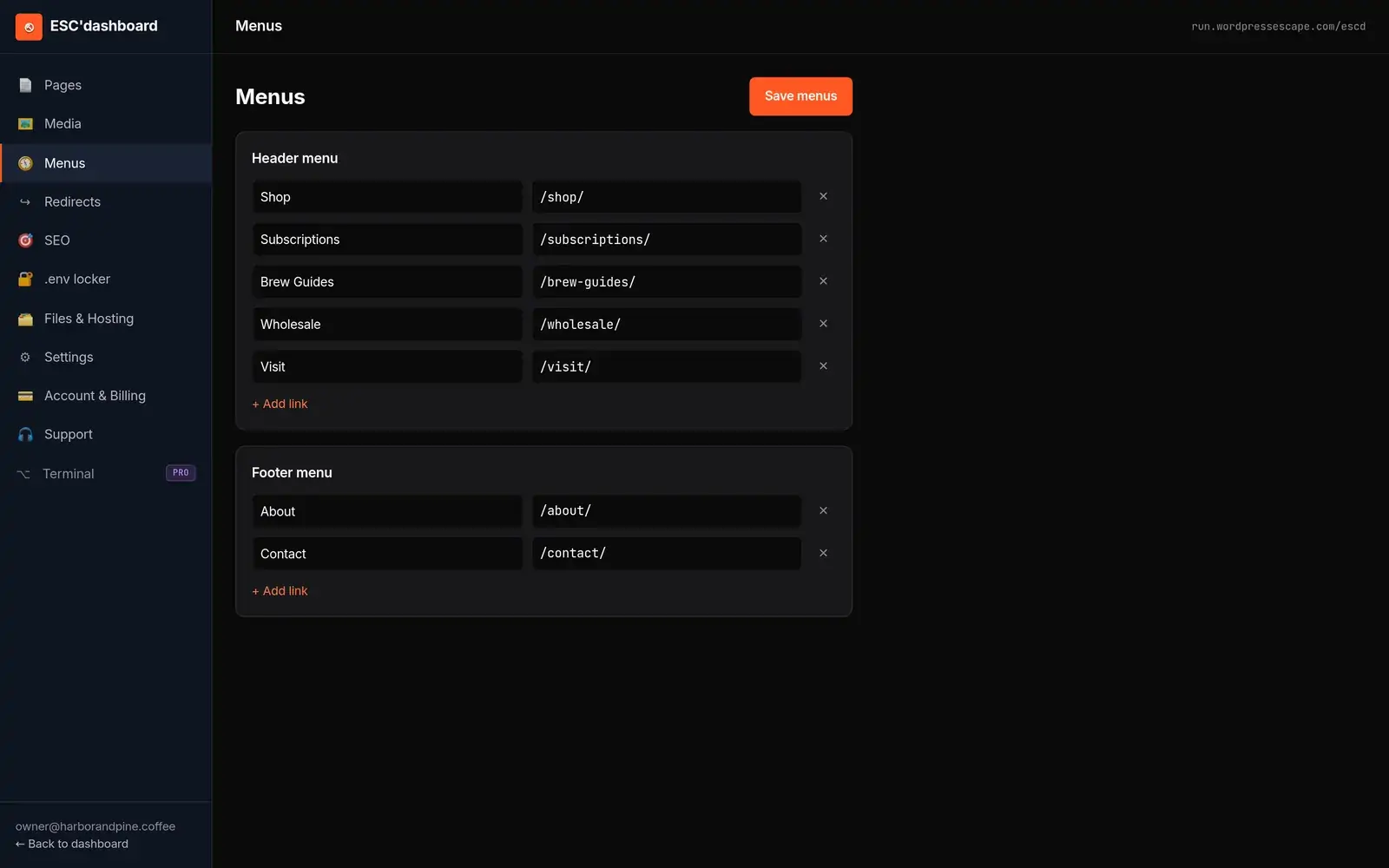
Wordpress Escape addresses the editing problem with ESC’dashboard, a WordPress-style editor that sits on top of the static Hugo site. Editors log into the dashboard, manage posts, pages, and reusable content, and use a block-like interface for layout. When they save changes, the system updates the underlying Hugo content files and triggers a new build. There is no WordPress instance involved - no PHP, no MySQL - but the feel is intentionally similar to Gutenberg so teams can transition without retraining on developer-centric tools. The result is a static architecture that still supports fast iteration and non-technical editors.
If you roll your own solution, you will need to decide between developer-focused editing (directly editing Hugo files), a headless CMS integration, or building a custom dashboard. The tradeoff is largely between control and convenience. Many small teams are comfortable adopting Git-based workflows for content changes, while larger organizations benefit from a dedicated editor that hides implementation details. The important takeaway is that static does not have to mean "no GUI" - it just means the GUI edits files instead of a database-driven runtime application.
Preserving SEO Signals and URL Structure During Migration
A static migration can either be SEO-neutral or SEO-positive if you treat URLs and metadata as first-class assets. The primary rule is simple: do not change URLs unless you absolutely must. For a Gutenberg site moving to Hugo, that means configuring Hugo’s routing to match your existing WordPress permalinks exactly. If a blog post currently lives at /2023/05/15/post-name/, the static version should respond at the same path with equivalent content. This preserves link equity, avoids unnecessary redirects, and ensures that search engines do not need to relearn your entire site structure.
Metadata preservation is equally important. Titles, meta descriptions, canonical tags, and open graph data need to be exported from WordPress and injected into your Hugo templates. If you use an SEO plugin, you can typically pull its data via the WordPress database or API during migration. Structured data (schema.org JSON-LD, for example) should also be recreated in the static environment. Because static pages are prebuilt, you can often streamline this logic and avoid plugin-layer complexity, but the output should match what search engines expect to see.
Static sites can improve performance metrics that indirectly influence SEO. Faster TTFB, lower CLS, and higher PageSpeed scores contribute to better user experience and can support ranking stability or improvements. When Wordpress Escape migrates Gutenberg sites, the typical result on Cloudflare’s edge is PageSpeed scores of around 94+ and stable CLS at 0, with TTFB near 30 ms. These metrics help maintain or enhance visibility, provided content and links remain consistent. Static hosting also reduces downtime risk, which is another practical SEO benefit.
To validate SEO preservation, you should run pre- and post-migration crawls, compare index coverage, and monitor search console data. Look for changes in impressions, clicks, and average position, and investigate any new 404s or soft 404s. If minor URL changes are unavoidable, implement 301 redirects from old paths to new ones and document them carefully. In large-scale migrations, systems like Wordpress Escape’s are designed to ensure zero URLs are lost - even when migrating sites with hundreds of thousands of pages - so that SEO risk is minimized. Taking the time to plan SEO preservation up front pays off in fewer surprises after cutover.
Costs, Tradeoffs, and When Gutenberg Static Migration Makes Sense
Migrating a Gutenberg site to static is not just a technical decision; it is a cost and strategy decision. On the plus side, static sites dramatically reduce hosting expenses, cut out the ongoing labor of patching WordPress and plugins, and lower the risk of security incidents. For many content-heavy sites, the performance gains alone - TTFB around 30 ms, PageSpeed in the 90s, and zero layout shift - justify the project, especially when even small ranking improvements translate into measurable business impact. At scale, serving prebuilt HTML from a CDN is far cheaper and more predictable than scaling PHP and databases.
The tradeoffs center on dynamic features and flexibility. If your Gutenberg site relies on server-side personalization, complex user dashboards, or real-time data rendering, a pure static approach will require re-architecture with APIs or serverless functions. Contact forms, search, and comments need alternative implementations that do not depend on WordPress’s built-in behaviors. Many sites already use external services for these features, which makes migration easier, but it is important to inventory dependencies so you do not lose critical functionality.
Cost-wise, DIY exports are inexpensive in terms of tooling but can be time-intensive and error-prone, especially for large sites. You save on vendor fees but invest more internal time to manage exports, verify URLs, handle SEO nuances, and maintain the hidden WordPress backend. Managed services like Wordpress Escape charge for the migration and platform but deliver a fully static result with WordPress permanently removed, a familiar editing experience through ESC’dashboard, and guarantees around URL preservation. For small teams with simple sites, DIY may be sufficient. For organizations with hundreds of thousands of pages or significant SEO stakes, professional migration reduces risk.
Gutenberg sites are particularly good candidates for static when the content is mostly informational, the layouts are block-based rather than custom PHP, and the business values stability and speed over heavy runtime personalization. If your team likes the block editor but dislikes the ongoing overhead of WordPress itself, a static rebuild on Hugo and a WordPress-style editor can offer the best of both worlds: fast, secure delivery with a modern editing experience. The decision ultimately comes down to weighing immediate migration effort against long-term operational simplicity and performance.
Frequently asked questions
Can I keep using the Gutenberg editor after migrating to a static site?
You cannot keep the Gutenberg plugin itself if WordPress is removed, but you can use an editor that behaves similarly on top of your static site. Wordpress Escape’s ESC’dashboard, for example, provides a WordPress-style block editing interface that writes directly to Hugo content files, so you retain a familiar editing experience without running WordPress underneath.
Will I lose my existing URLs and rankings when moving my Gutenberg site to static?
If you configure your static generator to match your current permalink structure and migrate metadata correctly, you do not need to lose URLs or rankings. A careful migration preserves every path, title, and canonical tag so search engines see the same site, just faster. Services like Wordpress Escape are designed to maintain zero URL loss even on very large sites.
Do static export plugins like Simply Static fully replace WordPress?
Static export plugins generate HTML snapshots but typically leave WordPress running as a hidden backend for editing. That means you still need to maintain and secure WordPress and its plugins. A full static rebuild that deletes WordPress entirely removes that overhead, but it requires a more thorough migration of content, templates, and editing workflows.
What happens to reusable blocks and block patterns when I migrate?
Reusable blocks can be mapped to shared partials or data files in your static generator so that updating one fragment updates all pages using it. Block patterns are mainly templates for layouts; once inserted, they become regular block structures that your static templates can render. With the right mapping, you can preserve both reusable content and pattern-based layouts.
Are there any features I might lose by going fully static from Gutenberg?
You may need to re-implement features that depend on server-side WordPress logic, such as certain kinds of user-specific dashboards, built-in search, or native comments. Many of these can be replaced with external services or APIs, but they do require planning. For content-driven sites with mostly informational pages, the functionality gap is usually small.
Is migrating a very large Gutenberg site to static realistic?
Yes, but it requires robust tooling and a disciplined process. Simple export plugins can struggle with extremely large sites, while specialized solutions are built for scale. Wordpress Escape, for instance, has migrated its own 528,854-page property to Hugo on Cloudflare’s edge, preserving every URL and layout while permanently removing WordPress.
How long does it take to see performance benefits after migration?
Performance benefits are realized as soon as the static site is deployed and DNS is cut over. Once your Gutenberg content is served as prebuilt HTML from a CDN edge, metrics like TTFB and PageSpeed typically improve immediately. You may see SEO and engagement benefits over the subsequent weeks as search engines and users experience the faster site.
See your own numbers first
Every site is different. Run the free 60-second audit on your site - real SEO + speed grades, no login - then decide.
Scan my site free