
On this page
- What people actually mean when they search for a HardyPress alternative
- Security model: static delivery is not the same as deleting WordPress
- Architecture: hidden WordPress backend vs Hugo on Cloudflare’s edge
- Performance expectations: what speed gains matter, and what they do not prove
- Editing workflow: WordPress familiarity without WordPress underneath
- Lock-in and portability: the hidden cost of staying tied to WordPress
- Migration: what a serious WordPress exit actually requires
- Cost: comparing tools, hosting, maintenance, and the real total cost
- Who should choose HardyPress, and who should choose Wordpress Escape
- What to ask before you pick a static WordPress alternative
- Frequently asked questions
What people actually mean when they search for a HardyPress alternative
Most teams comparing HardyPress alternatives are not just shopping for “faster WordPress hosting.” They are trying to reduce risk, simplify maintenance, and stop treating WordPress core, plugins, and PHP updates as part of daily operations. That usually means one of three goals: better security, better performance, or less operational overhead.
HardyPress fits a specific model: it serves a static version of a WordPress site for speed and security, but WordPress still exists underneath as the content system. That matters because the site is still built around the WordPress stack, the dashboard still depends on WordPress, and the long-term architecture still includes WordPress as a living backend. For some teams, that is enough. For others, it is the part they want to eliminate.
Wordpress Escape is for the second group. We do not keep WordPress “hidden,” “headless,” or “off the public path.” We remove it, rebuild the site as static Hugo on Cloudflare’s edge, and provide ESC’dashboard so editors can manage content in a WordPress-style interface without WordPress underneath. That distinction is the core of the comparison: static delivery alone is not the same as a WordPress-free architecture.
- HardyPress-style model: static front end, WordPress still powers the backend
- Wordpress Escape model: WordPress is deleted, content editing continues without WordPress
- Best fit for HardyPress: teams that still want WP compatibility
- Best fit for Wordpress Escape: teams that want to exit WordPress permanently
Security model: static delivery is not the same as deleting WordPress
Security is the biggest reason many organizations start comparing alternatives in the first place. A static front end eliminates a large share of common attack surfaces such as PHP execution on the public site, live database exposure on page requests, and plugin-driven front-end compromise. That is why static-first hosting has become attractive to publishers, agencies, and companies with high traffic or high operational risk.
But the security model depends on what remains in the stack. If WordPress is still the backend, you still have a WordPress install to patch, monitor, harden, and protect. That backend may be hidden from the public, but it is not gone. If a plugin is compromised, credentials are leaked, or the backend is misconfigured, the organization still owns a WordPress risk surface. In practice, that means the team has improved the public-facing attack surface while retaining the maintenance burden of WordPress itself.
Wordpress Escape takes a more aggressive security posture: we permanently delete WordPress and rebuild on a static architecture. There is no WordPress core to patch, no plugin ecosystem to manage, and no public PHP application to harden. For many sites, that is the cleanest way to reduce risk because the old system is not merely concealed; it is removed.
- HardyPress: reduces public attack surface, but WordPress still exists
- Wordpress Escape: removes WordPress entirely, eliminating its backend risk surface
- Practical tradeoff: keeping WordPress preserves compatibility; deleting it reduces maintenance
Architecture: hidden WordPress backend vs Hugo on Cloudflare’s edge
Architecture is where the difference becomes concrete. HardyPress is part of the broader category of static WordPress delivery systems: content is generated and served as static files, but WordPress remains the source of truth. The platform is still built around WordPress workflows, WordPress admin, and WordPress content management. That can be useful if your team wants a familiar publishing process and expects to keep using WordPress-specific plugins or conventions.
Wordpress Escape uses a different architecture. We rebuild the site in Hugo, a static site generator designed for speed and simplicity, then deploy it on Cloudflare’s edge for low-latency global delivery. That gives you a static site without PHP, without a WordPress database in the live stack, and without a hidden WordPress backend that needs ongoing care. The editorial layer is replaced with ESC’dashboard, which is designed to feel familiar to WordPress users while keeping the runtime architecture clean.
This matters because architecture determines what can break, what must be maintained, and what can scale cleanly. A WordPress-based static system still inherits WordPress dependencies. A Hugo-and-edge stack does not. For teams that want the simplest long-term runtime, fewer moving parts is the point.
- HardyPress architecture: static output generated from WordPress
- Wordpress Escape architecture: WordPress-free static site in Hugo, served at the edge
- Operational impact: fewer dependencies usually mean fewer emergency fixes
Performance expectations: what speed gains matter, and what they do not prove
Performance is often the first visible improvement after moving away from a traditional WordPress setup. Static delivery usually reduces TTFB, stabilizes layout behavior, and makes caching far more predictable. On paper, both HardyPress-style platforms and Wordpress Escape should outperform a conventional dynamic WordPress stack because they serve prebuilt pages rather than assembling every request in PHP and MySQL.
That said, performance claims only matter if they are tied to the actual architecture. A site can be fast and still keep WordPress underneath. It can also be fast because it is static, but still carry WordPress-specific complexity in the backend. Wordpress Escape’s own migrated site has delivered results such as PageSpeed around 94+, TTFB around 30ms, and CLS 0. Those numbers are not just about speed; they reflect a runtime model that does less work per request and avoids the front-end instability common in heavily modified WordPress builds.
The tradeoff is that speed alone is not the whole decision. If your current WordPress site depends on dynamic personalization, live shopping cart behavior, or plugin-driven interactivity, you need to map those functions carefully before choosing a static architecture. For brochure sites, publishers, docs sites, and marketing sites, the performance upside is usually straightforward. For more dynamic applications, the migration plan matters more than the benchmark.
- Static delivery improves TTFB consistency
- CLS often improves when the stack is simplified
- Benchmark numbers should be interpreted alongside architecture
Editing workflow: WordPress familiarity without WordPress underneath
For many organizations, editing workflow is the deciding factor. People do not just want a faster site; they want an easier way for nontechnical staff to publish without breaking design or performance. This is where static alternatives often fail in practice: they either expect users to learn a new system, or they force editors back into the old WordPress environment because it is familiar.
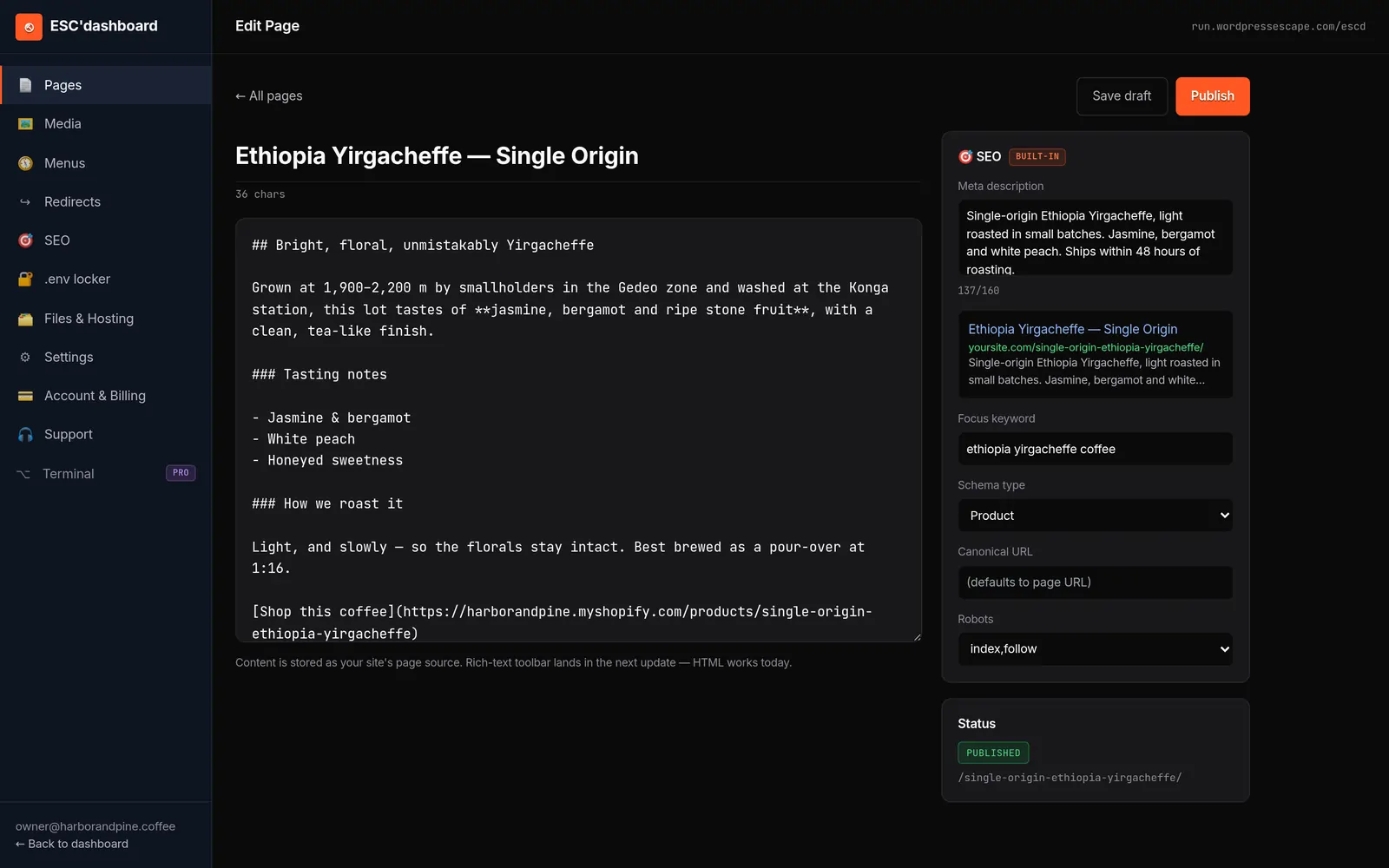
HardyPress appeals to teams that want to keep the WordPress admin experience. That is sensible if preserving the native dashboard matters more than removing the platform. Wordpress Escape takes a different route by providing ESC’dashboard, a WordPress-style editor that keeps the workflow familiar while removing the WordPress runtime entirely. For teams with many content editors, that can reduce training friction without preserving the old backend.
The practical difference is subtle but important. With a WordPress-based static layer, editors are still operating inside WordPress conventions, plugin expectations, and backend maintenance realities. With Wordpress Escape, the editorial experience is designed to feel familiar, but the system underneath is stripped down to a static publishing model. That is a better fit for teams that want continuity for editors and simplification for operations.
- HardyPress advantage: native WordPress familiarity
- Wordpress Escape advantage: familiar workflow without WordPress dependencies
- Best for large editorial teams: a low-friction interface plus simpler infrastructure
Lock-in and portability: the hidden cost of staying tied to WordPress
Lock-in is easy to ignore until you need to leave. Many WordPress optimization tools are designed to improve the current setup rather than change the underlying dependency. That means your site may be faster and more secure, but it still lives in the WordPress ecosystem. In practice, that can make future moves more complicated because your content structure, publishing habits, and operational knowledge remain tied to WordPress conventions.
HardyPress is a form of optimization around WordPress, not a clean exit from it. If your organization later wants to change hosting strategy, reduce plugin exposure, or rebuild from scratch, you still have WordPress-specific baggage. Wordpress Escape is explicitly designed to break that pattern. We migrate the site off WordPress, preserve the URLs and brand look, and leave you with a static architecture that does not depend on WordPress continuity.
That matters for long-term portability. Static Hugo sites are easier to reason about, easier to deploy globally, and generally easier to secure because the runtime is simpler. If your team has decided that WordPress should no longer be the foundation, an alternative that keeps WordPress alive underneath is only a partial solution.
- Keeping WordPress preserves ecosystem convenience but maintains dependency
- Deleting WordPress reduces lock-in and backend complexity
- Static architecture is usually easier to transfer, audit, and maintain long-term
Migration: what a serious WordPress exit actually requires
A credible WordPress exit is more than installing a plugin and clicking “export.” The migration has to preserve URL structure, page content, internal linking, metadata, media handling, redirects, and the site’s visual identity. If those pieces are not handled carefully, performance gains can be offset by traffic losses, broken rankings, or a brand mismatch that makes the new site feel like a downgrade.
That is why the migration process should be judged by outcomes, not just by whether the homepage loads faster. Wordpress Escape migrated our own 528,854-page site, which is a useful proof point because it shows the approach can work at real scale, not just on demo sites. In a proper migration, you should expect a structured content inventory, template mapping, redirect planning, validation of every important URL pattern, and QA that checks design fidelity page by page where it matters most.
For sites comparing HardyPress and Wordpress Escape, the key difference is that HardyPress is usually chosen to keep a WordPress-centered workflow intact, while Wordpress Escape is chosen to complete a full exit. If you want to preserve rankings and URLs while moving away from WordPress, the migration plan has to be built around that goal from day one.
- Preserve URLs before chasing design tweaks
- Map templates before content import
- Validate redirects before launch
- QA critical pages before declaring the migration complete
Cost: comparing tools, hosting, maintenance, and the real total cost
Cost comparisons can be misleading if they focus only on hosting fees. A static WordPress tool may look inexpensive because it is just one more layer on top of an existing WordPress operation. But the real cost of ownership includes plugin maintenance, updates, backups, troubleshooting, developer time, security work, and the churn created when the system becomes fragile.
HardyPress-style setups can reduce infrastructure load and may lower the cost of serving pages quickly, especially for sites that already have a WordPress team in place. The catch is that you still pay for the ongoing WordPress layer, even if the public site is static. Wordpress Escape changes the equation by removing the WordPress backend entirely, which can reduce the maintenance surface over time. That does not mean the migration is free or that static sites have zero costs, but it does shift spending away from recurring WordPress upkeep and toward a simpler operating model.
The most honest way to compare cost is to ask what you are paying for: a temporary performance layer, or a permanent reduction in platform complexity. If the answer is “we just want WordPress to behave better,” a HardyPress-like option may be enough. If the answer is “we want WordPress gone,” then a one-time exit with a static rebuild may make more sense over the lifecycle of the site.
- Hidden cost of WordPress: maintenance, patches, plugin drift, emergency fixes
- Static cost profile: more predictable operations, fewer moving parts
- Best value depends on intent: optimize WordPress or replace it
Who should choose HardyPress, and who should choose Wordpress Escape
Choosing between these models comes down to your tolerance for WordPress dependency. If your team wants to keep the WordPress admin, preserve plugin-based workflows, and gain speed without a full rebuild, a HardyPress-style approach may fit. It is the safer choice when the organization is not ready to change content operations or when the site still relies heavily on WordPress-native behavior.
Wordpress Escape is the better choice when the goal is explicit and nonnegotiable: delete WordPress, keep the site working, and hand editors a WordPress-style interface that no longer depends on the old CMS. That is especially relevant for brands that have outgrown WordPress maintenance, want a stronger security posture, or need a simpler architecture that their team can actually sustain.
A useful rule of thumb is this: if you still want WordPress to exist anywhere in the stack, choose a WordPress-based optimization path. If you want the site to function without WordPress at all, choose a full rebuild. That distinction sounds technical, but it determines how the site will be maintained for years.
- Choose HardyPress if WordPress compatibility is still a requirement
- Choose Wordpress Escape if eliminating WordPress is the goal
- Choose static rebuilds when security, speed, and simplicity matter more than plugin continuity
What to ask before you pick a static WordPress alternative
Before committing to any alternative, ask a few direct questions that expose the real architecture. Does WordPress still run anywhere in the backend? What happens to plugins, forms, redirects, and custom post types? Can the team preserve URLs without rewriting the site structure? How are content edits made after launch, and who owns the maintenance?
These questions matter because many products present themselves as “WordPress alternatives” while still depending on WordPress in ways that are easy to miss. A site may look static on the front end but remain operationally tied to WordPress. That is not necessarily bad, but it is not the same as leaving WordPress behind. Wordpress Escape is designed to answer those questions clearly: WordPress is removed, the site is rebuilt statically, and the editing workflow continues through ESC’dashboard.
If you are comparing options for a serious business site, the most important metric is not how modern the sales page looks. It is whether the platform matches your actual goals. If you want to reduce risk without changing your CMS habits, a WordPress-backed static tool may be enough. If you want a hard exit from WordPress, you need a service built for that outcome.
- Ask whether WordPress still exists after launch
- Ask how URLs and redirects are preserved
- Ask how editors will work day to day
- Ask who owns long-term maintenance
Frequently asked questions
Is HardyPress a true WordPress alternative?
Not in the strictest sense. HardyPress reduces the public-facing WordPress burden by serving a static version, but WordPress still remains in the backend. If your goal is to keep WordPress while improving security and speed, it can fit; if your goal is to remove WordPress entirely, it does not.
What is the main advantage of Wordpress Escape over HardyPress?
Wordpress Escape deletes WordPress instead of hiding it behind a static layer. That gives you a cleaner security model, less backend maintenance, and a runtime built on static Hugo plus Cloudflare’s edge rather than a WordPress-based stack.
Will I lose rankings if I move off WordPress?
Not if the migration is handled correctly. The critical work is preserving URLs, redirects, content structure, internal links, and metadata, then validating the site carefully after launch. A full exit from WordPress can be done without losing URLs if the migration is engineered properly.
Do editors have to learn a totally new system?
They should not have to if the migration is done well. Wordpress Escape provides ESC’dashboard, which is designed to give editors a WordPress-style experience without WordPress underneath. That reduces training friction while still removing the old backend.
Is static always better than WordPress?
Not always. Static is usually better for speed, security, and operational simplicity, but WordPress can still be the right choice for sites that depend on dynamic plugins, complex workflows, or rapid in-dashboard extensibility. The right answer depends on whether you want to optimize WordPress or replace it.
How hard is it to migrate a large WordPress site to static?
It is very doable, but it requires careful planning. Large migrations need template mapping, URL preservation, redirect rules, media handling, and QA across key page types. Wordpress Escape migrated its own 528,854-page site, which shows that large-scale exits from WordPress are possible when the process is built for that outcome.
See your own numbers first
Every site is different. Run the free 60-second audit on your site - real SEO + speed grades, no login - then decide.
Scan my site free