
ในหน้านี้
- เมื่อใดที่การสร้างใหม่เป็นไซต์สแตติกไม่ใช่ตัวเลือกที่เหมาะ
- What a static website for a medical practice actually is
- Security: why plugin sprawl is a real risk for clinics
- HIPAA-adjacent concerns and what static sites do not solve
- Why speed matters for local SEO and doctor-near-me searches
- Keeping booking, portal, and intake tools without WordPress
- The migration process: how a clinic move should be done
- Cost, maintenance, and the real ownership model
- When a static rebuild is the wrong choice
- คำถามที่พบบ่อย
เมื่อใดที่การสร้างใหม่เป็นไซต์สแตติกไม่ใช่ตัวเลือกที่เหมาะ
สแตติกไม่ใช่คำตอบสากล หากคลินิกของคุณพึ่งพาเวิร์กโฟลว์ผู้ป่วยแบบกำหนดเองที่ขับเคลื่อนด้วยฐานข้อมูล และจำเป็นต้องอยู่ในแอปเดียวกับเว็บไซต์สาธารณะจริง ๆ คุณต้องประเมินสถาปัตยกรรมอย่างรอบคอบ กลุ่มขนาดใหญ่หลายสาขาที่มีการเชื่อมต่อซับซ้อน การปรับแต่งเฉพาะบุคคลลึก ๆ หรือการผลิตคอนเทนต์จำนวนมาก อาจยังต้องใช้ระบบแบ็กเอนด์เพิ่มเติม
คำถามที่แท้จริงไม่ใช่ว่าสแตติกกำลังเป็นเทรนด์หรือไม่ แต่คือเว็บไซต์สาธารณะของคุณจำเป็นต้องเป็นแอปพลิเคชันแบบไดนามิกหรือไม่ สำหรับคลินิกจำนวนมาก คำตอบคือไม่ พวกเขาต้องการหน้าบ้านที่เร็ว เชื่อถือได้ และปลอดภัย เพื่ออธิบายบริการและพาผู้ป่วยไปยังระบบเฉพาะทาง
อย่างไรก็ตาม การย้ายควรถูกออกแบบตามเวิร์กโฟลว์จริงของคลินิก หากเว็บไซต์ต้องพึ่งเครื่องคิดคำนวณแบบสด เครื่องมือประกันแบบกำหนดเอง หรือฟอร์มหลายขั้นตอนที่ซับซ้อนและแทนที่ได้ยาก ความต้องการเหล่านั้นต้องถูกทำแผนที่ไว้ก่อนสลับระบบ
What a static website for a medical practice actually is
A static website does not mean a bare-bones brochure site. It means the pages are prebuilt and served as files, rather than being assembled dynamically by a database and CMS on each request. For a clinic, that usually includes the core pages patients expect: homepage, services, provider bios, insurance accepted, FAQs, contact, location pages, and condition-specific landing pages. The difference is in how the site is delivered.
When the site is static, page delivery is dramatically simpler. There is no server-side WordPress application processing every request, and no database query chain that can slow things down or fail under load. The result is usually faster page loads, lower infrastructure overhead, and fewer things to break after a plugin update. If you need forms, appointment scheduling, chat, or a patient portal, those can still be embedded from reputable third-party systems while the main site remains static.
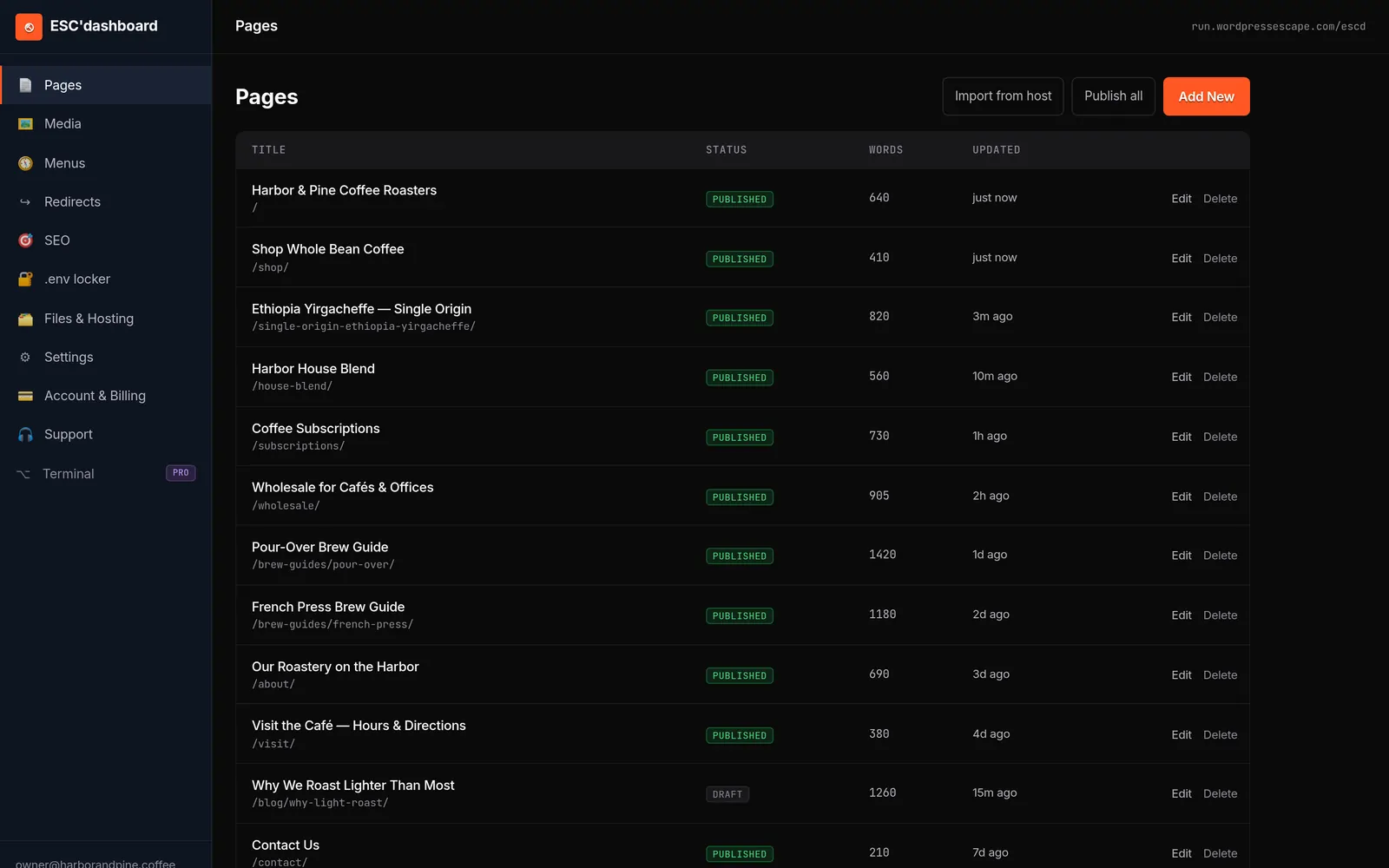
This model is especially useful for practices that want the familiarity of a CMS without the risk of running one in production. A platform such as ESC'dashboard can provide a WordPress-style editing experience while the public site itself is static and WordPress-free.
Security: why plugin sprawl is a real risk for clinics
Healthcare sites are attractive targets because they often combine brand credibility, local visibility, and a web stack that has not been audited in years. On WordPress, the most common weak points are not the core system alone; they are the plugins, themes, abandoned add-ons, and credentials that accumulate over time. Each extension can introduce its own vulnerabilities, dependency issues, or update conflicts. Even if no protected health information is stored on the site, a compromise can still damage reputation, deface pages, redirect patients, or create compliance concerns.
Static architecture reduces that risk by removing the interactive application layer from the public website. There is no WordPress admin dashboard to brute-force, no plugin CVE backlog to track, and no database to exploit through the CMS. That does not make the site magically invulnerable; third-party embeds, forms, analytics, and domain security still matter. But it does remove one of the largest routine risks in the small-business web stack.
For medical practices, the practical benefit is simpler operations. The office manager is not asked to approve plugin updates. The marketing person is not waiting on a developer to test whether a WordPress patch will break the page builder. And you are not relying on a site that only stays safe if someone keeps patching it every week.
HIPAA-adjacent concerns and what static sites do not solve
A static site is not a substitute for a compliance program, and it does not automatically make a practice HIPAA compliant. If you handle patient data, the compliance question depends on how forms, portals, analytics, chat tools, and vendors are configured. The key benefit of a static public site is that it narrows the places where sensitive data can be exposed.
That distinction matters. Many clinics accidentally create risk through convenience tools: contact forms that collect too much information, embedded chat widgets with weak vendor controls, or plugin-based appointment systems that store data in the wrong place. A static rebuild encourages a cleaner separation. The public website can remain lightweight and non-sensitive, while any PHI-related workflow is pushed into dedicated, vetted systems designed for that purpose.
In practice, that means your website can still support appointment requests, patient portal access, insurance verification instructions, and secure communication without carrying the burden of being the system of record. You should still review vendors, business associate agreements, and the fields your forms collect.
Why speed matters for local SEO and doctor-near-me searches
Patients searching for care are usually searching with urgency. They are not browsing for entertainment; they are trying to find a nearby provider who feels credible and available. That makes speed a ranking and conversion issue at the same time. If your site loads slowly, especially on mobile, you increase the chance that a searcher abandons your page before they see your location, services, or call button.
Static sites tend to perform well because they eliminate server-side overhead and deliver pages from edge infrastructure close to the visitor. That can improve real-world responsiveness, which is especially important for local search traffic from mobile users. In plain terms, a faster site helps the patient get to the information they need with fewer friction points.
For practices competing in a crowded metro area, this matters. A thin, slow WordPress install can underperform a more optimized competitor even when the content is similar. A fast static rebuild gives you a better foundation for local SEO because the technical layer is working with you instead of against you.
Keeping booking, portal, and intake tools without WordPress
One of the most common objections to going static is the fear that the website will lose functionality. In reality, the functionality usually belongs in a specialized system anyway. Most medical practices do not need WordPress to manage appointments, patient portals, telehealth, insurance verification, or intake. They need those tools to be easy to find and reliable to use.
A static site can embed or link to those services cleanly. Booking widgets can be inserted from scheduling vendors. Patient portal access can be linked prominently from the header, footer, or a dedicated patient resources page. Intake can be handled through secure third-party workflows. The public site remains simple, while the operational systems run in the tools designed for those jobs.
The key is to evaluate each function on its own. Ask whether a workflow needs to live inside your website or whether it just needs to be accessible from your website. In most clinics, the answer is the latter.
The migration process: how a clinic move should be done
A careful migration matters more than the technology choice itself. For a medical practice, the priority is to preserve URLs, avoid downtime, and keep the patient experience intact. A good migration starts with a full inventory of the existing site: every indexed page, service landing page, provider bio, location page, downloadable document, and form destination. That inventory is what prevents ranking losses and broken links after launch.
The next step is rebuilding the content and design as a static site while keeping the brand familiar. That means preserving the color palette, typography, navigation structure, and most important calls to action so returning patients are not confused. Then comes the technical pass: redirect mapping, metadata transfer, schema markup where appropriate, image optimization, and testing for every high-traffic URL.
The final stage is launch and monitoring. You want to confirm that all old URLs resolve correctly, analytics are working, the phone number and directions are prominent, and there are no broken scripts. A disciplined move can preserve traffic while dramatically improving speed and stability.
Cost, maintenance, and the real ownership model
The visible cost of WordPress is often lower than the real cost. A clinic may spend less upfront on hosting or a theme, but over time the stack can accumulate fees for security tools, premium plugins, backups, caching layers, page builders, developer fixes, and emergency cleanup after an update goes wrong. On top of that is staff time: someone has to update plugins, test pages, and respond when a form stops working.
Static sites usually shift the cost profile. Hosting is typically lighter, maintenance is lower, and the public site has fewer failure points. That does not mean there is no ongoing work. Content changes, provider updates, seasonal announcements, and SEO improvements still need attention. But those changes are simpler when the site is not depending on a live CMS application.
For medical practices, this can be a better operational fit. Your staff should be focused on patient care and office operations, not plugin troubleshooting.
When a static rebuild is the wrong choice
Static is not a universal answer. If your practice depends on highly custom, database-driven patient workflows that truly must live inside the same application as your public website, you need to evaluate the architecture carefully. Large multi-location groups with complex integrations, deep personalization, or heavy content publishing may still need additional backend systems.
The real question is not whether static is trendy. It is whether your public website needs to be a dynamic application at all. For many practices, the answer is no. They need a fast, trustworthy, secure front door that explains services and routes patients into dedicated systems.
That said, the migration should be designed around the practice’s actual workflows. If a site depends on live calculators, custom insurance tools, or complex multi-step forms that are difficult to replace, those requirements need to be mapped before the switch.
คำถามที่พบบ่อย
เว็บไซต์สแตติกเหมาะกับคลินิกหรือสถานพยาบาลไหม?
เหมาะ ถ้าเว็บไซต์มีหน้าที่หลักคือให้ข้อมูลผู้ป่วย สนับสนุน Local SEO และพาผู้ใช้ไปยังเครื่องมือจองนัดหรือพอร์ทัลผู้ป่วย ไซต์สแตติกจะเด่นเป็นพิเศษเมื่อให้ความสำคัญกับความปลอดภัย ความเร็ว และการดูแลรักษาที่ต่ำ มากกว่าการรัน CMS เต็มรูปแบบบนเว็บไซต์สาธารณะ
ไซต์สแตติกยังมีระบบจองนัดและลิงก์พอร์ทัลผู้ป่วยได้ไหม?
ได้ คลินิกส่วนใหญ่สามารถฝังหรือลิงก์ออกไปยังระบบนัดหมาย พอร์ทัลผู้ป่วย แบบฟอร์มรับข้อมูล และเครื่องมือเทเลเฮลท์ได้โดยไม่ต้องรัน WordPress เว็บไซต์สาธารณะยังคงเป็นสแตติก ขณะที่เวิร์กโฟลว์เฉพาะทางอยู่ในระบบของผู้ให้บริการที่สร้างมาเพื่อจุดประสงค์นั้น
การย้ายไปสแตติกทำให้เว็บไซต์ทางการแพทย์ผ่าน HIPAA ไหม?
ไม่ผ่านอัตโนมัติ การปฏิบัติตาม HIPAA ขึ้นอยู่กับวิธีเก็บ ส่ง เก็บรักษา และแชร์ข้อมูลผ่านฟอร์ม พอร์ทัล แอนะลิติกส์ และผู้ให้บริการต่าง ๆ ไซต์สแตติกช่วยลดความเสี่ยงด้วยการเอา WordPress และปลั๊กอินออกจากสแตกสาธารณะ แต่เรื่องคอมพลายแอนซ์ยังต้องจัดการอย่างถูกต้อง
การเปลี่ยนจาก WordPress จะทำให้ SEO แย่ลงไหม?
ไม่จำเป็น ถ้าการย้ายรักษา URL รีไดเร็กต์ metadata ลิงก์ภายใน และคอนเทนต์หลักไว้ได้ การสร้างใหม่เป็นไซต์สแตติกสามารถคงอันดับไว้ได้พร้อมกับทำให้เว็บเร็วขึ้น ในหลายกรณี เวลาโหลดที่ดีขึ้นและประสิทธิภาพเชิงเทคนิคที่สะอาดขึ้นยังช่วย Local SEO ด้วย
เกิดอะไรขึ้นกับหน้าเดิมและอันดับเดิมระหว่างการย้าย?
วิธีที่ปลอดภัยที่สุดคือแมปทุก URL สำคัญ สร้างคอนเทนต์ใหม่ และตั้งค่ารีไดเร็กต์เมื่อจำเป็น วิธีนี้ช่วยรักษาจุดเข้าถึงของผู้ป่วย และช่วยให้เครื่องมือค้นหาส่งต่อคุณค่าจากหน้าเดิมไปยังเวอร์ชันสแตติกใหม่ได้
เว็บไซต์สแตติกที่ไม่ใช้ WordPress ดูแลรักษาง่ายกว่าอย่างไร?
ไม่มีการอัปเดตปลั๊กอิน ไม่มีความขัดแย้งของธีม และไม่มีแพตช์ WordPress core ให้จัดการ เว็บไซต์มีชิ้นส่วนที่ต้องเคลื่อนไหวน้อยลง งานดูแลประจำจึงมักเหลือแค่การอัปเดตคอนเทนต์และปรับดีไซน์เป็นครั้งคราว แทนที่จะต้องดูแลซอฟต์แวร์อย่างต่อเนื่อง
Wordpress Escape ต่างจากเครื่องมืออย่าง Simply Static หรือไม่?
ต่าง Simply Static และเครื่องมือคล้ายกันมักส่งออกเป็นไฟล์แบนหรือยังให้ WordPress ทำงานอยู่ในกระบวนการ Wordpress Escape วางตำแหน่งตัวเองว่าเป็นการลบ WordPress ออกจากเว็บไซต์สาธารณะอย่างถาวร สร้างใหม่เป็น Hugo แบบสแตติกบน edge ของ Cloudflare และมอบตัวแก้ไขแบบ WordPress โดยไม่มี WordPress อยู่ข้างใต้
ดูตัวเลขของคุณก่อน
แต่ละเว็บไซต์ไม่เหมือนกัน ลองใช้การตรวจประเมินฟรีภายใน 60 วินาทีบนเว็บไซต์ของคุณ - ได้คะแนน SEO + ความเร็วจริง ไม่ต้องล็อกอิน - แล้วค่อยตัดสินใจ
สแกนเว็บไซต์ของฉันฟรี